


NebulaMultiplayerMod
С этим модом вы сможете играть со своими друзьями в одной игре! Теперь поддерживает боевой режим в игровой версии 0.10.35


 Мод для Dyson Sphere Program
от starfi5h
Set game speed by pause/resume/speedup button or hotkey. Autosave in background. 游戏速度控制(0x-10x)。Pause热键战术暂停。(可选)在後台自動存档
BulletTime — мод для Dyson Sphere Program (Дайсон Сфер Програм) от автора starfi5h. Set game speed by pause/resume/speedup button or hotkey. Autosave in background. 游戏速度控制(0x-10x)。Pause热键战术暂停。(可选)在後台自動存档
Его скачали 276,5 тыс. раз: это 12-е место среди модов Dyson Sphere Program в нашем каталоге, редкость — «эпический» (топ-20% по скачиваниям). Мод обновлялся в последние полгода, актуальная версия — 1.5.14.
Для работы ему нужны: BepInEx, NebulaMultiplayerModApi.
3 шт · нажмите, чтобы открыть
Текст автора на языке оригинала
Take full control of time in Dyson Sphere Program\! This mod allows you to speed up, slow down, or completely pause the game to fit your playstyle. This is quality of life mod. It doesn't affect achievements or metadata.
By decoupling the mecha (player actions) from the world simulation, Bullet Time offers three main ways to control the flow of time:
Pause key to "hard freeze" the game. In this mode, the world and your mecha stop completely, but you can still freely move the camera, queue up construction, place blueprints, and change building settings.EnableMechaFunc).You can also advance the game by a single frame using the KeyStepOneFrame hotkey. It is recommended to use the step function when the mecha has stopped moving.
Note: This function has risk potential, so it's better to test it first.
KeyImmediateSave). The immediate-save hotkey writes a save instantly and reports the result in the log.StatusTextPause, and its vertical position relative to the autosave text can be adjusted with StatusTextHeightOffset.It is recommended to install it through r2modman or GaleModManager.
KeySpeedUp / KeySpeedDown) for the same actions.Pause / Break key to toggle.Shift + F12 to see the real-time FPS and UPS in the top-left corner.After running the game once with the mod installed, a config file will be generated. You can edit it in two ways:
com.starfi5h.plugin.BulletTime, and click "Edit Config".BepInEx\config\ in your game folder and open the com.starfi5h.plugin.BulletTime.cfg file with a text editor.Changes will take effect after you restart the game.
Key — Description — Default
KeyAutosave — Keyboard shortcut for scheduling auto save. — F10 + LeftShift
KeyImmediateSave — Keyboard shortcut for immediate auto save. — F10 + LeftControl + LeftAlt
KeySpeedUp — Keyboard shortcut for speed up. — None
KeySpeedDown — Keyboard shortcut for speed down. — None
KeyPause — Hotkey for toggling Tactical Pause mode. — Pause|Break
KeyStepOneFrame — Hotkey to advance 1 frame in pause mode. — None
EnableMechaFunc — If true, your mecha can move in Tactical Pause mode. — false
EnableBackgroundAutosave — Run autosave in the background. — false
EnableHotkeyAutosave — Enable hotkey to trigger autosave. — false
StartingSpeed — Game speed (in percent) when the game begins. — 100
| EnableFastLoading | Skip planet ren
Описание длинное — здесь его начало. Читать целиком на странице автора
В r2modman ставится автоматически
1 в каталоге
С этим модом вы сможете играть со своими друзьями в одной игре! Теперь поддерживает боевой режим в игровой версии 0.10.35
Файл скачивается с официального сервера Thunderstore, без перезаливов и сторонних установщиков
Подробная инструкция для Dyson Sphere ProgramВставьте значок в описание на Thunderstore, в README или в Discord — русскоязычные игроки сразу попадут на страницу с переводом и инструкцией.

[](https://modka.app/dyson-sphere-program/starfi5h-bullettime/)<a href="https://modka.app/dyson-sphere-program/starfi5h-bullettime/"><img src="https://modka.app/badge.png" alt="Описание на русском — Модка" height="44"></a>[url=https://modka.app/dyson-sphere-program/starfi5h-bullettime/]Описание на русском — Модка[/url]Скачайте менеджер модов r2modman (или Gale) и выберите в нём игру Dyson Sphere Program. Создайте профиль — так моды не смешаются с чистой версией игры. Найдите «BulletTime» во вкладке Online и нажмите Download — BepInEx и все зависимости подтянутся сами. Нажмите «Start modded» — игра запустится с модами. Чтобы сыграть без модов, запустите игру как обычно из Steam — r2modman не трогает чистую версию игры.
Файл скачивается с официального сервера Thunderstore, куда его загрузил starfi5h. Мы не перезаливаем и не изменяем моды.
Установите вместе с ним: BepInEx, NebulaMultiplayerModApi. В менеджере модов зависимости подтягиваются автоматически.
21 сентября 2026, актуальная версия — 1.5.14. Дата берётся с официальной страницы мода при каждом обновлении каталога.

Улучшение производительности при рендеринге Dyson Spheres

Улучшает систему Blueprint с изменениями QoL, новыми функциями, такими как силовая паста, чертежи фундамента и многое другое

Let replicator and build tools use items in logistic slots. Tweak slots count and stacksize. Right click on hotbar to craft building. 手搓和建造可以直接使用物流背包的物品,配置文件可改物流背包容量及背包堆叠倍率

Add various cheat functions while disabling abnormal determinants / 添加一些作弊功能,同时屏蔽异常检测
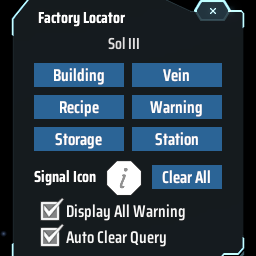
Find the positions of specified machines by type/recipe/content and ping on map. Ctrl + F to open the search window. 工厂定位:寻找星球上的产线/矿脉/箱子内物品的位置

Показывает скорость производства и потребления товаров в производственных окнах.