

BulletTime
Set game speed by pause/resume/speedup button or hotkey. Autosave in background. 游戏速度控制(0x-10x)。Pause热键战术暂停。(可选)在後台自動存档


 Мод для Dyson Sphere Program
от Andy
Улучшение производительности при рендеринге Dyson Spheres
SphereOpt — мод для Dyson Sphere Program (Дайсон Сфер Програм) от автора Andy. Улучшение производительности при рендеринге Dyson Spheres
Его скачали 22,4 тыс. раз: это 75-е место среди модов Dyson Sphere Program в нашем каталоге, редкость — «редкий» (топ-50% по скачиваниям). Мод давно не обновлялся — проверьте совместимость с текущей версией игры, актуальная версия — 0.9.2.
Для работы ему нужны: BepInEx.
Текст автора на языке оригинала
SphereOpt v0.9.2 should be considered a "beta" release. The worst you should is experience is errors or graphical glitches, in which case you can uninstall the mod. Please report any issues you encounter.
Improves rendering of Dyson Shells, Frames, and Nodes by instancing the shell hexagons and issuing one draw call per layer, instead of one per shell. Also implements culling and level of detail for frames/nodes. Impact is larger depending on the size of your Dyson Sphere(s).
In a new game with a large and densely packed sphere containing 5,240 shells, framerate increased from 18fps with DSPOptimizations alone to ~85fps with SphereOpt.
DSPOptimizations is not required, but I don't know why you wouldn't use it if you're interested in this mod.
В r2modman ставится автоматически
Файл скачивается с официального сервера Thunderstore, без перезаливов и сторонних установщиков
Подробная инструкция для Dyson Sphere ProgramВставьте значок в описание на Thunderstore, в README или в Discord — русскоязычные игроки сразу попадут на страницу с переводом и инструкцией.

[](https://modka.app/dyson-sphere-program/andy-sphereopt/)<a href="https://modka.app/dyson-sphere-program/andy-sphereopt/"><img src="https://modka.app/badge.png" alt="Описание на русском — Модка" height="44"></a>[url=https://modka.app/dyson-sphere-program/andy-sphereopt/]Описание на русском — Модка[/url]Скачайте менеджер модов r2modman (или Gale) и выберите в нём игру Dyson Sphere Program. Создайте профиль — так моды не смешаются с чистой версией игры. Найдите «SphereOpt» во вкладке Online и нажмите Download — BepInEx и все зависимости подтянутся сами. Нажмите «Start modded» — игра запустится с модами. Чтобы сыграть без модов, запустите игру как обычно из Steam — r2modman не трогает чистую версию игры.
Файл скачивается с официального сервера Thunderstore, куда его загрузил Andy. Мы не перезаливаем и не изменяем моды.
Установите вместе с ним: BepInEx. В менеджере модов зависимости подтягиваются автоматически.
3 октября 2025, актуальная версия — 0.9.2. Это больше года назад: перед установкой проверьте, работает ли мод на текущей версии игры.
Set game speed by pause/resume/speedup button or hotkey. Autosave in background. 游戏速度控制(0x-10x)。Pause热键战术暂停。(可选)在後台自動存档
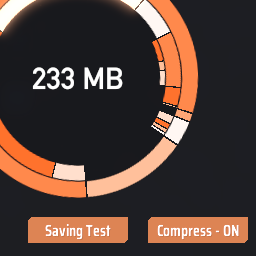
Compress dyson shells, solar sails, and belt data to reduce save size. Lay load dyson shells to reduce RAM usage. 压缩戴森壳,太阳帆,传送带的存档数据。延迟加载戴森外壳以减少内存占用。
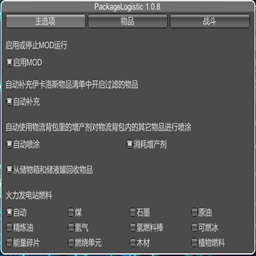
通过物流背包提供物品收发能力。Provides the ability to send and receive items through deliveryPackage

Улучшает систему Blueprint с изменениями QoL, новыми функциями, такими как силовая паста, чертежи фундамента и многое другое

Add various cheat functions while disabling abnormal determinants / 添加一些作弊功能,同时屏蔽异常检测
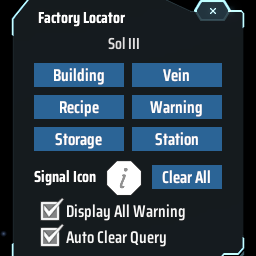
Find the positions of specified machines by type/recipe/content and ping on map. Ctrl + F to open the search window. 工厂定位:寻找星球上的产线/矿脉/箱子内物品的位置