LSTM
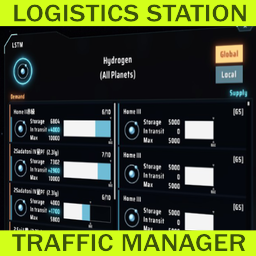
Менеджер трафика логистической станции


 Мод для Dyson Sphere Program
от enriquein
Показывает максимальную скорость извлечения майнера в пользовательском интерфейсе Miner.
MinerVeinCoverage — мод для Dyson Sphere Program (Дайсон Сфер Програм) от автора enriquein. Показывает максимальную скорость извлечения майнера в пользовательском интерфейсе Miner.
Его скачали 9,4 тыс. раз: это 138-е место среди модов Dyson Sphere Program в нашем каталоге, редкость — «обычный» (нижняя половина по скачиваниям). Мод давно не обновлялся — проверьте совместимость с текущей версией игры, актуальная версия — 1.5.1.
Дополнительных модов для работы не требует.
3 шт · нажмите, чтобы открыть
Текст автора на языке оригинала
Dyson Sphere Program mod that adds the maximum mining speed in the Miner UI. It will add the text "(X / min)" (where X is the maximum extraction rate for this miner) at the end of the "Cover X vein(s)" text. See screenshots for a much better visual explanation. Since version 1.3 you can choose to display production as "per second".
The value takes into account all of your vein upgrades and also works when the miner is idle or even unpowered.
As of version 1.4, it also includes experimental support for the Advanced Mining Machine.
Under normal operation (with 5 vein upgrades)
Idle miner because of full belt (with 5 vein upgrades as well)
Displaying production per second
The easiest way to install the mod is to use the r2modman mod manager. If you havent installed it yet, you can get it from here. Then after you create your profile for Dyson Sphere Program, search for MinerVeinCoverage, select it and download it.
If prompted to download with dependencies, select Yes.
Remember to launch the game using the "Start modded" option in r2modman's sidebar, otherwise it will not be able to load the mods.
I have always used r2modman to mod games made with Unity, so the following manual instructions are based on what I've seen from other mods, so your mileage may vary. If you are doing manual installs, I assume you know what to do with this. Feel free to drop me a note or send a pull request with a fix to these instructions if I'm wrong.
MinerVeinCoverage in Dyson Sphere Program/BepInEx/pluginsMinerVeinCoverage.dll from the mod's zip file into Dyson Sphere Program/BepInEx/plugins/MinerVeinCoverage/.Hopefully that should work.
Please open an issue in the mod's GitHub repository.
200/min instead of 200 / min). I had originally placed the padding spaces for it to be consistent with other machines that display amount per time unit, but I think that given how the text can overlap the ore icon in the Advanced Mining Machine this is a good compromise.of the miner, the "Coverage" text can overlap the ore icon. I'm not sure if I have enough Unity knowledge to fix that, sadly.
to create the configuration file. Afterwards, you should be able to edit the configuration through r2modman or manually.
Файл скачивается с официального сервера Thunderstore, без перезаливов и сторонних установщиков
Подробная инструкция для Dyson Sphere ProgramВставьте значок в описание на Thunderstore, в README или в Discord — русскоязычные игроки сразу попадут на страницу с переводом и инструкцией.

[](https://modka.app/dyson-sphere-program/enriquein-minerveincoverage/)<a href="https://modka.app/dyson-sphere-program/enriquein-minerveincoverage/"><img src="https://modka.app/badge.png" alt="Описание на русском — Модка" height="44"></a>[url=https://modka.app/dyson-sphere-program/enriquein-minerveincoverage/]Описание на русском — Модка[/url]Скачайте менеджер модов r2modman (или Gale) и выберите в нём игру Dyson Sphere Program. Создайте профиль — так моды не смешаются с чистой версией игры. Найдите «MinerVeinCoverage» во вкладке Online и нажмите Download — BepInEx и все зависимости подтянутся сами. Нажмите «Start modded» — игра запустится с модами. Чтобы сыграть без модов, запустите игру как обычно из Steam — r2modman не трогает чистую версию игры.
Файл скачивается с официального сервера Thunderstore, куда его загрузил enriquein. Мы не перезаливаем и не изменяем моды.
6 октября 2025, актуальная версия — 1.5.1. Это больше года назад: перед установкой проверьте, работает ли мод на текущей версии игры.
Менеджер трафика логистической станции
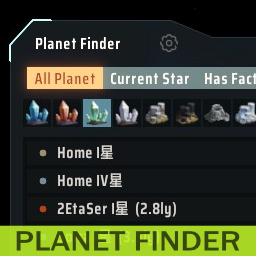
Предоставляет окно для поиска планет
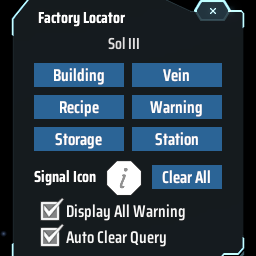
Find the positions of specified machines by type/recipe/content and ping on map. Ctrl + F to open the search window. 工厂定位:寻找星球上的产线/矿脉/箱子内物品的位置

Показывает скорость производства и потребления товаров в производственных окнах.

Adds QoL features to statistics panel. Extra ui scale options. 统计面板UI增强: 以星系名排序,过滤星球名称,热键切换,导航按钮,字体大小

Shows the contents of the station Without opening the window. This don't affect achievements or milestones. ウィンドウを開かずにステーションの内容を表示します。実績やマイルストーンには影響しません。