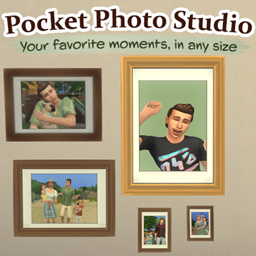
Pocket Photo Studio
Capture your Sims' favorite moments! Create family, expressive and historical photos, take snapshots and make copies of your favorite photographs.


 Мод для The Sims 4
от deaderpool_mccc
Allow many different gameplay elements to be changed in Sims 4
MC Command Center — мод для The Sims 4 (Симс 4) от автора deaderpool_mccc. Allow many different gameplay elements to be changed in Sims 4
Его скачали 14,8 млн раз: это 1-е место среди модов The Sims 4 в нашем каталоге, редкость — «легендарный» (топ-5% по скачиваниям). Мод обновлялся в последний месяц, актуальная версия — MC Command Center 2026.6.0.
Дополнительных модов для работы не требует.
Текст автора на языке оригинала
My goal with MC Command Center is to provide missing story progression to the Sims 4 as well as give the player the ability to fine-tune their playing experience to be more "fun" for their play-style. There are various modules that may be removed if that functionality is not desired by a player.
My official website for MCCC is at https://deaderpool-mccc.com. There is a lot of information at this site for each module including overviews, setting details and console commands (where applicable). There are also documents for Installation help, Troubleshooting and a FAQ.
General Support - Support for other mods or just general Q&A.
General Support (Sims After Dark) - Alternate support for other mods or general Q&A
MCCC Support - MCCC errors and questions
Error Support - Last Exception questions
Файл скачивается с официального сервера CurseForge, без перезаливов и сторонних установщиков
Подробная инструкция для The Sims 4Вставьте значок в описание на CurseForge, в README или в Discord — русскоязычные игроки сразу попадут на страницу с переводом и инструкцией.

[](https://modka.app/sims-4/mc-command-center/)<a href="https://modka.app/sims-4/mc-command-center/"><img src="https://modka.app/badge.png" alt="Описание на русском — Модка" height="44"></a>[url=https://modka.app/sims-4/mc-command-center/]Описание на русском — Модка[/url]Скачайте «MC Command Center» кнопкой «Скачать» — файл придёт с официального сервера CurseForge. Откройте папку Документы\Electronic Arts\The Sims 4\Mods. Если её нет — один раз запустите игру, и она появится. Если скачался архив .zip или .rar — распакуйте его и перенесите файлы .package и .ts4script в папку Mods. Файлы .package можно раскладывать по подпапкам, а .ts4script — не глубже одной папки внутри Mods, иначе игра их не увидит. В игре откройте «Параметры игры» → «Другое», включите пользовательский контент и моды, а также моды-скрипты, и перезапустите игру.
Файл скачивается с официального сервера CurseForge, куда его загрузил deaderpool_mccc. Мы не перезаливаем и не изменяем моды.
1 ноября 2026, актуальная версия — MC Command Center 2026.6.0. Дата берётся с официальной страницы мода при каждом обновлении каталога.
Capture your Sims' favorite moments! Create family, expressive and historical photos, take snapshots and make copies of your favorite photographs.
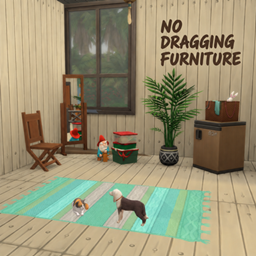
Simply locks furniture in place during gameplay to prevent accidental dragging, compatible with all packs and CC.

Cookbook is required to work with custom recipes from S&S

Powerful script library for many of my mods!

XML Injector is a mod library to allow mods to add interactions without creating scripts.

Skysims's hair mesh, uv, texture edit for your female sims