



SmelterMiner
This new mining machine will mine the minerals and automatically smelt them into the iron ingot, copper ingot, etc. Smelter loses his job:) 新采矿机,采矿后还会自动将矿物熔炼成一级产物再输出。

 Мод для Dyson Sphere Program
от jinxOAO
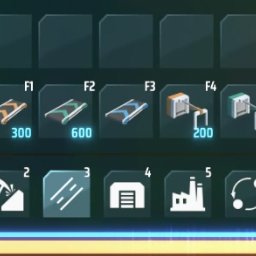
Add a second row in build menu, allowing mod developers to bind their new items to the new row in build menu. 在建造菜单新增额外的一行,允许mod开发者将他们的新物品绑定在新的这行建造栏上。
BuildBarTool — мод для Dyson Sphere Program (Дайсон Сфер Програм) от автора jinxOAO. Add a second row in build menu, allowing mod developers to bind their new items to the new row in build menu. 在建造菜单新增额外的一行,允许mod开发者将他们的新物品绑定在新的这行建造栏上。
Его скачали 31,8 тыс. раз: это 60-е место среди модов Dyson Sphere Program в нашем каталоге, редкость — «редкий» (топ-50% по скачиваниям). Мод обновлялся в течение года, актуальная версия — 1.0.4.
Для работы ему нужны: BepInEx, DSPModSave, LDBTool, CommonAPI.
1 шт · нажмите, чтобы открыть
Текст автора на языке оригинала
This mod add a new row to the build menu. MOD developers can bind their new items to the buttons in this new row.
这个mod添加了一行新的建造栏供mod开发者和玩家使用。
using BuildBarTool;

[BepInPlugin(GUID, NAME, VERSION)] // your mod info 你的mod信息
[BepInDependency(BuildBarToolPlugin.GUID)] // add this mod as hard dependency 将此mod作为你mod的依赖
public class YourPlugin : BaseUnityPlugin
{
    void Start()
    {
        // ********* Anything you do to register new items.

        BuildBarTool.SetBuildBar(3, 4, 9554, true);
        // for example, item 9554 will be bound to the button in the red circle (index 4 of top row) in category 3.
        // "true" means the item will be bound to the top row (red square).
        // 把物品9554绑定到红圈所示的按钮上。 true 代表着绑定在第二行上(红框所示)
    }

	// Another way to use this MOD is to use ItemProto.SetBuildBar() after you registered your items
    public static void MethodThatYouRegisterYourItems()
    {
        // ItemProto yourItem;
        // ******** Anything you do to register your items by CommonAPI or LDBTool.

        yourItem.SetBuildBar(3, 4, true);
        // This is another way you can bind your item to the build bar. 你也可以使用这另一种方法。
        // DONNOT USE LDB.items.Select(id) to select an ItemProto to bind build bar. 绝不要使用LDB.items.Select(id)来获取ItemProto进行绑定。
    }
}
You can simply set your itemProto's buildIndex = category × 100 + index + 20, without adding this mod to your mod's hard dependency or using BuildBarTool;. In this case, only the players who has installed BuildBarTool will automatically bind that item to the buttons in the top row. Those who doesn't install the BuildBarTool can still play your mod.
你也可以直接把itemProto的buildIndex设置成category × 100 + index + 20,而不需要using BuildBarTool;,也不需要把此mod作为前置mod。若如此做,任何安装了此mod的玩家可以自动将该物品绑定到对应的第二行建造菜单上,未安装此mod的玩家也可以正常使用你的mod。
yourItem.buildIndex = 324;
// This is another way you can bind your item to the button in the red circle (index 4 of top row) in category 3.This mod is compatible with RebindBuildBar, and with that mod, players can customize their own build bar, even for the buttons in the top row. 此mod与RebindBuildBar 兼容,同时安装这两个mod允许玩家自定义建造菜单(包括第二行)。
В r2modman ставится автоматически
3 в каталоге
This new mining machine will mine the minerals and automatically smelt them into the iron ingot, copper ingot, etc. Smelter loses his job:) 新采矿机,采矿后还会自动将矿物熔炼成一级产物再输出。
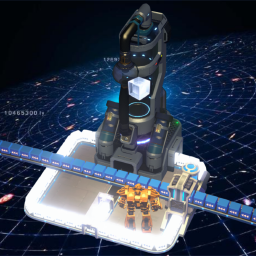
万物皆可分馏,尽情享受分馏的乐趣吧!Everything can be fractionated, have fun with fractionation!

构建星环,探索宇宙。Constructing the Orbital Ring, Exploring the Universe.
Файл скачивается с официального сервера Thunderstore, без перезаливов и сторонних установщиков
Подробная инструкция для Dyson Sphere ProgramВставьте значок в описание на Thunderstore, в README или в Discord — русскоязычные игроки сразу попадут на страницу с переводом и инструкцией.

[](https://modka.app/dyson-sphere-program/jinxoao-buildbartool/)<a href="https://modka.app/dyson-sphere-program/jinxoao-buildbartool/"><img src="https://modka.app/badge.png" alt="Описание на русском — Модка" height="44"></a>[url=https://modka.app/dyson-sphere-program/jinxoao-buildbartool/]Описание на русском — Модка[/url]Скачайте менеджер модов r2modman (или Gale) и выберите в нём игру Dyson Sphere Program. Создайте профиль — так моды не смешаются с чистой версией игры. Найдите «BuildBarTool» во вкладке Online и нажмите Download — BepInEx и все зависимости подтянутся сами. Нажмите «Start modded» — игра запустится с модами. Чтобы сыграть без модов, запустите игру как обычно из Steam — r2modman не трогает чистую версию игры.
Файл скачивается с официального сервера Thunderstore, куда его загрузил jinxOAO. Мы не перезаливаем и не изменяем моды.
Установите вместе с ним: BepInEx, DSPModSave, LDBTool, CommonAPI. В менеджере модов зависимости подтягиваются автоматически.
30 января 2026, актуальная версия — 1.0.4. Дата берётся с официальной страницы мода при каждом обновлении каталога.

Set game speed by pause/resume/speedup button or hotkey. Autosave in background. 游戏速度控制(0x-10x)。Pause热键战术暂停。(可选)在後台自動存档

Улучшает систему Blueprint с изменениями QoL, новыми функциями, такими как силовая паста, чертежи фундамента и многое другое

Let replicator and build tools use items in logistic slots. Tweak slots count and stacksize. Right click on hotbar to craft building. 手搓和建造可以直接使用物流背包的物品,配置文件可改物流背包容量及背包堆叠倍率

Add various cheat functions while disabling abnormal determinants / 添加一些作弊功能,同时屏蔽异常检测
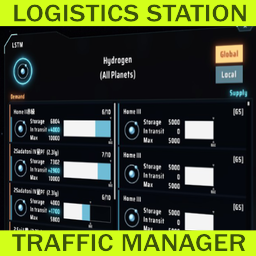
Менеджер трафика логистической станции
ダイソンスフィアプログラムを日本語化し、フォントも変更します。This change all strings to Japanese and change fonts.