
Midgard
World #1 Modpack возвращается! Call to arms compatible - Season ∞1 - Присоединяйтесь к официальному серверу Midgard Valheim, Discord и сообществу на официальном https://midgard.website


 Мод для Valheim
от ZenDragon
Передвигайте сундуки и другую мебель, не разрушая их.
ZenRedecorate — мод для Valheim (Вальхейм) от автора ZenDragon. Передвигайте сундуки и другую мебель, не разрушая их.
Его скачали 87,8 тыс. раз: это 258-е место среди модов Valheim в нашем каталоге, редкость — «обычный» (нижняя половина по скачиваниям). Мод обновлялся в последние полгода, актуальная версия — 1.5.0.
Для работы ему нужны: Zen ModLib.
Автор пометил мод как клиентский: достаточно установить его себе, друзьям и хосту он не нужен.
Автор отметил совместимость с обновлениями игры: Deep North.
1 шт · нажмите, чтобы открыть
Текст автора на языке оригинала
Have you ever wanted to redesign your house, but there were a bunch of chests full of loot you would need to smash to make room for your new construction plans?
Well, now you don't have to deal with that anymore.
Move chests and other furniture pieces without destroying them. The contents of the chest remain intact.
However, structural pieces that provide support (such as walls) are not movable, this is by design. It's a construction site after all. You don't move walls, you knock them down. Walls are not furniture that you can lift and move. Experiment to figure out what is movable and what is not.
You are intentionally encumbered when redecorating because lifting a barrel full of wood should slow your movement. (Also, this prevents cheating).
Placing an object still requires the appropriate workbench requirements nearby. You can't cheat and move an object to where there is no appropriate workbench to build it.
KeyHints at the bottom of the screen explain which button to press. Make sure to enable key hints if you have disabled them in Valheim's settings to see the controls for redecorating.
Taking damage will cancel the move operation, and the object will revert to its original position.
Full gamepad support.
NOTE: Technically, it is not required on the server. However, if it is installed on the server then it will force all clients to have it installed as well. This is to enable two modes of usage:
The full collection of all Zen MODS:
Enjoy!
## Settings file was created by plugin ZenRedecorate v1.3.0
## Plugin GUID: ZenDragon.ZenRedecorate

[General]

## [Admin] Player is encumbered when moving things.
## This protects against making it too easy to transport chests full of stuff over long distances.
## That's what carts are for.
# Setting type: Boolean
# Default value: true
Encumbered When Redecorating = true

## [Admin] Can not move anything that provides support, except furniture.
# Setting type: Boolean
# Default value: true
Provides Support Is Immovable = true

## Display a warning before trying to move an object that provides support.
## This setting ignores the IsProvidesSupportImmovable settings because
## things like beds and tables also provide support as they are furniture.
# Setting type: Boolean
# Default value: false
Provides Support Warning = false

## [Admin] These prefabs are always allowed to be moved.
# Setting type: StringList
# Default value: wood_fine_stack, blackwood_stack, bone_stack, piece_beehive
Allowed Prefabs = wood_fine_stack, blackwood_stack, bone_stack, piece_beehive

## [Admin] These prefabs are never allowed to be moved.
# Setting type: StringList
# Default value: fire_pit, bonfire, hearth, windmill
Denied Prefabs = fire_pit, bonfire, hearth, windmill

## [Admin] Maximum distance that a piece can be carried before automatic abort.
# Setting type: Int32
# Default value: 35
# Acceptable value range: From 5 to 50
Max Carry Range = 35

## [Admin] Maximum distance that a piece can be grabbed or placed from the player's position.
## Keeping this close means that a player can't grab a chest far away and then place it far away from where they are physically standing,
## run towards it, and then push it forward again.  Instead they need to move ther body near the target and consume enucmbered stamina.
# Setting type: Int32
# Default value: 5
# Acceptable value range: From 5 to 50
Max Grip Range = 5

[Input]

## Modifier Key to hold down to switch into move mode.
# Setting type: KeyCode
# Default value: LeftControl
# Acceptable values: None, Backspace, Tab, Clear, Return, Pause, Escape, Space, Exclaim, DoubleQuote, Hash, Dollar, Percent, Ampersand, Quote, LeftParen, RightParen, Asterisk, Plus, Comma, Minus, Period, Slash, Alpha0, Alpha1, Alpha2, Alpha3, Alpha4, Alpha5, Alpha6, Alpha7, Alpha8, Alpha9, Colon, Semicolon, Less, Equals, Greater, Question, At, LeftBracket, Backslash, RightBracket, Caret, Underscore, BackQuote, A, B, C, D, E, F, G, H, I, J, K, L, M, N, O, P, Q, R, S, T, U, V, W, X, Y, Z, LeftCurlyBracket, Pipe, RightCurlyBracket, Tilde, Delete, Keypad0, Keypad1, Keypad2, Keypad3, Keypad4, Keypad5, Keypad6, Keypad7, Keypad8, Keypad9, KeypadPeriod, KeypadDivide, KeypadMultiply, KeypadMinus, KeypadPlus, KeypadEnter, KeypadEquals, UpArrow, DownArrow, RightArrow, LeftArrow, Insert, Home, End, PageUp, PageDown, F1, F2, F3, F4, F5, F6, F7, F8, F9, F10, F11, F12, F13, F14, F15, Numlock, CapsLock, ScrollLock, RightShift, LeftShift, RightControl, LeftControl, RightAlt, LeftAlt, RightCommand, RightMeta, RightApple, LeftCommand, LeftMeta, LeftApple, LeftWindows, RightWindows, AltGr, Help, Print, SysReq, Break, Menu, WheelUp, WheelDown, Mouse0, Mouse1, Mouse2, Mouse3, Mouse4, Mouse5, Mouse6, JoystickButton0, JoystickButton1, JoystickButton2, JoystickButton3, JoystickButton4, JoystickButton5, JoystickButton6, JoystickButton7, JoystickButton8, JoystickButton9, JoystickButton10, JoystickButton11, Joysti
Описание длинное — здесь его начало. Читать целиком на странице автора
В r2modman ставится автоматически
2 в каталоге
World #1 Modpack возвращается! Call to arms compatible - Season ∞1 - Присоединяйтесь к официальному серверу Midgard Valheim, Discord и сообществу на официальном https://midgard.website

GERMAN SERVER
Файл скачивается с официального сервера Thunderstore, без перезаливов и сторонних установщиков
Подробная инструкция для ValheimВставьте значок в описание на Thunderstore, в README или в Discord — русскоязычные игроки сразу попадут на страницу с переводом и инструкцией.

[](https://modka.app/valheim/zendragon-zenredecorate/)<a href="https://modka.app/valheim/zendragon-zenredecorate/"><img src="https://modka.app/badge.png" alt="Описание на русском — Модка" height="44"></a>[url=https://modka.app/valheim/zendragon-zenredecorate/]Описание на русском — Модка[/url]Скачайте менеджер модов r2modman (или Gale) и выберите в нём игру Valheim. Создайте профиль — так моды не смешаются с чистой версией игры. Найдите «ZenRedecorate» во вкладке Online и нажмите Download — BepInEx и все зависимости подтянутся сами. Нажмите «Start modded» — игра запустится с модами. Для мультиплеера всем игрокам нужен одинаковый набор модов: в r2modman профиль можно экспортировать кодом и отправить друзьям.
Файл скачивается с официального сервера Thunderstore, куда его загрузил ZenDragon. Мы не перезаливаем и не изменяем моды.
Автор пометил мод как клиентский: достаточно установить его себе, друзьям и хосту он не нужен.
Установите вместе с ним: Zen ModLib. В менеджере модов зависимости подтягиваются автоматически.
13 сентября 2026, актуальная версия — 1.5.0. Дата берётся с официальной страницы мода при каждом обновлении каталога.
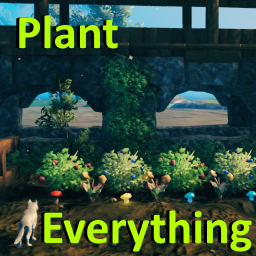
Позволяет вашему культиватору сажать ягодные кусты, чертополох, одуванчики, грибы, ранее недоступные типы деревьев и другую декоративную флору. Включает множество других различных признаков (см. описание). Высоко настраиваемый с поддержкой локализации.
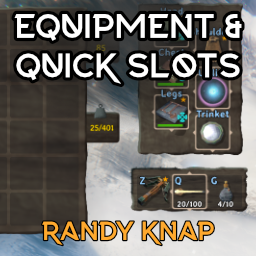
Дайте оборудованным предметам свои собственные выделенные слоты для инвентаря, а также до шести быстродействующих слотов с горячим ключом.

Valheim Mod добавит в игру каталог Adventuring Backpacks. Эти пакеты будут расти и становиться более полезными по мере развития игры.

Odin Architect - это мод, который позволит вам строить больше с большим количеством конструкций и в большем масштабе. Здесь вы найдете не только более крупные аналоги основных зданий, но и совершенно новые

Teleport Everything 3 с пользовательским интерфейсом является официальным модульным пакетом OdinPlus для телепортных существ, телепортных тележек, телепортных лодок и Quick Teleport. Совместимость с Valheim 1.0 (Deep North).
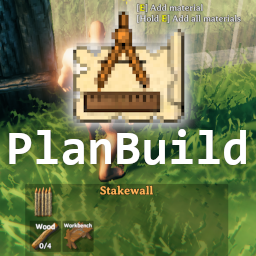
PlanBuild позволяет с легкостью планировать, копировать и делиться своими творениями в Вальхайме. Включает инструменты местности и предметы погружения.