

XPortal
Выберите пункт назначения портала из списка существующих порталов. Больше никаких тегов и никаких порталов! XPortal — это полное переписывание популярного мода AnyPortal.


 Мод для Valheim
от Searica
Мод для построения качества жизни, который добавляет точки защелкивания к большинству частей ванили и позволяет вам вручную выбирать точки защелкивания для части, которую вы размещаете, и части, к которой вы защелкиваете. Также есть режим snap to world grid.
Extra Snap Points Made Easy — мод для Valheim (Вальхейм) от автора Searica. Мод для построения качества жизни, который добавляет точки защелкивания к большинству частей ванили и позволяет вам вручную выбирать точки защелкивания для части, которую вы размещаете, и части, к которой вы защелкиваете. Также есть режим snap to world grid.
Его скачали 73,1 тыс. раз: это 300-е место среди модов Valheim в нашем каталоге, редкость — «обычный» (нижняя половина по скачиваниям). Мод обновлялся в последний месяц, актуальная версия — 2.2.0.
Для работы ему нужны: BepInExPack Valheim.
У мода стоят обе пометки — клиентская и серверная: он может работать и у одного игрока, и у хоста. Чтобы изменения были у всех, надёжнее поставить его всей компании.
Автор отметил совместимость с обновлениями игры: Deep North.
Текст автора на языке оригинала
This is a quality of life building mod for Valheim.
If you are updating from any version before 2.0.0 you may need to regenerate your config file!
This mod adds two different modes of manual snapping to provide greater precision when placing pieces.
Press a key to toggle Manual Snapping Mode, which allows you to cycle through the snap points of the piece you are placing while snapping to the closest snap-point on the piece being targeted with your mouse.
Press a key to toggle Manual+ Snapping Mode, which allows you to cycle through snap points when targeting a piece in game - without needing to point at them directly with the mouse!
Press a key to toggle Grid Snapping Mode, which snaps pieces to the world grid. Pieces are only snapped to the world grid on the horizontal plane to avoid snapping pieces to thin air. Precision of the grid can be toggled between 1m and 0.5m.
The key-binds for manual snapping are configurable via editing of the configuration file at Valheim/BepInEx/config/searica.valheim.extrasnappointsmadeeasy.cfg or via an in-game configuration manager (live updates, no restart required).
The default key-bindings are:
Grab a hammer and select a piece to place. Hit Left-Alt to enable Manual Snapping Mode, a notification will then appear in the center of your screen indicating whether the snapping mode is set to Auto or Manual. Point your piece at the piece you want to snap to and hit Left-Control to cycle through the snap points on the piece you're holding. Use Left-Shift to cycle through destination snap points. For example you can snap a horizontal pillar to the middle of the vertical pillar by cycling both to their midpoint snap points. While cycling through snap points you will also receive notifications indicating which snap point is currently selected on each piece. Alternatively press Caps-Lock to enable Manual (Closest) snapping mode which will snap to the closest snap point on the target piece while still allowing you to manually select the snap point of the piece you are placing.
This mod adds extra snap points to increase precision when building. The type of each piece is automatically determined and extra snap points are added based on the type (also works with pieces added by other mods).
Custom Snap Points: Many of the crafting and furniture items that were missing snap points have had custom ones added. For example chests, torches, sconces, and banners all have snap points added. The custom snap have been chosen to minimize clipping when snapping banners and sconces to walls of any material.
Line Pieces: If the piece has two snap points then an extra snap point is added midway between them. So all beams and poles have a snap point in the center of them.
Triangle Pieces: If the piece has three snap points that form a triangle then snap points are added midway between each pair of points and in the center of the triangle.
Rect2D Pieces: If the piece has four snap points that form a rectangle then snap points are added midway along each edge and in the center of the rectangle.
Roof Top Pieces: If the piece is tagged as a "roof" piece and has six snap points that form a V shape (roof top pieces) then snap points are added midway along the two bottom edges and midway along the top ridge.
Cross Pieces: If the piece has five snap points that from a cross with snap point in the center then no extra snap points are added.
Torch Pieces: If the piece is a torch and has no snap points then a snap point is added at the local center and another at the base of the torch.
Ship Pieces: If the piece is a ship then no snap points are added to it.
Cart Pieces: If the piece is a cart then no snap points are added to it.
Other Pieces: If a piece has no snap points then a snap point is added at the local center of the piece. If a piece has only a single snap point then no extra snap points are added.
My mods will always be free to use but if you feel like saying thanks you can tip/donate.
My Ko-fi:
Source code is available
Описание длинное — здесь его начало. Читать целиком на странице автора
В r2modman ставится автоматически
Файл скачивается с официального сервера Thunderstore, без перезаливов и сторонних установщиков
Подробная инструкция для ValheimВставьте значок в описание на Thunderstore, в README или в Discord — русскоязычные игроки сразу попадут на страницу с переводом и инструкцией.

[](https://modka.app/valheim/searica-extra-snap-points-made-easy/)<a href="https://modka.app/valheim/searica-extra-snap-points-made-easy/"><img src="https://modka.app/badge.png" alt="Описание на русском — Модка" height="44"></a>[url=https://modka.app/valheim/searica-extra-snap-points-made-easy/]Описание на русском — Модка[/url]Скачайте менеджер модов r2modman (или Gale) и выберите в нём игру Valheim. Создайте профиль — так моды не смешаются с чистой версией игры. Найдите «Extra Snap Points Made Easy» во вкладке Online и нажмите Download — BepInEx и все зависимости подтянутся сами. Нажмите «Start modded» — игра запустится с модами. Для мультиплеера всем игрокам нужен одинаковый набор модов: в r2modman профиль можно экспортировать кодом и отправить друзьям.
Файл скачивается с официального сервера Thunderstore, куда его загрузил Searica. Мы не перезаливаем и не изменяем моды.
У мода стоят обе пометки — клиентская и серверная: он может работать и у одного игрока, и у хоста. Чтобы изменения были у всех, надёжнее поставить его всей компании.
Установите вместе с ним: BepInExPack Valheim. В менеджере модов зависимости подтягиваются автоматически.
14 октября 2026, актуальная версия — 2.2.0. Дата берётся с официальной страницы мода при каждом обновлении каталога.
Выберите пункт назначения портала из списка существующих порталов. Больше никаких тегов и никаких порталов! XPortal — это полное переписывание популярного мода AnyPortal.

Временная вилка Valheim Plus. Предоставляет множество настраиваемых игровых настроек.
Мод для построения качества жизни, который улучшает работу манипуляций с мотыгой и культиватором и добавляет новые инструменты манипулирования ландшафтом.

Корабельное здание, которое позволяет настроить ваш корабль + некоторые забавные предметы и предметы
База, которая работает с вами: автомагазин, свалка, ремесло из сундуков, [E] + автозаполнение [B], выход автомагазина [N], панель настроек F10 + журнал, Дисплеи хранения, Кормовая впадина, фавориты, поиск. Сервер + все клиенты.
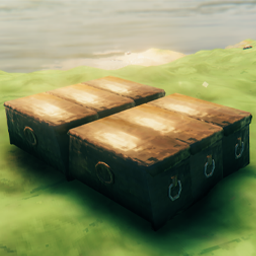
Вы когда-нибудь хотели поставить свои сундуки или ящики на сетку? Теперь вы можете добавить дополнительную точку щелчка самостоятельно через конфигурацию