


BLUBBWORLD
GERMAN SERVER


 Мод для Valheim
от Searica
Мод для построения качества жизни, который улучшает работу манипуляций с мотыгой и культиватором и добавляет новые инструменты манипулирования ландшафтом.
AdvancedTerrainModifiers — мод для Valheim (Вальхейм) от автора Searica. Мод для построения качества жизни, который улучшает работу манипуляций с мотыгой и культиватором и добавляет новые инструменты манипулирования ландшафтом.
Его скачали 349,6 тыс. раз: это 71-е место среди модов Valheim в нашем каталоге, редкость — «эпический» (топ-20% по скачиваниям). Мод обновлялся в последний месяц, актуальная версия — 1.6.1.
Для работы ему нужны: Jotunn, BepInExPack Valheim.
У мода стоят обе пометки — клиентская и серверная: он может работать и у одного игрока, и у хоста. Чтобы изменения были у всех, надёжнее поставить его всей компании.
Автор отметил совместимость с обновлениями игры: Deep North.
3 шт · нажмите, чтобы открыть
Текст автора на языке оригинала
Quality of life building mod that improves how terrain manipulation with the hoe and cultivator works and adds new terrain manipulation tools.
Server-Side Info: This mod does work as a client-side only mod and only needs to be installed on the server if you wish to enforce configuration settings.
Deep North Update: There are some visual glitches at the moment where the change of terrain paint (dirt, cobblestone, grass, etc.) can be slightly misalgned with the precision terrain tools (square shaped tools). This issue is related to a Vanilla issue and will be adressed in a future update.
Compatibility Notice: This mod is fully compatible with EpicLoot as far as I and the authors of EpicLoot are aware, not sure why one of the forks of it thinks otherwise. If you run into any issues please report them to myself and/or the modders who maintain EpicLoot.
Shovel Recipe Information
You need to discover iron and have access to a forge to craft the shovel.
If you are using a mod manager for Thunderstore simply install the mod from there. If you are not using a mod manager then, you need a modded instance of Valheim (BepInEx) and the Jotunn plugin installed.
Changes made to the configuration settings will be reflected in-game immediately (no restart required) and they will also sync to clients if the mod is on the server. The mod also has a built in file watcher so you can edit settings via an in-game configuration manager (changes applied upon closing the in-game configuration manager) or by changing values in the file via a text editor or mod manager.
Global Section
These settings control the global settings and how verbose the output to the log is.
Setting Server Sync Description
Verbosity No
Low will log basic information about the mod. Medium will log information that is useful for troubleshooting. High will log a lot of information, do not set it to this without good reason as it will slow down your game.
Acceptable values: Low, Medium, High
Default value: Low
HoverInfo Yes
Set to true/enabled to show terrain height when using square terrain tools.
Acceptable values: False, True
Default value: true
Radius Section
These settings control features related to modifying the radius of terrain tools.
Setting Server Sync Description
RadiusModifier Yes
Set to true/enabled to allow modifying the radius of terrain tools using the scroll wheel. Note: Radius cannot be changed on square terraforming tools.
Acceptable values: False, True
Default value: true
RadiusModKey</
Описание длинное — здесь его начало. Читать целиком на странице автора
В r2modman ставится автоматически
1 в каталоге
GERMAN SERVER
Файл скачивается с официального сервера Thunderstore, без перезаливов и сторонних установщиков
Подробная инструкция для ValheimВставьте значок в описание на Thunderstore, в README или в Discord — русскоязычные игроки сразу попадут на страницу с переводом и инструкцией.

[](https://modka.app/valheim/searica-advancedterrainmodifiers/)<a href="https://modka.app/valheim/searica-advancedterrainmodifiers/"><img src="https://modka.app/badge.png" alt="Описание на русском — Модка" height="44"></a>[url=https://modka.app/valheim/searica-advancedterrainmodifiers/]Описание на русском — Модка[/url]Скачайте менеджер модов r2modman (или Gale) и выберите в нём игру Valheim. Создайте профиль — так моды не смешаются с чистой версией игры. Найдите «AdvancedTerrainModifiers» во вкладке Online и нажмите Download — BepInEx и все зависимости подтянутся сами. Нажмите «Start modded» — игра запустится с модами. Для мультиплеера всем игрокам нужен одинаковый набор модов: в r2modman профиль можно экспортировать кодом и отправить друзьям.
Файл скачивается с официального сервера Thunderstore, куда его загрузил Searica. Мы не перезаливаем и не изменяем моды.
У мода стоят обе пометки — клиентская и серверная: он может работать и у одного игрока, и у хоста. Чтобы изменения были у всех, надёжнее поставить его всей компании.
Установите вместе с ним: Jotunn, BepInExPack Valheim. В менеджере модов зависимости подтягиваются автоматически.
26 октября 2026, актуальная версия — 1.6.1. Дата берётся с официальной страницы мода при каждом обновлении каталога.

Выберите пункт назначения портала из списка существующих порталов. Больше никаких тегов и никаких порталов! XPortal — это полное переписывание популярного мода AnyPortal.

Временная вилка Valheim Plus. Предоставляет множество настраиваемых игровых настроек.

Корабельное здание, которое позволяет настроить ваш корабль + некоторые забавные предметы и предметы

База, которая работает с вами: автомагазин, свалка, ремесло из сундуков, [E] + автозаполнение [B], выход автомагазина [N], панель настроек F10 + журнал, Дисплеи хранения, Кормовая впадина, фавориты, поиск. Сервер + все клиенты.

Мод для построения качества жизни, который добавляет точки защелкивания к большинству частей ванили и позволяет вам вручную выбирать точки защелкивания для части, которую вы размещаете, и части, к которой вы защелкиваете. Также есть режим snap to world grid.
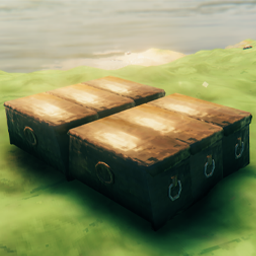
Вы когда-нибудь хотели поставить свои сундуки или ящики на сетку? Теперь вы можете добавить дополнительную точку щелчка самостоятельно через конфигурацию