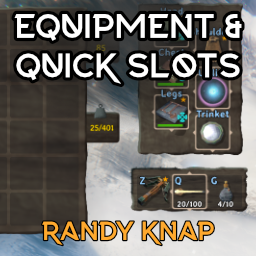
EquipmentAndQuickSlots
Дайте оборудованным предметам свои собственные выделенные слоты для инвентаря, а также до шести быстродействующих слотов с горячим ключом.

 Мод для Valheim
от ChebGonaz
Некромантия Чеба добавляет Некромантию в Вальхайм с помощью ремесленных жезлов и конструкций. Миньоны будут следовать за вами, охранять вашу базу и выполнять черные задачи.
ChebsNecromancy — мод для Valheim (Вальхейм) от автора ChebGonaz. Некромантия Чеба добавляет Некромантию в Вальхайм с помощью ремесленных жезлов и конструкций. Миньоны будут следовать за вами, охранять вашу базу и выполнять черные задачи.
Его скачали 123,9 тыс. раз: это 186-е место среди модов Valheim в нашем каталоге, редкость — «редкий» (топ-50% по скачиваниям). Мод обновлялся в последние полгода, актуальная версия — 5.2.1.
Для работы ему нужны: Jotunn.
Автор отметил совместимость с обновлениями игры: Mistlands.
4 шт · нажмите, чтобы открыть
Текст автора на языке оригинала
Cheb's Necromancy adds Necromancy to Valheim via craftable wands and structures. Minions will follow you, guard your base, and perform menial tasks like woodcutting, farming, mining.
I'm a YouTuber/Game Developer/Modder who is interested in all things necromancy and minion-related. Please check out my YouTube channel and if you like the work I do and want to give back, please consider supporting me on Patreon or throwing me a dime on Ko-fi. You can also check out my website where I host information on all known necromancy mods, games, books, videos and also some written reviews/guides.
Thank you and I hope you enjoy the mod! If you have questions or need help ask me on Discord.
I'm partnered with Bisect Hosting to give you a discount when you use promocode chebgonaz.
If you would like to report a bug or request a feature, the best way to do it (in order from most preferable to least preferable) is:
a) Create an issue on my GitHub.
b) Write to me on Discord.
c) Write a comment on the Nexus page.
plugins folder from inside the archive to your BepInEx plugins folder in the Valheim directory.Cheb's Valheim Library (CVL) is a DLL that contains shared code across my mods. For example, both skeletons from Cheb's Necromancy and mercenaries from Cheb's Mercenaries inherit the ChebGonazMinion type from CVL. This permits mercenaries to be commanded by a wand, and vice versa.
My mods are bundled with the latest CVL at the time of their release, but if you want to upgrade, you can get the newest CVL here.
Detailed info in the wiki. Here's the short version:
Описание длинное — здесь его начало. Читать целиком на странице автора
В r2modman ставится автоматически
Файл скачивается с официального сервера Thunderstore, без перезаливов и сторонних установщиков
Подробная инструкция для ValheimВставьте значок в описание на Thunderstore, в README или в Discord — русскоязычные игроки сразу попадут на страницу с переводом и инструкцией.

[](https://modka.app/valheim/chebgonaz-chebsnecromancy/)<a href="https://modka.app/valheim/chebgonaz-chebsnecromancy/"><img src="https://modka.app/badge.png" alt="Описание на русском — Модка" height="44"></a>[url=https://modka.app/valheim/chebgonaz-chebsnecromancy/]Описание на русском — Модка[/url]Скачайте менеджер модов r2modman (или Gale) и выберите в нём игру Valheim. Создайте профиль — так моды не смешаются с чистой версией игры. Найдите «ChebsNecromancy» во вкладке Online и нажмите Download — BepInEx и все зависимости подтянутся сами. Нажмите «Start modded» — игра запустится с модами. Для мультиплеера всем игрокам нужен одинаковый набор модов: в r2modman профиль можно экспортировать кодом и отправить друзьям.
Файл скачивается с официального сервера Thunderstore, куда его загрузил ChebGonaz. Мы не перезаливаем и не изменяем моды.
Автор не указал, клиентский это мод или серверный. Безопаснее, чтобы одинаковый набор модов был у всех игроков в лобби: проще всего поделиться профилем r2modman.
Установите вместе с ним: Jotunn. В менеджере модов зависимости подтягиваются автоматически.
28 сентября 2026, актуальная версия — 5.2.1. Дата берётся с официальной страницы мода при каждом обновлении каталога.
Дайте оборудованным предметам свои собственные выделенные слоты для инвентаря, а также до шести быстродействующих слотов с горячим ключом.

Odin Architect - это мод, который позволит вам строить больше с большим количеством конструкций и в большем масштабе. Здесь вы найдете не только более крупные аналоги основных зданий, но и совершенно новые
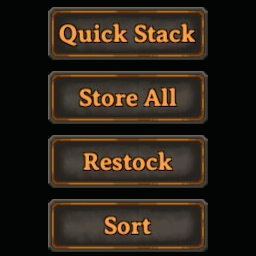
Быстрая укладка, сортировка, мусор и многое другое в одном сплоченном пакете
Teleport Everything 3 с пользовательским интерфейсом является официальным модульным пакетом OdinPlus для телепортных существ, телепортных тележек, телепортных лодок и Quick Teleport. Совместимость с Valheim 1.0 (Deep North).
PlanBuild позволяет с легкостью планировать, копировать и делиться своими творениями в Вальхайме. Включает инструменты местности и предметы погружения.

ModWish от OdinPlus Community - встроенные динамические контейнеры для хранения семян, фруктов и овощей!