


Enhanced Playtables
Мод, который переворачивает карты на игровом столе вверх.

 Мод для TCG Card Shop Simulator
от GhostNarwhal
Пакет модов качества жизни для игры.
EnhancedQOL — мод для TCG Card Shop Simulator (ТЦГ Кард Шоп Симулятор) от автора GhostNarwhal. Пакет модов качества жизни для игры.
Его скачали 13,2 тыс. раз: это 12-е место среди модов TCG Card Shop Simulator в нашем каталоге, редкость — «редкий» (топ-50% по скачиваниям). Мод давно не обновлялся — проверьте совместимость с текущей версией игры, актуальная версия — 1.5.0.
Для работы ему нужны: BepInExPack, Enhanced Scrollwheel, Enhanced Binder Sort, Enhanced Workbench, Put It Back, Enhanced Playtables.
Текст автора на языке оригинала
Mod has been discontinued and will no longer be receiving updates. All of the features that were in this mod are now in their own stand alone mods (check my profile for links). Mod will stay available here in its current state however.
I have learned a lot on this modding journey I have taken with TCG Card Shop Simulator and what started as a mod I never expected to even get 20 downloads for, has turned into 4k+ downloads with more features than I had even originally planned. Code base was growing and working on new things, or even fixing bugs with old things, was becoming a nightmare. Having to retest literally everything every time a bug was fix or a feature was added was becoming impossible. Now that I know what I know now, it only makes sense to me to break the features into their own mods. This means faster bug fixes, faster feature development, and I can make even more mods with even more exciting features faster.
I do appreciate everyone that has shown this mod some love. I am not going anywhere any time soon and plan to continue adding mods to this game for the foreseeable future. Check my profile for the links. Thanks everyone.
Join the Discord. We are a community of modders and mod users that would love to hear your ideas or assist you when things just are not working correctly.
This is the recommended way to install BepInEx to the game.
BepInEx/plugins in their own unique folder some zips contain a folder labeled Plugins at root, you need to go a folder in than put that into the plugins folder.Installed Files click Browse to open the folder containing The Game's local files; Put the contents Of the zip in this folder.Compatibility.WINEDLLOVERRIDES=“winhttp.dll=n,b” %command%.Discord: https://discord.gg/kCp4mRAVUE
В r2modman ставится автоматически
Файл скачивается с официального сервера Thunderstore, без перезаливов и сторонних установщиков
Подробная инструкция для TCG Card Shop SimulatorВставьте значок в описание на Thunderstore, в README или в Discord — русскоязычные игроки сразу попадут на страницу с переводом и инструкцией.

[](https://modka.app/tcg-card-shop-simulator/ghostnarwhal-enhancedqol/)<a href="https://modka.app/tcg-card-shop-simulator/ghostnarwhal-enhancedqol/"><img src="https://modka.app/badge.png" alt="Описание на русском — Модка" height="44"></a>[url=https://modka.app/tcg-card-shop-simulator/ghostnarwhal-enhancedqol/]Описание на русском — Модка[/url]Скачайте менеджер модов r2modman (или Gale) и выберите в нём игру TCG Card Shop Simulator. Создайте профиль — так моды не смешаются с чистой версией игры. Найдите «EnhancedQOL» во вкладке Online и нажмите Download — BepInEx и все зависимости подтянутся сами. Нажмите «Start modded» — игра запустится с модами. Чтобы сыграть без модов, запустите игру как обычно из Steam — r2modman не трогает чистую версию игры.
Файл скачивается с официального сервера Thunderstore, куда его загрузил GhostNarwhal. Мы не перезаливаем и не изменяем моды.
Установите вместе с ним: BepInExPack, Enhanced Scrollwheel, Enhanced Binder Sort, Enhanced Workbench, Put It Back, Enhanced Playtables. В менеджере модов зависимости подтягиваются автоматически.
9 декабря 2024, актуальная версия — 1.5.0. Это больше года назад: перед установкой проверьте, работает ли мод на текущей версии игры.
Мод, который переворачивает карты на игровом столе вверх.

Простой мод, который позволяет использовать колесо прокрутки с несколькими элементами в игре, например, таблицы карт.

Очень простой мод, который позволяет просто положить карты обратно в связующее после их извлечения.
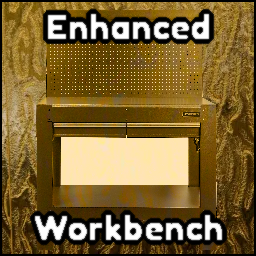
Создатель EnhancedQOL. Enhanced Workbench добавляет систему автоматического бокса в рабочий стол. Любые коробки, которые вы делаете, могут быть изготовлены и отправлены непосредственно в коробку.
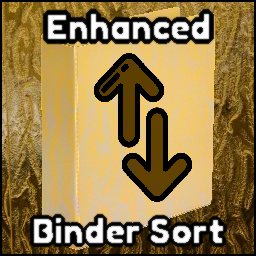
Упрощенный мод, который добавляет возможность сортировать связующее по элементу, редкости и пограничному типу.

Текстура времени выполнения, спрайт и набор инструментов для TCG Card Shop Simulator с живыми наблюдателями, редактированием метаданных карт и отладками.