


Put It Back
A really simple mod that just lets you put cards back into the binder after taking them out.

 Мод для TCG Card Shop Simulator
от Duckieray
Runtime texture, sprite, and mesh override toolkit for TCG Card Shop Simulator with live watchers, card metadata editing, and debug dumps.
CustomTextureReplacer — мод для TCG Card Shop Simulator (ТЦГ Кард Шоп Симулятор) от автора Duckieray. Runtime texture, sprite, and mesh override toolkit for TCG Card Shop Simulator with live watchers, card metadata editing, and debug dumps.
Его скачали 7,5 тыс. раз: это 16-е место среди модов TCG Card Shop Simulator в нашем каталоге, редкость — «редкий» (топ-50% по скачиваниям). Мод обновлялся в течение года, актуальная версия — 1.7.0.
Для работы ему нужны: BepInExPack.
Текст автора на языке оригинала
Runtime mod for TCG Card Shop Simulator that lets you swap textures, meshes, and card metadata while the game is running. Drop files in, press a key if you want, and the game refreshes itself without a restart.
CustomTextures folder under BepInEx/plugins/ (including sibling mods) and reloads PNGs automatically.CustomTextures stay applied across atlas reloads and UI updates (store thumbnails, card icons, etc.).MeshOverrides.json at Unity asset bundles to replace meshes, skinned meshes, colliders, and renderer materials at runtime.card blocks inside MeshOverrides.json to rename store signage, checkout bars, price panels, and in-world props with new display names/aliases.shelfCount clamps how many instances of a mesh stay active per shelf root to stop overfilling figurine displays.EnableAutomaticDumps - when true, texture/sprite/mesh dumps regenerate on load; otherwise use the hotkeys.EnableDebugLogFile - toggle detailed logging to CustomTextureReplacer.debug.log.SuppressRectTransformParentWarning - hides Unity's noisy RectTransform parent warnings (enabled by default).UseReplacementNames, LogNewTextureNames, LogAssetLoads, and the mesh/card settings continue to behave as in previous releases.build/CustomTextureReplacer.dll to BepInEx/plugins/CustomTextureReplacer/ (or the equivalent r2modman profile directory).TexturesList.txt and MeshesList.txt are only generated when you press the hotkeys or enable EnableAutomaticDumps.Tip: close the game before swapping DLLs; Windows otherwise keeps the previous binary locked in memory.
TexturesList.txt (generate via F8 if needed) to find the texture name and resolution.CustomTextures folder. Default: BepInEx/plugins/CustomTextures/.CustomTextures.refresh.now trigger or the F8 key remains available for bulk refreshes.If UseReplacementNames=true, you can bake a new display name into the filename: OriginalName-New_Display_Name.png. Underscores become spaces when no other card metadata is present.
Mesh swapping uses Unity asset bundles (matching the game's Unity version) plus a MeshOverrides.json descriptor. Place the descriptor next to your textures or under BepInEx/plugins/CustomTextureReplacer/.
{
  "overrides": [
    {
      "target": "PiggyA_Mesh",
      "bundle": "dark_knight_armored.bundle",
      "meshHint": "Armored",
      "materialHints": ["Body", "Head", "Pack"],
      "shelfCount": 3,
      "card": {
        "displayName": "Armored Batman Statue",
        "aliases": ["Pigni Plushie", "Pigni Plushie (12)"]
      }
    }
  ]
}
meshHint narrows the auto-selected mesh name (case-insensitive).materialHints prioritises materials whose names contain each hint.shelfCount limits active duplicates under each shelf root; omit or set -1 to keep the original layout.card is optional but recommended when you need UI labels to follow the new figurine name. Aliases cover in-game variations such as Foo (6).Newly spawned MeshFilter, SkinnedMeshRenderer, and MeshCollider components trigger the override scan immediately, so custom stock shows up on first appearance.
For cards that are not tied to a mesh override, create CardOverrides.json:
{
  "entries": [
    {
      "Id": "PiggyA",
      "Aliases": ["Pigni"],
      "DisplayName": "Green Lantern",
      "CardNumber": "01",
      "Subtitle": "Emerald Guardian",
      "Description": "Wielder of willpower.\nDefends Sector 2814.",
      "EvolvesFrom": "Piglet",
      "Artist": "Hal Jordan",
      "Stat1": "150",
      "Stat2": "120",
      "Stat3": "90",
      "Stat4": "80",
      "Rarity": "Legendary",
      "Fame": "Justice League"
    }
  ]
}Key — Description
Id — Monster ID from TexturesList.txt (example: PiggyA).
Aliases — Optional array of extra strings that should resolve to the same card.
DisplayName — Primary title shown on the card.
CardNumber — Top-left number slot (visible on templates that expose it).
Subtitle — Secondary line when the template supports it.
Description — Flavour text; use \n for manual line breaks.
EvolvesFrom — Populates the evolution label.
Artist — Artist credit badge.
Stat1-Stat4 — Stat rows at the bottom; supply formatted strings.
Rarity — Rarity badge text.
Fame — Element/fame badge text.
Search order: every discovered */CustomTextures/CardOverrides.json, then BepInEx/plugins/CustomTextureReplacer/CardOverrides.json, then BepInEx/plugins/CardOverrides.json. The first match wins and is watched for changes.
Key — Action
F8 — Rebuilds TexturesList.txt and SpritesList.txt.
F9 — Writes BepInEx/plugins/CardOverrides.original.json using the captured card data.
F10 — Rebuilds MeshesList.txt.
While
Описание длинное — здесь его начало. Читать целиком на странице автора
В r2modman ставится автоматически
Файл скачивается с официального сервера Thunderstore, без перезаливов и сторонних установщиков
Подробная инструкция для TCG Card Shop SimulatorВставьте значок в описание на Thunderstore, в README или в Discord — русскоязычные игроки сразу попадут на страницу с переводом и инструкцией.

[](https://modka.app/tcg-card-shop-simulator/duckieray-customtexturereplacer/)<a href="https://modka.app/tcg-card-shop-simulator/duckieray-customtexturereplacer/"><img src="https://modka.app/badge.png" alt="Описание на русском — Модка" height="44"></a>[url=https://modka.app/tcg-card-shop-simulator/duckieray-customtexturereplacer/]Описание на русском — Модка[/url]Скачайте менеджер модов r2modman (или Gale) и выберите в нём игру TCG Card Shop Simulator. Создайте профиль — так моды не смешаются с чистой версией игры. Найдите «CustomTextureReplacer» во вкладке Online и нажмите Download — BepInEx и все зависимости подтянутся сами. Нажмите «Start modded» — игра запустится с модами. Чтобы сыграть без модов, запустите игру как обычно из Steam — r2modman не трогает чистую версию игры.
Файл скачивается с официального сервера Thunderstore, куда его загрузил Duckieray. Мы не перезаливаем и не изменяем моды.
Установите вместе с ним: BepInExPack. В менеджере модов зависимости подтягиваются автоматически.
23 октября 2025, актуальная версия — 1.7.0. Это больше года назад: перед установкой проверьте, работает ли мод на текущей версии игры.
A really simple mod that just lets you put cards back into the binder after taking them out.
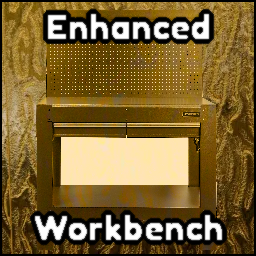
From the creator of EnhancedQOL. Enhanced Workbench adds an auto boxing system to the workbench. Any bulk boxes you make can be made and sent directly to a box to be boxed up.
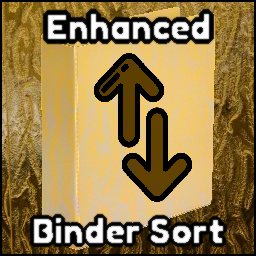
A simplistic mod that adds the ability to sort your binder by element, rarity, and border type.

A mod that flips the cards on the play table to be faced upward.

A package of quality of life mods for the game.

A simple mod that enables scroll wheel usage with several items in the game for example Card Tables.