

CustomTextureReplacer
Runtime texture, sprite, and mesh override toolkit for TCG Card Shop Simulator with live watchers, card metadata editing, and debug dumps.

 Мод для TCG Card Shop Simulator
от Duckieray
Fine-tune global timescale while keeping NPCs and the player in sync through smart NavMesh and animation compensation.
GameSpeedController — мод для TCG Card Shop Simulator (ТЦГ Кард Шоп Симулятор) от автора Duckieray. Fine-tune global timescale while keeping NPCs and the player in sync through smart NavMesh and animation compensation.
Его скачали 4 тыс. раз: это 19-е место среди модов TCG Card Shop Simulator в нашем каталоге, редкость — «обычный» (нижняя половина по скачиваниям). Мод давно не обновлялся — проверьте совместимость с текущей версией игры, актуальная версия — 1.1.0.
Для работы ему нужны: BepInExPack.
Текст автора на языке оригинала
Game Speed Controller gives you full control over TCG Card Shop Simulator's pacing. Multiply or reduce the global timescale, speed up NPC pathing and interactions, and keep the player avatar moving at a natural pace - all without breaking Unity physics. Perfect for fast-forwarding early days or slowing the shop down for recording.
Time.fixedDeltaTime and Time.maximumDeltaTime aligned for stable physics.NavMeshAgent NPCs and scales their speed, acceleration, angular speed, and interaction animations.GameSpeedController.dll ends up at BepInEx/plugins/GameSpeedController/GameSpeedController.dll.TCG Card Shop Simulator/
BepInEx/
plugins/
GameSpeedController/
GameSpeedController.dllBepInEx/config/com.duckieray.cardshop.gamespeed.cfg to fine-tune behaviour. Changes apply live; no restart is required.BepInEx/LogOutput.log.CompensatePlayerMovement enabled (default) the plugin finds player NavMeshAgent and Animator components and applies the inverse of your timescale so controls feel normal.NavMeshAgent speed, acceleration, and angular speed follow WalkSpeedMultiplier.ExcludedAgentNameTokens or ExcludedComponentTokens are ignored.Edit BepInEx/config/com.duckieray.cardshop.gamespeed.cfg (created after the first run):
Setting — Default — Description
TimeScaleMultiplier — 1.25 — Global timescale multiplier (0.05-10).
SyncFixedDeltaTime — true — Keeps Time.fixedDeltaTime aligned with the timescale for consistent physics.
SyncMaximumDeltaTime — true — Scales Time.maximumDeltaTime to match the new cadence.
WalkSpeedMultiplier — 1.25 — Multiplier for NPC NavMeshAgent speed and acceleration (0.1-10).
InteractionScalingMode — InverseTimeScale — How NPC interaction animations scale (Manual, MatchTimeScale, InverseTimeScale).
ManualInteractionMultiplier — 0.75 — Animation multiplier used when InteractionScalingMode = Manual.
CompensatePlayerMovement — true — Keeps player movement and animations close to vanilla speed.
CompensationMultiplier — 1.0 — Extra multiplier applied on top of the inverse timescale to fine-tune player speed.
AgentScanInterval — 1 — Seconds between NPC scans (0.2-5).
ExcludedAgentNameTokens — Player — Comma or semicolon separated hierarchy name fragments to exclude.
ExcludedComponentTokens — Player — Comma or semicolon separated component type fragments to exclude.
LogAgentDiscovery — false — Enables verbose logging when NPCs are tracked or removed.
Time.timeScale to 0. Once the pause clears it restores your configured timescale automatically. If it never resumes, ensure the pause source actually unpaused or toggle the mod.CompensatePlayerMovement is true and that your player object exposes NavMeshAgent or Animator components. Add player-specific tokens to the exclusion lists if you prefer the player to follow the global speed instead.SyncFixedDeltaTime and SyncMaximumDeltaTime enabled, especially when running above 2x speed.В r2modman ставится автоматически
Файл скачивается с официального сервера Thunderstore, без перезаливов и сторонних установщиков
Подробная инструкция для TCG Card Shop SimulatorВставьте значок в описание на Thunderstore, в README или в Discord — русскоязычные игроки сразу попадут на страницу с переводом и инструкцией.

[](https://modka.app/tcg-card-shop-simulator/duckieray-gamespeedcontroller/)<a href="https://modka.app/tcg-card-shop-simulator/duckieray-gamespeedcontroller/"><img src="https://modka.app/badge.png" alt="Описание на русском — Модка" height="44"></a>[url=https://modka.app/tcg-card-shop-simulator/duckieray-gamespeedcontroller/]Описание на русском — Модка[/url]Скачайте менеджер модов r2modman (или Gale) и выберите в нём игру TCG Card Shop Simulator. Создайте профиль — так моды не смешаются с чистой версией игры. Найдите «GameSpeedController» во вкладке Online и нажмите Download — BepInEx и все зависимости подтянутся сами. Нажмите «Start modded» — игра запустится с модами. Чтобы сыграть без модов, запустите игру как обычно из Steam — r2modman не трогает чистую версию игры.
Файл скачивается с официального сервера Thunderstore, куда его загрузил Duckieray. Мы не перезаливаем и не изменяем моды.
Установите вместе с ним: BepInExPack. В менеджере модов зависимости подтягиваются автоматически.
8 октября 2025, актуальная версия — 1.1.0. Это больше года назад: перед установкой проверьте, работает ли мод на текущей версии игры.
Runtime texture, sprite, and mesh override toolkit for TCG Card Shop Simulator with live watchers, card metadata editing, and debug dumps.

A weekly calendar with busier weekdays, Friday evening crowds and packed weekend afternoons. Includes a week strip, morning cards and optional ShopOS integration.

A really simple mod that just lets you put cards back into the binder after taking them out.
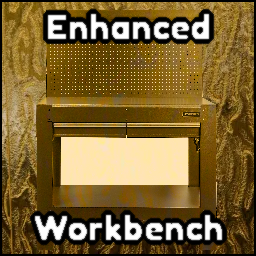
From the creator of EnhancedQOL. Enhanced Workbench adds an auto boxing system to the workbench. Any bulk boxes you make can be made and sent directly to a box to be boxed up.

A simplistic mod that adds the ability to sort your binder by element, rarity, and border type.

A mod that flips the cards on the play table to be faced upward.