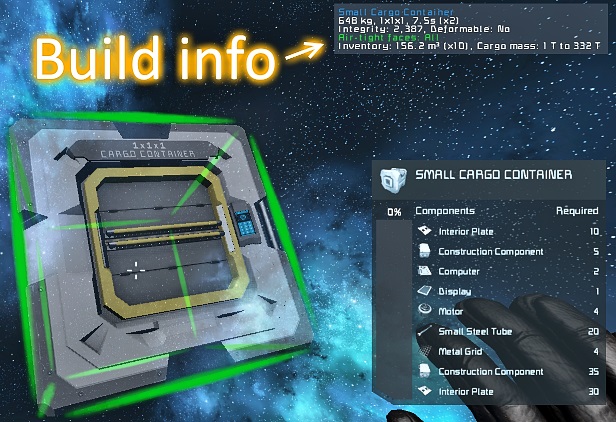
Build Info
Отображает больше информации о блоке, который вы держите или нацеливаетесь, а также другие функции, перечисленные ниже. Поиск утечек воздуха был перенесен в отдельную версию! Это означает, что вы..


 Мод для Space Engineers
от Dark Helmet
Это контекстное меню быстрого доступа, основанное на оригинальном Build Vision от Jimmacle, предназначенное для дополнения терминала игры. Большую часть времени терминал работает просто отлично
Build Vision 3.0 — мод для Space Engineers (Спейс Инженерс) от автора Dark Helmet. Это контекстное меню быстрого доступа, основанное на оригинальном Build Vision от Jimmacle, предназначенное для дополнения терминала игры. Большую часть времени терминал работает просто отлично
На него подписались 312,7 тыс. раз в Мастерской Steam: это 15-е место среди модов Space Engineers в нашем каталоге, редкость — «легендарный» (топ-5% по подпискам). Мод обновлялся в течение года.
Нужны ли ему другие моды, видно на его странице в Мастерской Steam в блоке «Необходимые продукты» — при подписке Steam сам предложит их добавить.
Текст автора на языке оригинала
This is a quick access context menu, based on the original Build Vision by Jimmacle, designed to supplement the game's terminal. Most of the time, the terminal works just fine for setting up blocks, but sometimes, it's cumbersome. With BV, you can just point and click at a block and have immediate access to its settings, no need to go find a button panel and search for a name you likely can't remember.
This menu opened by aiming at the desired block and pressing either Ctrl + MwUp or Ctrl + MwDn. The first opens the wheel menu; the second opens the older list-style menu. Holding Ctrl (peek) will show a summary of the target block's current status without opening the controls. Pressing the right mouse button (Back/Cancel) will close the menu.
By default, the menu will close if you move more than 10 meters 4 large blocks from your target block. The exact distance can be customized in the settings.
Name Controls
Open Wheel Control + MouseWheelUp
Open List Control + MouseWheelDown
Select/Confirm LeftButton
Back/Cancel RightButton
Scroll Up MouseWheeUp
Scroll Down MouseWheelDown
Selection: There are two ways to highlight properties: scrolling or by gesturing with the mouse. To select with the mouse, hold Ctrl (Peek), and move your mouse either clockwise or counterclockwise, like you're tracing a circle.
Pressing Select/Confirm will open the highlighted property. Pressing that bind again will confirm any changes. Pressing Back/Cancel will close the property without saving changes; pressing it again will close the menu.
Note: The list menu only supports scrolling with the mouse wheel (or scroll binds).
Changing Settings: Properties can be changed using the scroll wheel in conjunction with the multiplier binds listed below, with text-only fields being the only exception.
Alternatively, holding Ctrl will allow you to use your mouse cursor to change settings. Depending on the use case, this is often easier.
Text: Text fields are opened/closed with chat (Enter) and support the usage of the usual Ctrl+A/X/C/V binds to select, cut, copy and paste text. Fair warning: you'll only be able to copy text within Build Vision; it won't work with the terminal or anything else.
Opening chat (pressing Enter) while a text field is highlighted will open text input automatically.
Note: Most numerical fields also support text input.
The multiplier binds are used to change the speed a selected property will change with each tick of the scroll wheel, 1/10th normal, 5x normal, 10x, etc. The base rate is proportional to the maximum value of the selected property. If you have a thruster override selected (probably with a maximum in the millions) that’s going to change in much larger increments than the targeting range of a turret (with a max around 800 meters, usually).
The MultX bind, Ctrl by default, can also be used to scroll through the list faster. Just hold it down while scrolling.
Name Controls
MultX/Peek (x0.1 for float values, x8 for colors) Control
MultY (x5 for float values, x16 for colors) Shift
MultZ (x10 for float values, x64 for colors) Control + Shift
Property or settings duplication, as the name implies, is used to copy settings from one block to another. The binds below can be used to quickly copy settings, but there are buttons for these controls in the wheel menu as well.
The paste bind can be used while peeking, meaning if you've already copied properties, you can paste them using the shortcut below w/o reopening the controls.
Name Controls
Start Dupe Ctrl + Alt + MouseWheelUp
Stop Dupe Ctrl + Alt + MouseWheelDown
Toggle Dupe Home
Select All Insert
Copy Selection PageUp
Paste Copied Properties PageDown
Undo Paste Delete
When selecting properties from the list, pressing the back bind will take you back to the wheel menu to finish copying.
The settings menu, by default, can be opened by pressing F2. This menu allows you to configure block targeting, change UI settings, configure your keybinds, and allows you to enable/disable legacy mode.
Legacy mode reverts the control scheme to the one used for v2.5 and changes the peek popup to match the old appearance.
The chat commands in this mod are largely redundant; the functionality they provide is also provided by the settings menu. If you prefer to use the chat commands for whatever reason, here they are:
All chat commands must begin with “/bv2” and are not case-sensitive. The arguments following “/bv2” can be separated either by whitespace, a comma, semicolon or pipe character. Whatever floats your boat; just make sure there’s something between them.
Command Description
help Opens help menu
bind [bindName] [control1] [control2] [control3]
save For manually saving the configuration
load For manually loading the config file
resetBinds Resets all key binds to default
resetConfig Resets all of your settings to default
Example: "/bv2 bind open control shift"
If you're having trouble getting this mod to work, see the Troubleshooting Guide.
If you have a bug to report, see the instructions for submitting bug reports in the discussions section.
The source code for the mod is available on GitHub under the MIT license for anyone interested.
Мод ставится подпиской в Мастерской Steam — без архивов, перезаливов и сторонних установщиков
Подробная инструкция для Space EngineersВставьте значок в описание на Мастерская Steam, в README или в Discord — русскоязычные игроки сразу попадут на страницу с переводом и инструкцией.

[](https://modka.app/space-engineers/build-vision-3-0/)<a href="https://modka.app/space-engineers/build-vision-3-0/"><img src="https://modka.app/badge.png" alt="Описание на русском — Модка" height="44"></a>[url=https://modka.app/space-engineers/build-vision-3-0/]Описание на русском — Модка[/url]Откройте страницу мода «Build Vision 3.0» в Мастерской Steam (кнопка «Скачать» на нашем сайте ведёт именно туда) и нажмите «Подписаться» — Steam сам скачает мод и будет его обновлять. Если Steam покажет список обязательных модов, подпишитесь и на них — без них мод не заработает. Запустите Space Engineers: моды подключаются к конкретному миру — при создании мира или в его настройках нажмите «Моды» и добавьте мод в список активных. Если мод не появился в игре, откройте вкладку «Загрузки» в Steam и дождитесь, пока он скачается полностью, затем перезапустите игру. Для игры по сети подпишитесь на одни и те же моды всей компанией: набор модов у хоста и у игроков, как правило, должен совпадать.
Мы ничего не перезаливаем: кнопка скачивания открывает официальную страницу мода в Мастерской Steam. Там нужно нажать «Подписаться» — файлы загрузит и будет обновлять сам Steam.
В сетевой игре Space Engineers набор модов у хоста и у остальных игроков, как правило, должен совпадать: подпишитесь на одни и те же моды всей компанией. Исключения — моды, которые меняют только то, что видите и слышите вы сами; точные требования автор пишет в описании мода.
7 декабря 2025. Дата берётся с официальной страницы мода при каждом обновлении каталога.
Отображает больше информации о блоке, который вы держите или нацеливаетесь, а также другие функции, перечисленные ниже. Поиск утечек воздуха был перенесен в отдельную версию! Это означает, что вы..

Этот мод делает ваш первый взгляд немного более захватывающим с отражающим стеклянным наложением, размытым краем в форме шлема и 3D HUD, который указывает на здоровье, энергию, кислород и..

Истинное выживание в пространстве! Теперь вам нужна еда, вода и отдых, а не только воздух и энергия! Читать >>>>> НЕ МОЖЕТ И НЕ БУДЕТ РАБОТАТЬ НА XBOX ИЛИ ПЛАЙСТАЦИИ Этот мод не может быть..
По мере того, как Meridius IX уходит из моды, развитие MES продолжается CptArthur и Enenra. Что такое модульные системы контактов? Этот мод был разработан, чтобы быть гибким
Огромное расширение для вашего опыта выживания, капитальный ремонт геймплея, который принесет вам опыт космического симулятора. Более 200 новых кораблей, станций, обломков и многое другое! Огромное спасибо..
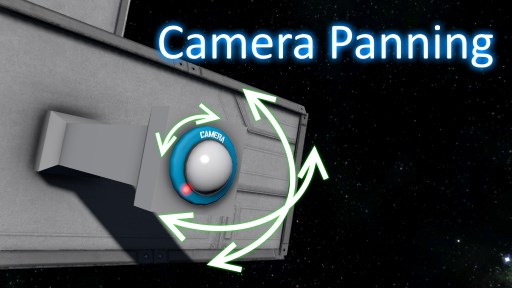
Этот мод позволяет игрокам изменять направление камеры во время просмотра. Работает для любого блока камеры, моддированной или ванильной. Как использовать в игре При просмотре фотоаппарата мод будет..