RestoreDebugCommands
Восстанавливает команды отладки, такие как addCharacter и goto
 Мод для Sons Of The Forest
от codengine
Скачать игру Sons of the Forest
SOTFEdit — мод для Sons Of The Forest (Санс оф зе Форест) от автора codengine. Скачать игру Sons of the Forest
Его скачали 33,7 тыс. раз: это 27-е место среди модов Sons Of The Forest в нашем каталоге, редкость — «редкий» (топ-50% по скачиваниям). Мод давно не обновлялся — проверьте совместимость с текущей версией игры, актуальная версия — 0.12.10.
Для работы ему нужны: SOTFEdit Companion.
1 шт · нажмите, чтобы открыть
Текст автора на языке оригинала
A savegame editor for "Sons of The Forest".
This project is in no way or form associated with the developers of the game. It is just a non-commercial fan project, nothing more, nothing less.
Arms/Legs when you just increase the count
Armor protects you from most hazards. However you are still going to drown and die from fall damage.
The game groups some enemies into "families". Most likely they won't attack each other and raid the player.
One word about modifying NPCs: Some enemies are in caves/bunkers and have a different GraphMask. When this option is selected (Only in the same area as this actor) only enemies in the same "phase" are edited.
So, if you just want to remove babies in caves, select this option. If you remove all of them, just deselect it.
Spawners: I haven't fully investigated how the game works with those spawners. When you delete them the game will re-create them on the next game save. So this would be one way to increase the number of enemies.
This tool lets you "almost" finish blueprints, set them to "unfinished" or remove them. Why "almost"? Because it is too complex to convert blueprints to final buildings. So this tool will change the blueprints to require one last item until a blueprint is finished.
The cool thing about this is that you can use it in order to have an easy source for logs for example. Just set some shelters, change them to "almost finished", take them down and all logs will drop to the ground.
Another cool thing is that you can use it to build stuff in caves or bunkers. The process is the same: Just set the blueprints, mark them as "almost finished", take them down and use the resources to build new stuff.
If you want to build larger structures like shelters in a cave or bunker, you have to place a small blueprint first ( like a chair), then change its type and save.
The map combines static information about points-of-interest with dynamic information that are read directly from the savegame. Some positions are missing but they may be added in the future.
Doors, Helicopters, Generic Information, Items, Lakes, Laptops, Player, Stru
Описание длинное — здесь его начало. Читать целиком на странице автора
В r2modman ставится автоматически
Файл скачивается с официального сервера Thunderstore, без перезаливов и сторонних установщиков
Подробная инструкция для Sons Of The ForestВставьте значок в описание на Thunderstore, в README или в Discord — русскоязычные игроки сразу попадут на страницу с переводом и инструкцией.

[](https://modka.app/sons-of-the-forest/codengine-sotfedit/)<a href="https://modka.app/sons-of-the-forest/codengine-sotfedit/"><img src="https://modka.app/badge.png" alt="Описание на русском — Модка" height="44"></a>[url=https://modka.app/sons-of-the-forest/codengine-sotfedit/]Описание на русском — Модка[/url]Скачайте менеджер модов r2modman (или Gale) и выберите в нём игру Sons Of The Forest. Создайте профиль — так моды не смешаются с чистой версией игры. Найдите «SOTFEdit» во вкладке Online и нажмите Download — BepInEx и все зависимости подтянутся сами. Нажмите «Start modded» — игра запустится с модами. Чтобы сыграть без модов, запустите игру как обычно из Steam — r2modman не трогает чистую версию игры.
Файл скачивается с официального сервера Thunderstore, куда его загрузил codengine. Мы не перезаливаем и не изменяем моды.
Установите вместе с ним: SOTFEdit Companion. В менеджере модов зависимости подтягиваются автоматически.
26 февраля 2025, актуальная версия — 0.12.10. Это больше года назад: перед установкой проверьте, работает ли мод на текущей версии игры.
Восстанавливает команды отладки, такие как addCharacter и goto
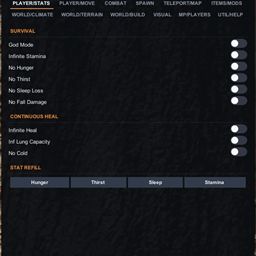
170+ функций администратора. Режим Бога, нерест предметов, полный набор ESP, телепорт, карта, MP-список.
Включает консоль отладки.
Внутриигровой интерфейс для изучения, отладки и модификации игр Unity.

Используйте любую игровую структуру, которую вы можете найти в качестве пользовательского статического элемента, разместите ее где угодно :

Оставайтесь на вершине своей игры с отслеживанием позиций в реальном времени, узлами оружия и точками интереса и режимом наложения для беспрепятственного отслеживания прогресса.