

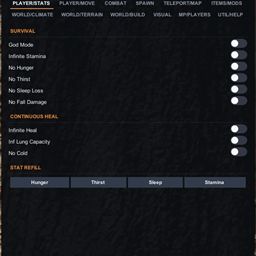
AdminMenu
170+ функций администратора. Режим Бога, появление предметов, полный набор ESP, телепорт, карта, MP-список.

 Мод для Sons Of The Forest
от AzNean
Придает луку, арбалету, рогатке и факельной пушке тот же показатель прицеливания, что и брошенному копью.
Projectile Aim Indicator — мод для Sons Of The Forest (Санс оф зе Форест) от автора AzNean. Придает луку, арбалету, рогатке и факельной пушке тот же показатель прицеливания, что и брошенному копью.
Его скачали 712 раз: это 76-е место среди модов Sons Of The Forest в нашем каталоге, редкость — «обычный» (нижняя половина по скачиваниям). Мод обновлялся в последний месяц, актуальная версия — 0.2.20.
Для работы ему нужны: BepInExPack IL2CPP.
Текст автора на языке оригинала
What it does: Shows where your shot will land with the bow, crossbow, slingshot and flare gun. How to use: Aim: the game's own path line and landing target appear. Multiplayer: On your screen only; install it if you want to see it yourself.
Shows where your shot will go. When you aim the bow, crossbow, slingshot or flare gun, you get the same aim indicator as when you throw the spear: the game's own path line and landing target. The path is the game's own flight calculation, started from the projectile in your weapon and pointed the way the game really fires it. It replaces BowTrajectory, covers more weapons and needs no extra mod. For what the game already marks itself (thrown spear, grenades and other thrown items, rope gun), its own landing target keeps the same size on screen as ours, also in Projectile Cam's preview. The stun gun and firearms can get the indicator too if you tick them.
The path follows the projectile you have loaded, read each time you aim, so it stays right if another mod changes how far or how fast your shots fly.
The indicator is on your own screen only and nothing is sent over the network. It works the same alone, as host or as a guest. Install it only if you want to see it yourself.
Change them in the Mods menu of Mod Config Menu or in your mod manager's config editor (aznan.sotf.projectileaimindicator.cfg):
[General] Enabled: on or off for the whole mod.[Weapons]: one box per weapon. Bow, crossbow, slingshot and flare gun get the indicator (on). Stun gun and firearms (pistol, revolver, shotgun, rifle) can get it too (off by default). The thrown spear, thrown items (grenade, molotov, time bomb, rocks, severed limbs) and the rope gun keep the game's own indicator; with their box on (default), its landing target keeps the size set in [Marker], in your view and in Projectile Cam's preview.[Marker]: size of the landing target on your screen (it keeps the same size near or far, 2 % of the screen height by default) and its largest size on the ground (1 m).[Performance]: how often the path is recalculated while aiming (every frame by default), and how often the mod looks again for a weapon that is not ready yet in your hand.[Debug] FullLogging: writes every step to the BepInEx log (decisions, values read, failures with their cause; for each shot, where the indicator said it would land, where it really landed and the gap in metres), to send with a bug report. Off by default: then only loading, version and errors are written.The line and target are the spear's; only the target's size can be changed. Changes apply while you play.
With Projectile Cam installed, the landing target also shows in its aim preview window.
Idea and the way the game's path simulation is fed come from BowTrajectory by willis81808 (MIT).
Contact me on X (@aznantriks) or Reddit (u/aznan-triks).
В r2modman ставится автоматически
Файл скачивается с официального сервера Thunderstore, без перезаливов и сторонних установщиков
Подробная инструкция для Sons Of The ForestВставьте значок в описание на Thunderstore, в README или в Discord — русскоязычные игроки сразу попадут на страницу с переводом и инструкцией.

[](https://modka.app/sons-of-the-forest/aznean-projectile-aim-indicator/)<a href="https://modka.app/sons-of-the-forest/aznean-projectile-aim-indicator/"><img src="https://modka.app/badge.png" alt="Описание на русском — Модка" height="44"></a>[url=https://modka.app/sons-of-the-forest/aznean-projectile-aim-indicator/]Описание на русском — Модка[/url]Скачайте менеджер модов r2modman (или Gale) и выберите в нём игру Sons Of The Forest. Создайте профиль — так моды не смешаются с чистой версией игры. Найдите «Projectile Aim Indicator» во вкладке Online и нажмите Download — BepInEx и все зависимости подтянутся сами. Нажмите «Start modded» — игра запустится с модами. Чтобы сыграть без модов, запустите игру как обычно из Steam — r2modman не трогает чистую версию игры.
Файл скачивается с официального сервера Thunderstore, куда его загрузил AzNean. Мы не перезаливаем и не изменяем моды.
Установите вместе с ним: BepInExPack IL2CPP. В менеджере модов зависимости подтягиваются автоматически.
9 ноября 2026, актуальная версия — 0.2.20. Дата берётся с официальной страницы мода при каждом обновлении каталога.
170+ функций администратора. Режим Бога, появление предметов, полный набор ESP, телепорт, карта, MP-список.

[Экспериментальный - тестируется в многопользовательском режиме, может иметь ошибки] Кельвин сражается с каннибалами и мутантами настоящими ходами, в стиле, который вы выбираете в его блокноте, и с оружием, которое вы ему даете.

Ремесло взрывчатое, электрическое, огненное, светящееся, липкая бомба, золото и ядовитая галька для рогатки.
Камера следует за вашими стрелами, болтами, камнями и копьями в небольшом окне или на полном экране.
Луковые стрелы летают быстрее и замедляются меньше, поэтому они падают гораздо меньше. Скорость и замедление воздуха являются настройками.
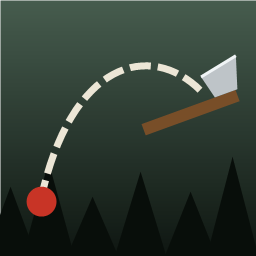
Бросьте то, что вы держите в руках, одним ключом (Alt + G по умолчанию): предмет в правой руке или бревна, доски и камни, которые вы носите. Работает в мультиплеере, только бросителю это нужно.