
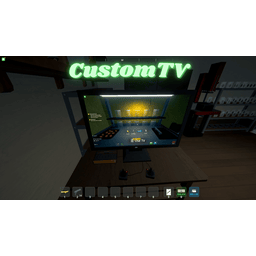
CustomTV
Позволяет воспроизводить свои собственные видео MP4 и Youtube на телевизоре.

 Мод для Schedule I
от Roachified
Исправьте расписание I's main menu! Получите настоящую кнопку «Продолжить» (загружает последний сеанс), четкую кнопку «Загрузить игру», исправленный пользовательский интерфейс и более плавную загрузку. Больше никаких обманчивых "Продолжение" или избыточных загрузок сцены. Просто простое меню.
HonestMainMenu — мод для Schedule I (Шедул 1) от автора Roachified. Исправьте расписание I's main menu! Получите настоящую кнопку «Продолжить» (загружает последний сеанс), четкую кнопку «Загрузить игру», исправленный пользовательский интерфейс и более плавную загрузку. Больше никаких обманчивых "Продолжение" или избыточных загрузок сцены. Просто простое меню.
Его скачали 3,5 тыс. раз: это 216-е место среди модов Schedule I в нашем каталоге, редкость — «обычный» (нижняя половина по скачиваниям). Мод обновлялся в течение года, актуальная версия — 1.1.0.
Для работы ему нужны: MelonLoader.
1 шт · нажмите, чтобы открыть
Текст автора на языке оригинала
Ever felt like the main menu in Schedule I was... well, not entirely straight with you? Like it was holding back, maybe even telling a few white lies? You're not alone.
Introducing Honest Main Menu, a mod forged in the fires of mild annoyance and a desire for a menu that just tells it like it is. The main culprits for this mod's existence:
This mod slaps some honesty into the main menu, offering a true "Continue" experience, clarifying the "Load Game" process, and attempting to curb the menu's enthusiasm for redundant self-loading.
Patches.SceneManagerLoadScenePatch): Includes a Harmony patch for SceneManager.LoadScene. This bad boy acts as a bouncer, preventing the game from loading the same scene multiple times consecutively. While the real party crasher seems to be how the game handles network disconnections and related events, fixing that is a whole other can of worms. This patch just mitigates the symptom of your menu UI getting rebuilt more times than a LEGO castle in a hurricane.Honest Main Menu gets to work in two main stages:
Patches.SceneManagerLoadScenePatch. This helps prevent the main menu scene from reloading unnecessarily, aiming for a smoother startup and a less jarring transition when you bail from a game session back to the menu.Once you actually see the main menu, the mod rolls up its sleeves:
ClothingUtility with embedded or saved palettes, resolves clothing definitions from the registry, and applies your last save’s clothing layers/accessories on both Mono and IL2CPP.HonestMainMenu.Il2Cpp.dll.HonestMainMenu.Mono.dll..dll file into the Mods folder within your Schedule I game directory.This mod is a simple creature. It has no external configuration options. What you see is what you get.
Описание длинное — здесь его начало. Читать целиком на странице автора
В r2modman ставится автоматически
Файл скачивается с официального сервера Thunderstore, без перезаливов и сторонних установщиков
Подробная инструкция для Schedule IВставьте значок в описание на Thunderstore, в README или в Discord — русскоязычные игроки сразу попадут на страницу с переводом и инструкцией.

[](https://modka.app/schedule-i/roachified-honestmainmenu/)<a href="https://modka.app/schedule-i/roachified-honestmainmenu/"><img src="https://modka.app/badge.png" alt="Описание на русском — Модка" height="44"></a>[url=https://modka.app/schedule-i/roachified-honestmainmenu/]Описание на русском — Модка[/url]Скачайте менеджер модов r2modman (или Gale) и выберите в нём игру Schedule I. Создайте профиль — так моды не смешаются с чистой версией игры. Найдите «HonestMainMenu» во вкладке Online и нажмите Download — MelonLoader и все зависимости подтянутся сами. Нажмите «Start modded» — игра запустится с модами. Чтобы сыграть без модов, запустите игру как обычно из Steam — r2modman не трогает чистую версию игры.
Файл скачивается с официального сервера Thunderstore, куда его загрузил Roachified. Мы не перезаливаем и не изменяем моды.
Установите вместе с ним: MelonLoader. В менеджере модов зависимости подтягиваются автоматически.
10 января 2026, актуальная версия — 1.1.0. Дата берётся с официальной страницы мода при каждом обновлении каталога.
Позволяет воспроизводить свои собственные видео MP4 и Youtube на телевизоре.

Кража и угон автомобилей у NPC и полиции.

Улучшение качества жизни в Counter-offer popup. Только продукты, которые перечислены, отображаются при изменении продукта. Цена продажи автоматически обновляется при выборе другого продукта или изменении количества.

Установите размеры стека, лимиты денежных средств и пропускную способность станции в игре с F6: на предмет, категорию, место или один объект. Один пакет для ветки по умолчанию (IL2CPP) и альтернативной (Mono).

Легальное оружие Стэна - это простой мод, который добавляет интерфейс магазина к дилеру оружия, так что вам не нужно перемещаться по бесконечным диалоговым меню, чтобы купить 1 предмет за раз.

Автоматически очищайте мусор, чтобы ваша игра была чистой! Больше никаких переполненных мусорных баков - мусор очищается после сна и с настраиваемым горячим ключом.