
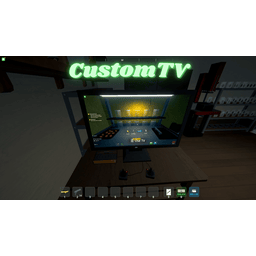
CustomTV
Позволяет воспроизводить свои собственные видео MP4 и Youtube на телевизоре.

 Мод для Schedule I
от Roachified
Мод MelonLoader для Графика I, который позволяет «настоящий» автопрыжок / прыжок с кроликом.
BunnyHopper — мод для Schedule I (Шедул 1) от автора Roachified. Мод MelonLoader для Графика I, который позволяет «настоящий» автопрыжок / прыжок с кроликом.
Его скачали 7 тыс. раз: это 141-е место среди модов Schedule I в нашем каталоге, редкость — «редкий» (топ-50% по скачиваниям). Мод обновлялся в течение года, актуальная версия — 1.1.1.
Для работы ему нужны: MelonLoader.
1 шт · нажмите, чтобы открыть
Текст автора на языке оригинала
Tired of your thumbs getting a workout just to maintain momentum in Schedule I? Well, fret no more!
Introducing Bunny Hopper, the mod born out of a deep and slightly amused observation of the limitations of previous auto-jump attempts.
Inspired (and perhaps a little exasperated) by the noble but ultimately flawed efforts of others (I'm talking about you, Robert), Bunny Hopper aims to provide a seamless and enjoyable bunny hopping experience in Schedule I. No more missed jumps, no more accidental stops, and crucially, NO MORE ACCIDENTAL JUMPS! Just smooth, continuous movement that'll make you the envy of every farmer and factory worker.
This mod patches into the player's movement logic. When enabled and the jump key is held:
AutoJumpLiftoffTimeoutMilliseconds) ensures the game registers the liftoff before attempting another jump, making it feel smooth and reliable.BunnyHopper.Il2Cpp.dll.BunnyHopper.Mono.dll.*.dll file into the Mods folder within your Schedule I game directory.You can configure Bunny Hopper through MelonLoader's preferences system. The settings are located in UserData/MelonPreferences.cfg (under the [BunnyHopper_Settings] category) or can be adjusted using a UI mod that supports MelonPreferences.
Enabled (Default: true)true to enable bunny hopping, false to disable.AutoJumpLiftoffTimeout (Default: 75, Min: 55, Max: 110)If you have suggestions, bug reports, or witty remarks about previous auto-jump attempts, feel free to open an issue on the project's repository!
If you'd like to build the mod yourself or contribute to its development, here's what you need to know:
ScheduleOneGameDir to be set. This variable must point to the root directory of your Schedule I game installation (e.g., C:\Program Files (x86)\Steam\steamapps\common\Schedule I).Mods folder.Debug_Il2Cpp / Release_Il2Cpp: For the standard Il2Cpp version of the game. Debug includes debugging symbols.Debug_Mono / Release_Mono: For the alternate Mono version of the game. Debug includes debugging symbols.BunnyHopper.sln solution file and build the project, selecting your desired configuration.dotnet build command. For example, to build the Il2Cpp Release version: dotnet build -c Release_Il2CppОписание длинное — здесь его начало. Читать целиком на странице автора
В r2modman ставится автоматически
Файл скачивается с официального сервера Thunderstore, без перезаливов и сторонних установщиков
Подробная инструкция для Schedule IВставьте значок в описание на Thunderstore, в README или в Discord — русскоязычные игроки сразу попадут на страницу с переводом и инструкцией.

[](https://modka.app/schedule-i/roachified-bunnyhopper/)<a href="https://modka.app/schedule-i/roachified-bunnyhopper/"><img src="https://modka.app/badge.png" alt="Описание на русском — Модка" height="44"></a>[url=https://modka.app/schedule-i/roachified-bunnyhopper/]Описание на русском — Модка[/url]Скачайте менеджер модов r2modman (или Gale) и выберите в нём игру Schedule I. Создайте профиль — так моды не смешаются с чистой версией игры. Найдите «BunnyHopper» во вкладке Online и нажмите Download — MelonLoader и все зависимости подтянутся сами. Нажмите «Start modded» — игра запустится с модами. Чтобы сыграть без модов, запустите игру как обычно из Steam — r2modman не трогает чистую версию игры.
Файл скачивается с официального сервера Thunderstore, куда его загрузил Roachified. Мы не перезаливаем и не изменяем моды.
Установите вместе с ним: MelonLoader. В менеджере модов зависимости подтягиваются автоматически.
9 января 2026, актуальная версия — 1.1.1. Дата берётся с официальной страницы мода при каждом обновлении каталога.
Позволяет воспроизводить свои собственные видео MP4 и Youtube на телевизоре.

Кража и угон автомобилей у NPC и полиции.

Улучшение качества жизни в Counter-offer popup. Только продукты, которые перечислены, отображаются при изменении продукта. Цена продажи автоматически обновляется при выборе другого продукта или изменении количества.

Установите размеры стека, лимиты денежных средств и пропускную способность станции в игре с F6: на предмет, категорию, место или один объект. Один пакет для ветки по умолчанию (IL2CPP) и альтернативной (Mono).

Легальное оружие Стэна - это простой мод, который добавляет интерфейс магазина к дилеру оружия, так что вам не нужно перемещаться по бесконечным диалоговым меню, чтобы купить 1 предмет за раз.

Автоматически очищайте мусор, чтобы ваша игра была чистой! Больше никаких переполненных мусорных баков - мусор очищается после сна и с настраиваемым горячим ключом.