
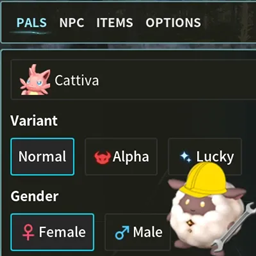
Creative Menu
Позволяет вам создавать Pals / NPC и редактировать их Статистику / IV, прежде чем создавать их, а также имеет вкладку для предоставления себе любого элемента в игре!

 Мод для Palworld
от atomicbentobox
Ручно назначайте Pals рабочим станциям через UI, а не выбрасывайте их!
Assign Pals — мод для Palworld (Палворлд) от автора atomicbentobox. Ручно назначайте Pals рабочим станциям через UI, а не выбрасывайте их!
Его скачали 16,7 тыс. раз: это 82-е место среди модов Palworld в нашем каталоге, редкость — «редкий» (топ-50% по скачиваниям). Мод давно не обновлялся — проверьте совместимость с текущей версией игры, актуальная версия — Assign Pals 0.9.2.4.
Дополнительных модов для работы не требует.
Текст автора на языке оригинала
This mod is single player only for now, installing it on a server will not work. This is subject to (and hopefully will) change.
This mod is in beta, there are some features that are not yet completed. Please refer to the Known Issues and FAQ at the bottom for more details.
Description This mod allows you to manually assign Pals to workstations through a UI. It does this by a menu that lists the currently available workstations/jobs at your base, then when one of them is clicked it brings up the base Pals that can be assigned to that workstation. Click on the desired Pal to fix assign it to that workstation (this works the same as when you throw the Pal at the workstation, as in they will continue to work there until you pick them up or unassign them).
Other features include being able to see all Pals currently working at a workstation, seeing the Pals' passive skills and gender, and unassigning Pals through the menu.
As of v0.9.2, Global Work Priority has been added to the Monitoring Stand. This allows you to control the work priority for all Pals. It works on a number system of the higher number being the bigger priority. For example, if you set Stone Pit to 1 and Mining to 10, Pals will prioritize mining ores (copper, coal, etc) over the Stone Pit.
How to Use Press the Show Tasks button at the top left of the screen, select the workstation you want to assign a Pal to, then select the desired Pal. You can press F2 (can be changed in the options, see below) to manually bring up the cursor and open the menu, pressing F2 again will close the menu and hide the cursor, or just open the in-game menu with tab which will also show the cursor. Controller support is not yet available.
Options The menu is configurable as to when it will appear, all mod settings can be accessed and changed while playing the game by pressing the Options button inside the Options tab of the in game menu. Pressing the Escape key gets you to this tab, or you can navigate it to it when opening the inventory. After pressing the options button there will be a new button labeled Assign Pals Mod Settings that you can click that will bring up the mod's settings, pressing it again or exiting the options menu will hide it.
The options for when the menu can show up are:
Other options include sorting the workstations by current distance to the player (default on), teleporting the selected Pal to the workstation when assigning them (default off, a bit janky right now), and changing the hotkey to show the cursor.
Requirements UE4SS v3 (3.0.1+)
Mod Installation Steam:
UE4SS Installation Download the zip from the link above, extract everything into Palworld\Pal\Binaries\Win64 To help prevent crashing, in the UE4SS-settings.ini file, set bUseUObjectArrayCache to false.
Known Issues
- When using the At workstation and Palbox options, opening the Monitoring Stand makes the Show Tasks button visible. This is currently a workaround to allow those options to use Work Priority
- Trying to assign multiple Pals to a workstation that accepts more than one while multiple Pals are currently working will not reliably work.
- Setting the menu to appear at the workstation currently has a bug where if you have two workstations very close to each other the Pals to assign will not update unless you get out of range of either of them and try again. I have a fix in mind, just need to implement it.
- Throwing a Pal to assign it and it failing can sometimes make assigning them through the UI error out (you might see an in-game notification that says "Fixed Assignment to X failed.") This has something to do with the weird way fixed assignment works, I haven't quite figured it out yet. Relogging will fix this.
- Currently assigned Pals do not update properly when you have clicked a workstation and a Pal assigns itself to that workstation (the normal behavior when they see something they can work at). I am close to fixing this but not quite there. To fix this just hit the Back button to go back to the list of workstations and select it again. If you have the At Workstation option selected, just leave and reenter the range the menu opens.
- Switching between the options At Workstation (or Always & At Workstation) and anything else while standing next to a workstation can have undesired effects, please be sure to not have the assignable Pals window showing when doing this.
FAQ Q: The Show Tasks button doesn't show up, what the heck? A: Please double check the installation paths of both the mod and UE4SS, also make sure you are using the latest release. If you are still having issues try switching the When To Show UI option to something else then back to Always (while in base).
Q: My pal is not being assigned even though I clicked them, why they no work? A: Try assigning a different Pal and then the desired one. If you don't see a portrait in the in-game HUD above the workstation, try destroying the workstation and rebuilding it (I know, it's annoying, I'm hoping to fix this), then start the work again and try assigning. If this doesn't work please report it as a bug.
Q: How do I unassign a Pal? A: Click their icon in the Currently Assigned section. When unassigning a currently working Pal, the
Описание длинное — здесь его начало. Читать целиком на странице автора
Файл скачивается с официального сервера CurseForge, без перезаливов и сторонних установщиков
Подробная инструкция для PalworldВставьте значок в описание на CurseForge, в README или в Discord — русскоязычные игроки сразу попадут на страницу с переводом и инструкцией.

[](https://modka.app/palworld/assign-pals/)<a href="https://modka.app/palworld/assign-pals/"><img src="https://modka.app/badge.png" alt="Описание на русском — Модка" height="44"></a>[url=https://modka.app/palworld/assign-pals/]Описание на русском — Модка[/url]Скачайте «Assign Pals» кнопкой «Скачать» — файл придёт с CurseForge. Откройте папку игры (Steam: правой кнопкой по игре → «Управление» → «Просмотреть локальные файлы») и перейдите в Pal\Content\Paks\~mods. Если папки ~mods нет — создайте её. Распакуйте архив и перенесите в ~mods файлы .pak (а также .ucas и .utoc с тем же названием, если они есть). Запустите игру — мод уже работает.
Файл скачивается с официального сервера CurseForge, куда его загрузил atomicbentobox. Мы не перезаливаем и не изменяем моды.
14 апреля 2024, актуальная версия — Assign Pals 0.9.2.4. Это больше года назад: перед установкой проверьте, работает ли мод на текущей версии игры.
Позволяет вам создавать Pals / NPC и редактировать их Статистику / IV, прежде чем создавать их, а также имеет вкладку для предоставления себе любого элемента в игре!
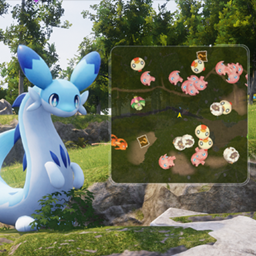
Минимальная карта радара, которая отображает живые позиции друзей и многое другое!
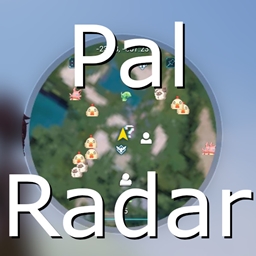
Посмотрите на мир вокруг себя и отслеживайте Pals, игроков, базовые лагеря и многое другое.
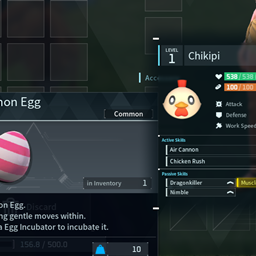
Показывает статистику Pals при парении над невыдержанными яйцами, которые возникли в результате размножения.
Большое обновление. Телепортируйте игроков, точки быстрого перемещения и базы с помощью недавно добавленного виджета.
Разрежьте 15 различных наборов, дайте конкретные предметы с помощью виджета и сбросьте переполненные запасы на землю.