BetterInventory
Inventory menu improvements: 'Salvage', 'Send to Stash', 'Send to Host's Stash', 'Send to Other Player' in item menu. Show item price in inventory. More information in readme.
 Мод для Outward
от laymain
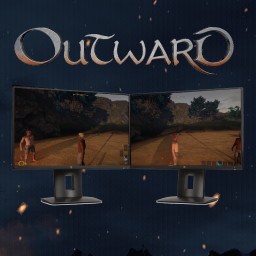
Split screen with multiple displays support (https://www.nexusmods.com/outward/mods/263/)
CoopMultiDisplay — мод для Outward (Аутворд) от автора laymain. Split screen with multiple displays support (https://www.nexusmods.com/outward/mods/263/)
Его скачали 6,5 тыс. раз: это 173-е место среди модов Outward в нашем каталоге, редкость — «обычный» (нижняя половина по скачиваниям). Мод давно не обновлялся — проверьте совместимость с текущей версией игры, актуальная версия — 0.0.1.
Для работы ему нужны: BepInExPack Outward.
Текст автора на языке оригинала
This mod allows you choose the split screen type in:
Manually) or using Thunderstore.
Use these shortcuts to change the split screen type
[] + [H]`` to switch to Horizontal[] + [V]`` to switch to Vertical[] + [M]`` to switch to MultiDisplayTo fit with multiple keyboard layouts, you can also use [Home] instead of `[]`` (backtick).
MultiDisplay enabled, it will switch to borderless windows.Vertical or MultiDisplay.MultiDisplay may not be taken into account and thus stretch image.В r2modman ставится автоматически
Файл скачивается с официального сервера Thunderstore, без перезаливов и сторонних установщиков
Подробная инструкция для OutwardВставьте значок в описание на Thunderstore, в README или в Discord — русскоязычные игроки сразу попадут на страницу с переводом и инструкцией.

[](https://modka.app/outward/laymain-coopmultidisplay/)<a href="https://modka.app/outward/laymain-coopmultidisplay/"><img src="https://modka.app/badge.png" alt="Описание на русском — Модка" height="44"></a>[url=https://modka.app/outward/laymain-coopmultidisplay/]Описание на русском — Модка[/url]Скачайте менеджер модов r2modman (или Gale) и выберите в нём игру Outward. Создайте профиль — так моды не смешаются с чистой версией игры. Найдите «CoopMultiDisplay» во вкладке Online и нажмите Download — BepInEx и все зависимости подтянутся сами. Нажмите «Start modded» — игра запустится с модами. Для мультиплеера всем игрокам нужен одинаковый набор модов: в r2modman профиль можно экспортировать кодом и отправить друзьям.
Файл скачивается с официального сервера Thunderstore, куда его загрузил laymain. Мы не перезаливаем и не изменяем моды.
Автор не указал, клиентский это мод или серверный. Безопаснее, чтобы одинаковый набор модов был у всех игроков в лобби: проще всего поделиться профилем r2modman.
Установите вместе с ним: BepInExPack Outward. В менеджере модов зависимости подтягиваются автоматически.
1 февраля 2023, актуальная версия — 0.0.1. Это больше года назад: перед установкой проверьте, работает ли мод на текущей версии игры.
Inventory menu improvements: 'Salvage', 'Send to Stash', 'Send to Host's Stash', 'Send to Other Player' in item menu. Show item price in inventory. More information in readme.
Transmogrify and enchant your equipment with built in crafting menus. Transmog Weapons, Armor, Backpacks, Lanterns and Lexicons. Enchant gear through a crafting menu. No more fiddling around with pillar placements.
Expand QuickSlots with highly configurable Action Slots. Add hotkeyable Equipment Sets. Damaged equipment Durability Display. Reposition HUD elements. Access stash from character inventory, crafting and merchant menus. Preserve food in the stash.
Enables crafting directly from your stash and adds some QoL options.
Adds a 'Mods' menu with various tools to help troubleshoot mod-related problems (such as showing mod version, comparing mods between client and host). Allows the user to send error reports to the ModSupport server to help fix mod errors.

Favourite items & skills, keep sleep, repair unequipped items and more!