Начните вводить название — например, MoreHead, Sodium или PEAK

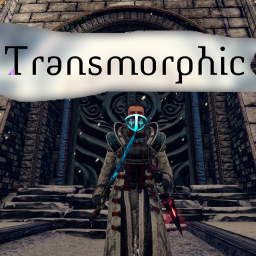
Transmorphic — иконка
Обложка OutwardМод для Outward

Transmorphic

от ModifAmorphic

Transmogrify and enchant your equipment with built in crafting menus. Transmog Weapons, Armor, Backpacks, Lanterns and Lexicons. Enchant gear through a crafting menu. No more fiddling around with pillar placements.

  • Эпический
  • 52,7 тыс. скачиваний
  • Версия 1.0.9
  • Обновлён 14 октября 2022
  • Не обновлялся больше года
  • Интерфейс
  • Предметы

О моде Transmorphic

Transmorphic — мод для Outward (Аутворд) от автора ModifAmorphic. Transmogrify and enchant your equipment with built in crafting menus. Transmog Weapons, Armor, Backpacks, Lanterns and Lexicons. Enchant gear through a crafting menu. No more fiddling around with pillar placements.

Его скачали 52,7 тыс. раз: это 32-е место среди модов Outward в нашем каталоге, редкость — «эпический» (топ-20% по скачиваниям). Мод давно не обновлялся — проверьте совместимость с текущей версией игры, актуальная версия — 1.0.9.

Для работы ему нужны: BepInExPack Outward.

Скриншоты

8 шт · нажмите, чтобы открыть

Полное описание Transmorphic

Текст автора на языке оригинала

Summary

Transmogrify and enchant your equipment with built in crafting menus. Transmog Weapons, Armor, Backpacks, Lanterns and Lexicons. Enchant gear through a crafting menu. No more fiddling around with pillar placements.  


Adds 2 New Crafting Menus

Menu | | Description

Transmogrify | | Customize your gear. Change the appearance of weapons or armor. Enchanting | | Adds an Enchanting crafting menu. Hassle free enchanting without the log rolling.

New Recipes

Recipe | | | | | Result

Transmog Equipment | | | | | Remove Transmog | | | | |

Video (YouTube)

Transmogrify

  • Learn new Transmog recipes by equipping gear.
  • Transmogrify an Item (swap visuals with another).
  • \*\*Important\*\* Equip the Item you want to change.
  • Backpacks must be empty!
  • Open the Transmogrify Crafting Menu
  • Select the Transmog Recipe on the left.
  • Confirm the Selected Item is the item you wish to apply the transmog to.
  • Craft your new item.
  • Any Enchantments are carried over to the new item.
  • Remove a transmog from equipment with the "- Remove Transmogrify" recipe.
  • Equip Item you wish to remove the Transmogrify from.
  • Open the Transmogrify Crafting Menu.
  • Select the "- Remove Transmog" recipe at the top.
  • Select the Equipped Item you wish to remove the Transmog from.
  • Craft your new item with the transmog removed.
  • Any Enchantments are carried over to the new item.

Enchanting

  • A new Enchanting Menu is now available as a replacement to the game's crafting sytem.
  • Equip the piece of gear you wish to enchant.
  • Open the Enchanting Crafting Menu
  • Select the Enchantment Recipe on the left.
  • Confirm the item in the bottom right corner is the one you wish to enchant.
  • Click craft to Enchant your item.
  • Conditional Enchanting
  • The new enchanting menu can be configured to respect or ignore the build in conditions if desired. Only the Quest condition is enabled by default. Not all enchants have additional conditions. For additional information on enchantment conditions, consult the Outward Wiki.
  • Quest(s) Completed: Enchants that require Quest completion or Enchanting Guild upgrades.
  • Player in Region
  • Time of Day
  • Temperature
  • Weather
  • Wind Altar Activated

Description

Transmorphic adds a new crafting system focused on customizing your equipment's visuals. Transmog Recipes (equipment appearances) are unlocking by finding and equipping gear. Once a transmog recipe is learned, any equipment item of the same type* can have its appearance altered to look like it in the new Transmogrify crafting menu. Only equipped items are selectable in the Transmogrify crafting menu. If the item you want to transmog (or remove) is not available to select in the new crafting menu, make sure you have it equipped.

\**1h sword --> 1h sword, 2h axe --> 2h axe, Boots --> Boots, etc.*

1. Equip Item

2. Transmog in New Crafting Menu

3. Custom Icon Identifies Transmog Gear

4. Re-equip Item

Change Logs

Release 1.0.9

  • Fix for Enchanting Recipes sometimes not loading for new characters.

Release 1.0.8

  • Enchanting menu fixes. Fix for items spawning at origin (0, 0, 0).

Release 1.0.7

  • Compatibility patch for ActionUI Equipment Sets

Release 1.0.6

  • Fix for infinite "Loading Items" load screen compatibility with other mods.
  • Removed Ammunition Transmogs.
  • Made Secondary Ingredien

Описание длинное — здесь его начало. Читать целиком на странице автора

Нужно для работы

В r2modman ставится автоматически

Моды, которым нужен Transmorphic

1 в каталоге

Definitively Outward By Videtoile — иконка

Definitively Outward By Videtoile

For Definitive Edition Outward only, this contains all of my mods, their configs, and are fit to play with multiple people, sliding scale of difficulty, and new classes. Intended with the inclusion of some ground rules.

Редкий19,1 тыс.

Как установить Transmorphic

Файл скачивается с официального сервера Thunderstore, без перезаливов и сторонних установщиков

Подробная инструкция для Outward
  1. Скачайте менеджер модов r2modman (или Gale) и выберите в нём игру Outward.
  2. Создайте профиль — так моды не смешаются с чистой версией игры.
  3. Найдите «Transmorphic» во вкладке Online и нажмите Download — BepInEx и все зависимости подтянутся сами.
  4. Нажмите «Start modded» — игра запустится с модами.
  5. Для мультиплеера всем игрокам нужен одинаковый набор модов: в r2modman профиль можно экспортировать кодом и отправить друзьям.
Вы автор мода? Поставьте ссылку на русское описание

Вставьте значок в описание на Thunderstore, в README или в Discord — русскоязычные игроки сразу попадут на страницу с переводом и инструкцией.

Описание на русском — Модка
Markdown[![Описание на русском — Модка](https://modka.app/badge.png)](https://modka.app/outward/modifamorphic-transmorphic/)
HTML<a href="https://modka.app/outward/modifamorphic-transmorphic/"><img src="https://modka.app/badge.png" alt="Описание на русском — Модка" height="44"></a>
Steam (BBCode)[url=https://modka.app/outward/modifamorphic-transmorphic/]Описание на русском — Модка[/url]

Частые вопросы о Transmorphic

Как установить Transmorphic?

Скачайте менеджер модов r2modman (или Gale) и выберите в нём игру Outward. Создайте профиль — так моды не смешаются с чистой версией игры. Найдите «Transmorphic» во вкладке Online и нажмите Download — BepInEx и все зависимости подтянутся сами. Нажмите «Start modded» — игра запустится с модами. Для мультиплеера всем игрокам нужен одинаковый набор модов: в r2modman профиль можно экспортировать кодом и отправить друзьям.

Безопасен ли Transmorphic?

Файл скачивается с официального сервера Thunderstore, куда его загрузил ModifAmorphic. Мы не перезаливаем и не изменяем моды.

Нужно ли друзьям ставить Transmorphic?

Автор не указал, клиентский это мод или серверный. Безопаснее, чтобы одинаковый набор модов был у всех игроков в лобби: проще всего поделиться профилем r2modman.

Что нужно для работы Transmorphic?

Установите вместе с ним: BepInExPack Outward. В менеджере модов зависимости подтягиваются автоматически.

Когда Transmorphic обновлялся последний раз?

14 октября 2022, актуальная версия — 1.0.9. Это больше года назад: перед установкой проверьте, работает ли мод на текущей версии игры.

Похожие моды

Все моды на Outward
ActionUI — иконка

ActionUI

Expand QuickSlots with highly configurable Action Slots. Add hotkeyable Equipment Sets. Damaged equipment Durability Display. Reposition HUD elements. Access stash from character inventory, crafting and merchant menus. Preserve food in the stash.

Редкий28,6 тыс.Интерфейс

UniqueAndIconicWeapons — иконка

UniqueAndIconicWeapons

Replaces the icons of all unique weapons in the game.

Редкий21 тыс.Интерфейс

UniqueAndIconicArmors — иконка

UniqueAndIconicArmors

Replaces the icons of all unique armor pieces in the game.

Редкий21 тыс.Интерфейс

UniqueAndIconicEquipment — иконка

UniqueAndIconicEquipment

Replaces the icons of all unique equipment in the game.

Редкий20,9 тыс.Интерфейс

Enchantments Viewer — иконка

Enchantments Viewer

Outward mod that let's you view details of enchantments without wiki pages. Additionally shows on equipment all available and missing enchantments.

Редкий20,4 тыс.Интерфейс

BetterInventory — иконка

BetterInventory

Inventory menu improvements: 'Salvage', 'Send to Stash', 'Send to Host's Stash', 'Send to Other Player' in item menu. Show item price in inventory. More information in readme.

Эпический93,5 тыс.Интерфейс