
Enchantments Viewer
Внешний мод, который позволяет вам просматривать детали очарования без вики-страниц. Также показывает на оборудовании все доступные и недостающие чары.
 Мод для Outward
от GymMed
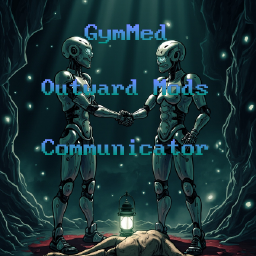
Коммуникатор внешних модов обеспечивает бесшовную связь между модами посредством общих событий и синхронизации конфигурации. Он также позволяет пользователям отменять любые изменения, внесенные другими модами, предоставляя им полный контроль над своими настройками.
Mods Communicator — мод для Outward (Аутворд) от автора GymMed. Коммуникатор внешних модов обеспечивает бесшовную связь между модами посредством общих событий и синхронизации конфигурации. Он также позволяет пользователям отменять любые изменения, внесенные другими модами, предоставляя им полный контроль над своими настройками.
Его скачали 11,2 тыс. раз: это 134-е место среди модов Outward в нашем каталоге, редкость — «обычный» (нижняя половина по скачиваниям). Мод обновлялся в течение года, актуальная версия — 1.2.0.
Для работы ему нужны: BepInExPack Outward, SideLoader.
1 шт · нажмите, чтобы открыть
Текст автора на языке оригинала
Outward Mods Communicator
Outward Mods Communicator enables seamless communication between mods through shared events and configuration syncing. It also lets users override any changes made by other mods, giving them full control over their settings. You can find library published on NuGet as Outward.ModsCommunicator.
Benefits of using this library:
Configuration Syncing
This library allows mod pack creators to synchronize configuration files without directly editing them. Users don’t need to download configuration files from third-party sources. Configurations can be edited through XML, and the control flow follows this order: User -> Mod -> Cfg Documents
Deeper explanation
Currently, Outward's BepInEx does not provide a built-in way for mods to modify .cfg configuration files inside the BepInEx/config directory. Mods Communicator solves this by using two XML files. One XML file is placed in the mod’s plugin directory (recommended), and Mods Communicator uses it to override configuration settings right after the ResourcesPrefabManager class finishes its Load method. Afterwards, it reads the player’s PlayerModsOverrides.xml file, located in BepInEx/config/gymmed.Mods_Communicator folder, to apply personal overrides based on the player’s preferences.
FAQ
Why use XML instead of hardcoding values in the assembly/code/DLL?
XML is used so players can freely edit values without needing to modify any code. The XML structure is simple, human-readable, and gives full control to the user.
Why are there two XML files?
Mods can be updated frequently, and each update may include new default XML values. By separating the player’s personal overrides into a second XML file, updates won’t overwrite their custom settings. Mods Communicator only provides a BepInEx/config/gymmed.Mods_Communicator/PlayerModsOverrides.example.xml file — players must rename it to BepInEx/config/gymmed.Mods_Communicator/PlayerModsOverrides.xml. This makes their configuration safe from updates and re-downloads.
Why are XML files read after the ResourcesPrefabManager.Load method?
Because all plugins and their configurations must be initialized first. Once ResourcesPrefabManager.Load completes, all .cfg files are loaded, and it becomes safe to apply overrides.
Does every mod that changes settings through configs need Mods Communicator as a dependency?
No. The Mods Communicator library is only required for mods that want to modify other mods’ default values to create new experiences. For example, the Outward Game Settings mod uses this dependency solely for the EventBus feature to publish additional events.
Changing Configuration As User
This library includes PlayerModsOverrides.example.xml file inside your BepInEx/config/gymmed.Mods_Communicator folder. You will need to change it's name to PlayerModsOverrides.xml when you can open it to add or modify XML values.
Adding Configuration Path To Mod
You can add your configuration XML path inside your plugin’s Awake method like this: OutwardModsCommunicator.OMC.xmlFilePath = "FullPathTo/MyModsOverrides.xml";
Editing XML
This library will contain BepInEx/config/gymmed.Mods_Communicator/PlayerModsOverrides.example.xml document as an example. Each override is added inside a ConfigOverrides element: <ConfigOverrides> <Mod GUID="gymmed.outward_game_settings"> <Section Name="Enchanting Modifications"> <Entry Key="EnchantingSuccessChance" Value="5" /> <Entry Key="RequireRecipeToAllowEnchant" Value="false" /> <Entry Key="UseRecipeOnEnchanting" Value="false" /> </Section> </Mod> <Mod GUID="gymmed.outward_mods_communicator"> <Section Name="Event Profiler"> <Entry Key="EnableEventsProfiler" Value="true" /> <Entry Key="InstantLogEventsProfileData" Value="true" /> </Section> </Mod> </ConfigOverrides>
Possible mod override information can be found in BepInEx/config directory inside .cfg documents
[Enchanting Modifications]
\## Allow enchanting only if enchantment is on character?
\# Setting type: Boolean
\# Default value: true
RequireRecipeToAllowEnchant = false
\## Remove recipe after using it on encha
Описание длинное — здесь его начало. Читать целиком на странице автора
В r2modman ставится автоматически
3 в каталоге
Внешний мод, который позволяет вам просматривать детали очарования без вики-страниц. Также показывает на оборудовании все доступные и недостающие чары.
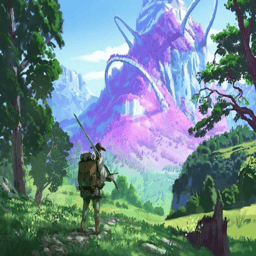
Массивный модпак Outward Definitive Edition, созданный с учетом баланса. Больше классов, квестов, магии, снаряжения и крафта, графический капитальный ремонт, качество жизни и кооперативные функции. Включает исправления. Прочитайте статью для важной информации и известных вопросов.

Этот внешний мод позволяет изменить способ работы игры.
Файл скачивается с официального сервера Thunderstore, без перезаливов и сторонних установщиков
Подробная инструкция для OutwardВставьте значок в описание на Thunderstore, в README или в Discord — русскоязычные игроки сразу попадут на страницу с переводом и инструкцией.

[](https://modka.app/outward/gymmed-mods-communicator/)<a href="https://modka.app/outward/gymmed-mods-communicator/"><img src="https://modka.app/badge.png" alt="Описание на русском — Модка" height="44"></a>[url=https://modka.app/outward/gymmed-mods-communicator/]Описание на русском — Модка[/url]Скачайте менеджер модов r2modman (или Gale) и выберите в нём игру Outward. Создайте профиль — так моды не смешаются с чистой версией игры. Найдите «Mods Communicator» во вкладке Online и нажмите Download — BepInEx и все зависимости подтянутся сами. Нажмите «Start modded» — игра запустится с модами. Для мультиплеера всем игрокам нужен одинаковый набор модов: в r2modman профиль можно экспортировать кодом и отправить друзьям.
Файл скачивается с официального сервера Thunderstore, куда его загрузил GymMed. Мы не перезаливаем и не изменяем моды.
Автор не указал, клиентский это мод или серверный. Безопаснее, чтобы одинаковый набор модов был у всех игроков в лобби: проще всего поделиться профилем r2modman.
Установите вместе с ним: BepInExPack Outward, SideLoader. В менеджере модов зависимости подтягиваются автоматически.
2 ноября 2025, актуальная версия — 1.2.0. Это больше года назад: перед установкой проверьте, работает ли мод на текущей версии игры.
Улучшения меню инвентаря: «Salvage», «Send to Stash», «Send to Host’s Stash», «Send to Other Player» в меню элементов. Покажи цену товара в инвентаре. Больше информации в Readme.
Объединяет все запасы Stash, поэтому все ваши предметы доступны из любого Stash.
Display Sell Price and Silver/Lb. in inventory.
A utility pack containing several small mods: BetterTargeting, BuildingHelper, CustomTimeSpeed, CustomWeight, DisableMouseSmoothing, Dismantler and EnchantmentHelper.
Используйте кнопку действий для сбора ресурсов из боя
Расширяйте QuickSlots с помощью настраиваемых Action Slots. Добавьте наборы горячего оборудования. Поврежденное оборудование Durability Display. Репозиционирование элементов HUD. Доступ к тайникам из инвентаря персонажей, крафта и торговых меню. Сохранить еду в тайнике.