

PerfectBoosters
Измените значение эффекта бустеров на оптимальное значение, и они никогда не будут потребляться.
 Мод для GTFO
от Cookie_K
Инструмент кинокамеры в основном для видеоредакторов
CinematographyPlugin — мод для GTFO (ГТФО) от автора Cookie_K. Инструмент кинокамеры в основном для видеоредакторов
Его скачали 7,7 тыс. раз: это 220-е место среди модов GTFO в нашем каталоге, редкость — «обычный» (нижняя половина по скачиваниям). Мод давно не обновлялся — проверьте совместимость с текущей версией игры, актуальная версия — 1.3.0.
Для работы ему нужны: MTFO, BepInExPack GTFO.
8 шт · нажмите, чтобы открыть
Текст автора на языке оригинала
A bepinex plugin to enable a cinematic camera mode.
Note: Everyone in the lobby must have this plugin installed in order for this mod to work!
Pressing F4 will open the following menu:
Free Camera: The main tool of the plugin. Strips the entire UI and FPS effects off the screen and enters the player into free camera mode. You cannot interact with anything while in this state and the player will return to where they started free cam when exiting (the world may be gone when you exit but just walk and the culler should update).When entering free cam, the UI, Body, and FPS look smoothing options are disabled. The free cam option it self will also be disabled too if everyone else in the lobby is already in free cam.
Enemies: Free cam does not hard aggro enemies but if you are in Free Cam with enemies already aggroed to you, enemies will attack the spot where you entered Free Cam (it will look kind of awkward...). In multiplayer, not everyone can be in Free Cam at the same time to avoid this issue. There must be at least one player who is not in free cam such that there is always somebody that the plugin can divert enemies to.
Team Scans: When a player is in free cam team scans will temporarily reduce the required members down so you can still complete them without the free cam player. The HUD won't update but you will still need all your non free cam players for it to progress. (For Bots, they do not have the intelligence to do scans on their own so this is only for use with real people)
Controls:
WASD: move camera forward, backward, left, and right.space: move upleft ctrl: move downleft shift: speed up (x2)left alt: slow down (x1/2)left click: roll counter clock wiseright click: roll clock wisescroll wheel forward: zoom inscroll wheel back: zoom outmiddle click: reset camera roll and zoomDo take a look at the config file if you want to change some of these keybinds.
Use the various sliders for movement, rotation, and zoom to adjust speed and smoothing weight to your liking.
Dynamic Roll: Rolls the camera in proportion to the camera's horizontal velocity. Gives a kind of FPV drone type feel.Align Pitch Axis w/ Cam: Aligns the camera's axis of forwards and backwards movement with the camera's pitch. It's like the G-Mod no-clip controls when on and like the Minecraft creative controls when off.Align Roll Axis w/ Cam: Aligns the camera's axis of left and right movement with the camera's roll. When turned off the camera's horizontal movement will be parallel to the horizon regardless of camera roll. When turned on, moving left and right will move the camera along the camera's rolled axis.Hide Targeting Text: Hide the targeting text that highlights what agent to focus on when using CEdit Spot Light: Edit the spotlight settings while in free cam. Range, Intensity, and Angle can be set.Edit Ambient Light: Edit the ambient light that emits from your character. Range and Intensity can be set.Body: Hides the body from the camera (arms and legs)UI: Strip the UI of UI elementsToggle Bio: Toggle ON to see the bio pings even if UI is turned offAspect Ratio: Add black bars to top and bottom of the screen to adjust the aspect ratioFPS Look Smoothing: Smooths the FPS camera movements for use outside of free camDoF: Adjusts the depth of field of the camera to get the blur effect on the foreground. (Unfortunately there seems to be a bug with how post processing is taken care of in R7's new pipeline such that the background can no longer be blurred. As of V 1.2.0 this setting can only blur the foreground)Vignette: turns the camera's vignette on/offAmbient Particles: turns off the ambient particles that are floating around the mapTime Scale: Changes the time scale of the game (the gifs below are showing the in game speed and are not edited down). Only one person at a time can change the time scale (the option will be disabled for those who are not controlling time). Additionally you can use the key binds Q E & R to slow, speed up, and pause/play time.The targeting camera can be used to follow an agent (player or enemy) around in a third person perspective. While in free cam press C and look at the agent you want to target and let go of the key to enter the targeting camera mode.
Controls:
C: Enter/exit targeting modewasd: Adjust center of orbitLMB: Toggle rotation lock*It should be noted that if the time scale is set to its minimum, the targeting select lags behind a bit as well. Increase the time scale just a little bit to make it select faster if needed.
While in FPS:
F4: Show/hide plugin menuF5: Enter/exit free camWhile in free cam:
Q: Slow down timeE: Speed up timeR: Pause/play timeT: Teleport player to camera locationY: Warp dimensions (includes pouncer dimensions)C: Target lock/unlock on agentCookie_KKolfo, cameraman of these dramatic action shots in the eОписание длинное — здесь его начало. Читать целиком на странице автора
В r2modman ставится автоматически
Файл скачивается с официального сервера Thunderstore, без перезаливов и сторонних установщиков
Подробная инструкция для GTFOВставьте значок в описание на Thunderstore, в README или в Discord — русскоязычные игроки сразу попадут на страницу с переводом и инструкцией.

[](https://modka.app/gtfo/cookie-k-cinematographyplugin/)<a href="https://modka.app/gtfo/cookie-k-cinematographyplugin/"><img src="https://modka.app/badge.png" alt="Описание на русском — Модка" height="44"></a>[url=https://modka.app/gtfo/cookie-k-cinematographyplugin/]Описание на русском — Модка[/url]Скачайте менеджер модов r2modman (или Gale) и выберите в нём игру GTFO. Создайте профиль — так моды не смешаются с чистой версией игры. Найдите «CinematographyPlugin» во вкладке Online и нажмите Download — BepInEx и все зависимости подтянутся сами. Нажмите «Start modded» — игра запустится с модами. Для мультиплеера всем игрокам нужен одинаковый набор модов: в r2modman профиль можно экспортировать кодом и отправить друзьям.
Файл скачивается с официального сервера Thunderstore, куда его загрузил Cookie_K. Мы не перезаливаем и не изменяем моды.
Автор не указал, клиентский это мод или серверный. Безопаснее, чтобы одинаковый набор модов был у всех игроков в лобби: проще всего поделиться профилем r2modman.
Установите вместе с ним: MTFO, BepInExPack GTFO. В менеджере модов зависимости подтягиваются автоматически.
9 декабря 2023, актуальная версия — 1.3.0. Это больше года назад: перед установкой проверьте, работает ли мод на текущей версии игры.
Измените значение эффекта бустеров на оптимальное значение, и они никогда не будут потребляться.
Играйте в GTFO с большим количеством игроков.

Мод для сохранения полных повторов игры.

бустер фермер, идеальный бустер, пользовательский бустер
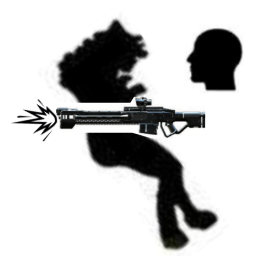
Мертвые монстры больше не блокируют пули.
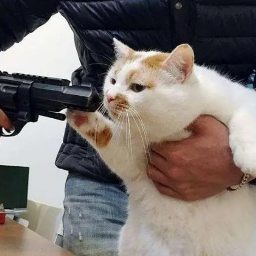
Выключите пулевое повреждение товарищей по команде. (Но они могут причинить вам боль)