
Начните вводить название — например, MoreHead, Sodium или PEAK

GTFOReplay — иконка
Обложка GTFOМод для GTFO

GTFOReplay

от randomuserhi

A mod to save full game replays.

  • Эпический
  • 34,8 тыс. скачиваний
  • Версия 0.9.8
  • Обновлён 1 ноября 2026
  • Клиентский

О моде GTFOReplay

GTFOReplay — мод для GTFO (ГТФО) от автора randomuserhi. A mod to save full game replays.

Его скачали 34,8 тыс. раз: это 52-е место среди модов GTFO в нашем каталоге, редкость — «эпический» (топ-20% по скачиваниям). Мод обновлялся в последний месяц, актуальная версия — 0.9.8.

Для работы ему нужны: BepInExPack GTFO.

Полное описание GTFOReplay

Текст автора на языке оригинала

Buy me a Coffee

If you like what I do, feel free to support me with by buying me a coffee!

Installation and Usage

Information about how to use this mod can be found here: https://randomuserhi.github.io/GTFOReplay/. (Will be updated with information about 3D version in the near future)

This pack only contains the recorder (ReplayRecorder.dll & Vanilla.dll). For the viewer, grab it from the release tab on my github: https://github.com/randomuserhi/GTFOReplay/releases.

  • Open the dropdown called Assets and download viewer.zip. Extract and open viewer.exe

LOADING REPLAYS ONCE ONE IS ALREADY LOADED

  • You can load replays whilst the viewer is already open by clicking the app icon on the far top left above the settings gear.

Modded Rundowns

Support for modded rundowns varies depending on the amount of changes to vanilla behaviour. For the most part, this mod should be compatible with the majority of rundowns. In terms of custom enemies and weapons, either you / the rundown dev will need to provide you with a profile which you can switch to via the puzzle button on the top left.

An example profile for Duo Trials has been provided by @JarheadHME.

To make your own profiles:

  • Go to path_to_viewer/resources/app/assets/profiles and make a copy of the template folder.
  • Rename this to whatever you want, then open it and find the datablocks folder.
  • You can then edit the javascript files with enemy/gear/item information and how they should be rendered.

Far better documentation on how to do this will come out soonTM - otherwise feel free to message me on discord @randomuserhi

Live View / Spectating

When you hover over the icon on the top right, a pop up will appear where you can enter a friends SteamID. If they are running replay mod, you can then link the viewer to them and spectate their game. This works by using the steam network sockets of the game, thus the game MUST be running along side replay viewer for this feature to work. (The game can be open in any state, just needs to be running).

Reporting Bugs / Issues

Either open an issue on my github repo or send me a message on Discord through the modding server (@randomuserhi).

Please provide your Bepinex logs alongside the reported issue. The log output is in your Bepinex folder called LogOutput.log.

If it is a viewer issue, please provide a screenshot of the issue and the DevConsole output.

Mentions

Thanks to @JarheadHME for making most of the item models for the viewer!

============ Change Log ============

v0.9.3

  • Fixed compatibility with EWC

v0.9.2

  • Fixed compatibility with EWC

v0.9.1

  • Added API for other plugins to obtain replay file path at runtime

v0.9.0

  • Fix ping packet breaking network protocol

v0.8.9

  • Added API for custom net code between viewer and the game
  • Viewer updated to 0.5.2

v0.8.8

  • Updated EWC support

v0.8.7

  • Fixed a bug where mine damage events sent from host don't work for clients due to ID mismatch

v0.8.6

  • Fixed a bug with scout tendrils bricking replays on occasion
  • Updated viewer to 0.4.9 (it now gracefully handles non-fatal errors in replays)

v0.8.5

  • Fixed compatibility with Autogen Rundown
  • Updated viewer to 0.4.8

v0.8.4

  • Fixed null exception when player doesn't have anything equipped

v0.8.3

  • Fixed a bug where when booster state isn't found on player spawn, replay gets corrupted.

v0.8.2

  • Added booster support
  • Updated viewer to 0.4.6

v0.8.1

  • Viewer now displays enemies hit per shot with accuracy
  • Fixed "Mine not found error"
  • Removed ability for spectators to control enemies (will be brought back in a separate plugin, many thanks to the playtesters)
  • Updated viewer to 0.4.5

v0.8.0

  • Fixed null ref when finding dimension of bioscans

v0.7.9

  • Fixed compatability with EWC

v0.7.8

  • Viewer updated to 0.4.4
  • Drag selecting multiple enemies with 'q' key

v0.7.7

  • Viewer updated to 0.4.3
  • Fixed spectator text not being interpreted by viewer
  • You can now middle click on enemies in the viewer to show their individual info without having to show all enemy info in settings

v0.7.6

  • Hits to dead body now count and do not subtract from accuracy, so shotguns shouldn't be penalized as badly for overkill.

v0.7.5

  • Increased text line budget.

v0.7.4

  • Viewer updated to 0.4.2
  • Spectator messages are now highlighted in teal to make them stand out visually from regular messages.

v0.7.3

  • Updated to support new version of EWC
  • Support for sentry/bots
  • Shrapnel damage tracking

v0.7.2

  • Fixed a bug where shotguns with penetration were not recorded properly for clients

v0.7.1

  • Viewer updated to 0.4.1
  • Fixed a bug where broken source areas for doors stopped replays from working
  • (maybe) Fixed in-level sentry support

v0.7.0

  • Viewer updated to 0.3.7
  • Added magazine animations to reload.
  • Fixed a bug where heads reappeared for ragdolling enemies.

v0.6.9

  • Added config option to enable enemy ragdolls.
  • Viewer updated to 0.3.6

v0.6.8

  • Removed OverrideVanillaShot from EWC extension.

v0.6.7

  • Viewer updated to 0.3.4
  • Fixed compatibility with PAIR

v0.6.6

  • Viewer updated to 0.3.2
  • Fixed joining mid game getting stuck

v0.6.5

  • Viewer updated to 0.3.0
  • Viewer now has an auto updater
  • Fixed incorrect melee animation for chargers
  • Added player and terminal pings
  • Added support for RagdollMode

v0.6.4

  • Fixed compatability issues with UnityExplorer

v0.6.3

  • Implemented wordwrap for messages sent by spectators to not cut the middle of words

v0.6.2

  • Put chat on a separate socket so that it can be used immediately and is not throttled by waiting for r

Описание длинное — здесь его начало. Читать целиком на странице автора

Нужно для работы

В r2modman ставится автоматически

Как установить GTFOReplay

Файл скачивается с официального сервера Thunderstore, без перезаливов и сторонних установщиков

Подробная инструкция для GTFO
  1. Скачайте менеджер модов r2modman (или Gale) и выберите в нём игру GTFO.
  2. Создайте профиль — так моды не смешаются с чистой версией игры.
  3. Найдите «GTFOReplay» во вкладке Online и нажмите Download — BepInEx и все зависимости подтянутся сами.
  4. Нажмите «Start modded» — игра запустится с модами.
  5. Для мультиплеера всем игрокам нужен одинаковый набор модов: в r2modman профиль можно экспортировать кодом и отправить друзьям.
Вы автор мода? Поставьте ссылку на русское описание

Вставьте значок в описание на Thunderstore, в README или в Discord — русскоязычные игроки сразу попадут на страницу с переводом и инструкцией.

Описание на русском — Модка
Markdown[![Описание на русском — Модка](https://modka.app/badge.png)](https://modka.app/gtfo/randomuserhi-gtforeplay/)
HTML<a href="https://modka.app/gtfo/randomuserhi-gtforeplay/"><img src="https://modka.app/badge.png" alt="Описание на русском — Модка" height="44"></a>
Steam (BBCode)[url=https://modka.app/gtfo/randomuserhi-gtforeplay/]Описание на русском — Модка[/url]

Частые вопросы о GTFOReplay

Как установить GTFOReplay?

Скачайте менеджер модов r2modman (или Gale) и выберите в нём игру GTFO. Создайте профиль — так моды не смешаются с чистой версией игры. Найдите «GTFOReplay» во вкладке Online и нажмите Download — BepInEx и все зависимости подтянутся сами. Нажмите «Start modded» — игра запустится с модами. Для мультиплеера всем игрокам нужен одинаковый набор модов: в r2modman профиль можно экспортировать кодом и отправить друзьям.

Безопасен ли GTFOReplay?

Файл скачивается с официального сервера Thunderstore, куда его загрузил randomuserhi. Мы не перезаливаем и не изменяем моды.

Нужно ли друзьям ставить GTFOReplay?

Автор не указал, клиентский это мод или серверный. Безопаснее, чтобы одинаковый набор модов был у всех игроков в лобби: проще всего поделиться профилем r2modman.

Что нужно для работы GTFOReplay?

Установите вместе с ним: BepInExPack GTFO. В менеджере модов зависимости подтягиваются автоматически.

Когда GTFOReplay обновлялся последний раз?

1 ноября 2026, актуальная версия — 0.9.8. Дата берётся с официальной страницы мода при каждом обновлении каталога.

Похожие моды

Все моды на GTFO
PerfectBoosters — иконка

PerfectBoosters

Change the effect value of boosters to optimal value, and they will never be consumed.
Эпический57,5 тыс.Клиентский

LobbyExpansion — иконка

LobbyExpansion

Play GTFO with more players.

Эпический35,5 тыс.Клиентский

Booster Tweaker — иконка

Booster Tweaker

booster farmer, perfect booster, custom booster
Редкий30,7 тыс.Клиентский

DeadBodyFix — иконка

DeadBodyFix

Make dead monsters no longer block bullets.
Редкий27,1 тыс.Клиентский

TeammatesIgnoreBullets — иконка

TeammatesIgnoreBullets

Turn off bullet damage to teammates. (but they can still hurt you)
Редкий26 тыс.Клиентский

DamageAnalyzer — иконка

DamageAnalyzer

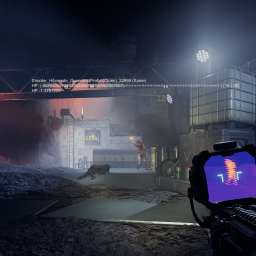
Show enemy HP and extra info when you attacking them.

Редкий24,7 тыс.Клиентский