

Начните вводить название — например, MoreHead, Sodium или PEAK

DSPOptimizations — иконка
Обложка Dyson Sphere ProgramМод для Dyson Sphere Program

DSPOptimizations

от Selsion

Добавление оптимизации производительности в DSP

  • Эпический
  • 80,5 тыс. скачиваний
  • Версия 1.1.19
  • Обновлён 11 ноября 2025
  • Не обновлялся больше года
  • Оптимизация

О моде DSPOptimizations

DSPOptimizations — мод для Dyson Sphere Program (Дайсон Сфер Програм) от автора Selsion. Добавление оптимизации производительности в DSP

Его скачали 80,5 тыс. раз: это 27-е место среди модов Dyson Sphere Program в нашем каталоге, редкость — «эпический» (топ-20% по скачиваниям). Мод обновлялся в течение года, актуальная версия — 1.1.19.

Для работы ему нужны: BepInEx.

Полное описание DSPOptimizations

Текст автора на языке оригинала

DSPOptimizations Mod

This mod adds performance optimizations to DSP. This is an ongoing project with more optimizations occasionally being added. The mod does not alter gameplay, does not disable achievements, and can be enabled/disabled anytime.

Features

  • Dense spheres with shells now impact the game's framerate much less
  • e.g. the framerate with a single sphere layer with 5240 shells with the game paused went from 8 fps to 24 fps
  • Multithreading is added for the logic controlling belts going in and out of stations
  • this should greatly reduce the CPU time under the "Storage" category in the performance window
  • Ejected sails will impact UPS much less (~15%) when not visible. You can choose to always hide them in the config
  • Most of the lag from dyson node game logic has been eliminated
  • Hidden sphere layers under construction cause less lag
  • Shadows can be disabled in the config

Commands

The following commands may be used with the developer console:

  • -resetLocalFactory
  • completely resets the factory data for the nearby planet. This can eliminate lag that would have persisted even after deleting all buildings
  • requires a planet to be loaded
  • does not reset terrain, vegetation, or veins
  • note: ILSs waiting on vessel trips from a deleted factory might be stuck waiting. This bug happens in vanilla too, but I plan to fix it
  • -resetLocalSwarm
  • completely resets all swarms for the nearby star, deleting all sails. This can eliminate permanent save bloat
  • requires the player to be near a star (within ~2 lyrs - the star name should be visible in the bottom left)
  • -resetLocalSphereLayer layerId
  • instantly deletes a sphere layer without releasing sails
  • requires the player to be near a star (within ~2 lyrs - the star name should be visible in the bottom left)
  • layerId should be an integer between 1 and 10 corresponding to the ID of the sphere layer you wish to delete
  • -resetAllSpheresAndSwarms
  • instantly deletes all dyson spheres and swarms for all stars. No sails will be released
  • if you have the dyson editor open while running this command, reopen it to see the changes

Installation Note

This mod depends on DSPModSave. Make sure that you have the version under the CommonAPI name, rather than the old version released by crecheng. The old version has bugs, and may cause problems. The old version of the mod is marked as deprecated.

Compatibility

Compatibility with the Nebula Mod is not tested, however there are plans to add and test compatibility in the future if needed.

Bug Reports

If you encounter any bugs or issues, then please contact me either on discord at Selsion#0769, or by raising an issue on the mod github page.

Changelog

  • v1.1.19
  • removed multithreading of belts connected to logistics stations, since that was added in the vanilla game
  • disabled optimization for ejected sails
  • removed a performance stats fix that was outdated and causing an error
  • fixed a dyson node optimization to work with the latest version
  • v1.1.18
  • removed obsolete optimization for dyson node sail absorption update code
  • v1.1.17
  • fixed bug introduced by recent DSP update v0.10.30
  • fixed issue where a process filter may prevent the mod from working with an Xbox Game Pass version of DSP
  • v1.1.16
  • fixed bug with calculating sphere power
  • v1.1.15
  • removed dyson colour optmization for compatibility with v0.10 of DSP

Older version changes may be found here.

Attributions

Icon(s) made by Freepik from www.flaticon.com

Нужно для работы

В r2modman ставится автоматически

Как установить DSPOptimizations

Файл скачивается с официального сервера Thunderstore, без перезаливов и сторонних установщиков

Подробная инструкция для Dyson Sphere Program
  1. Скачайте менеджер модов r2modman (или Gale) и выберите в нём игру Dyson Sphere Program.
  2. Создайте профиль — так моды не смешаются с чистой версией игры.
  3. Найдите «DSPOptimizations» во вкладке Online и нажмите Download — BepInEx и все зависимости подтянутся сами.
  4. Нажмите «Start modded» — игра запустится с модами.
  5. Чтобы сыграть без модов, запустите игру как обычно из Steam — r2modman не трогает чистую версию игры.
Вы автор мода? Поставьте ссылку на русское описание

Вставьте значок в описание на Thunderstore, в README или в Discord — русскоязычные игроки сразу попадут на страницу с переводом и инструкцией.

Описание на русском — Модка
Markdown[![Описание на русском — Модка](https://modka.app/badge.png)](https://modka.app/dyson-sphere-program/selsion-dspoptimizations/)
HTML<a href="https://modka.app/dyson-sphere-program/selsion-dspoptimizations/"><img src="https://modka.app/badge.png" alt="Описание на русском — Модка" height="44"></a>
Steam (BBCode)[url=https://modka.app/dyson-sphere-program/selsion-dspoptimizations/]Описание на русском — Модка[/url]

Частые вопросы о DSPOptimizations

Как установить DSPOptimizations?

Скачайте менеджер модов r2modman (или Gale) и выберите в нём игру Dyson Sphere Program. Создайте профиль — так моды не смешаются с чистой версией игры. Найдите «DSPOptimizations» во вкладке Online и нажмите Download — BepInEx и все зависимости подтянутся сами. Нажмите «Start modded» — игра запустится с модами. Чтобы сыграть без модов, запустите игру как обычно из Steam — r2modman не трогает чистую версию игры.

Безопасен ли DSPOptimizations?

Файл скачивается с официального сервера Thunderstore, куда его загрузил Selsion. Мы не перезаливаем и не изменяем моды.

Что нужно для работы DSPOptimizations?

Установите вместе с ним: BepInEx. В менеджере модов зависимости подтягиваются автоматически.

Когда DSPOptimizations обновлялся последний раз?

11 ноября 2025, актуальная версия — 1.1.19. Это больше года назад: перед установкой проверьте, работает ли мод на текущей версии игры.

BulletTime — иконка

BulletTime

Set game speed by pause/resume/speedup button or hotkey. Autosave in background. 游戏速度控制(0x-10x)。Pause热键战术暂停。(可选)在後台自動存档

Эпический276,5 тыс.Оптимизация

SampleAndHoldSim — иконка

SampleAndHoldSim

Reduce the update rate of remote planets to improve UPS (warning: may disable Milkyway upload). 模拟帧-降低远端星球工厂的运算频率以提升帧率(可能会无法上传银河系)
Редкий46,8 тыс.Nebula Compatible

BuildToolOpt — иконка

BuildToolOpt

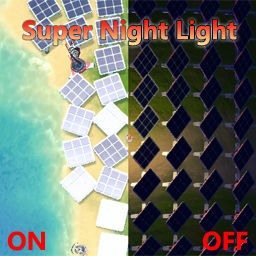
Reduce lag when placing building. Allow directly replace PLS with ILS, and show allowed range. Import blueprint from clipboard directly when Ctrl+V. (Optional)Build ghost/hologram when lack of items. 优化建筑工具:替换升级物流塔,提示塔间距,优化蓝图UI,(可选)建设虚影,(可选)减少物流塔建造卡顿
Редкий40,7 тыс.Чертежи

SuperNightLight — иконка

SuperNightLight

You are the sun at night! 你就是黑夜里最靓的伊卡洛斯!

Редкий36 тыс.Оптимизация

Weaver — иконка

Weaver

Оптимизация производительности для DSP, ~ 3x улучшение производительности.
Редкий33,8 тыс.Оптимизация

CompressSave — иконка

CompressSave

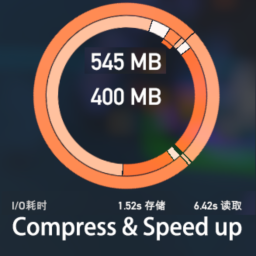
Compress game saves to reduce space use and boost save speed / 压缩游戏存档以降低空间使用并提升保存速度

Редкий31,2 тыс.Оптимизация