
Deltarune Chapter 1 Co-op
Deltarune Co-op
 Мод для DELTARUNE
от Jazzky
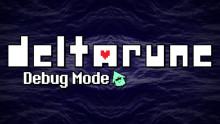
Custom debug mode scripts to use with Undertale Mod Tool for Deltarune.
Deltarune Custom Debug Mode (Ch1-5) — мод для DELTARUNE (Дельтарун) от автора Jazzky. Custom debug mode scripts to use with Undertale Mod Tool for Deltarune.
Его скачали 3 тыс. раз: это 86-е место среди модов DELTARUNE в нашем каталоге, редкость — «редкий» (топ-50% по скачиваниям). Мод обновлялся в последний месяц, актуальная версия — v4.01.
Дополнительных модов для работы не требует.
7 шт · нажмите, чтобы открыть
Текст автора на языке оригинала
Custom debug mode scripts to use with Undertale Mod Tool for Deltarune. Only works with paid version of the game and the LTS demo from the Steam beta.
Compatible with ANY future version of the game!
Initially created for the french fan translation team Deltarune FR.
[](https://github.com/Jazzky/deltarune-debug-mode/blob/main/README.fr-FR.md)
For those who prefer, there is now a G3M compatible version of the mod. Although, I truly recommend to install it the proper way with Undertale Mod Tool as this is the way the mod was intended to be used and G3M makes patching time waaaay longer.
##
## Installation with UTMT GUI [](https://github.com/Jazzky/deltarune-debug-mode#installation-with-utmt-gui)
## Installation with UTMT CLI [](https://github.com/Jazzky/deltarune-debug-mode#installation-with-utmt-cli)
load -s -o -f
Ex. for chapter 2 : "...\UndertaleModCli.exe" load ".../DELTARUNE/chapter2_windows/data.win" -s ".../debug_mode_chap2.csx" -o ".../DELTARUNE/chapter2_windows/data.win" -f
[](https://github.com/Jazzky/deltarune-debug-mode#️-main-shortcuts-and-debug-mode-features)
[](https://github.com/Jazzky/deltarune-debug-mode#general)
Key(s) Description
F10 Toggle debug mode
D Open debug menu
S Save game
L Load last save
R Reload current room
Backspace + R Restart game
O Toggle between 30, 60 and 120 FPS
` Set game to 150 FPS
P Set game to 1 FPS
### Navigation [](https://github.com/Jazzky/deltarune-debug-mode#navigation)
Key(s) Description
Insert Go to next room
Del Go to previous room
Middle click Open room editor
Backspace Skip intro sequence (Only Chapter 1)
### Battles [](https://github.com/Jazzky/deltarune-debug-mode#battles)
Key(s) Description
W Skip battle
Shift + W Skip battle with recruit
V Skip enemy's turn
Alt + P Disable battle dialog autoskip
### Cheat [](https://github.com/Jazzky/deltarune-debug-mode#cheat)
Key(s) Description
G Toggle Godmode
H Fully restore party HP
T Fill and empty TP bar
M + 1 Add 100 D$ to inventory
M + 2 Remove 100 D$ to inventory
## More functions [](https://github.com/Jazzky/deltarune-debug-mode#more-functions)
Some debug functions already implemented have been left in each chapters.
For those, controls are still the one they have been assigned to and have been untouched.
[](https://github.com/Jazzky/deltarune-debug-mode#contribution)
If you have any suggestions or encounter bugs, feel free to let us know!
Файл скачивается с официального сервера GameBanana, без перезаливов и сторонних установщиков
Подробная инструкция для DELTARUNEВставьте значок в описание на GameBanana, в README или в Discord — русскоязычные игроки сразу попадут на страницу с переводом и инструкцией.

[](https://modka.app/deltarune/deltarune-custom-debug-mode-ch1-5/)<a href="https://modka.app/deltarune/deltarune-custom-debug-mode-ch1-5/"><img src="https://modka.app/badge.png" alt="Описание на русском — Модка" height="44"></a>[url=https://modka.app/deltarune/deltarune-custom-debug-mode-ch1-5/]Описание на русском — Модка[/url]Скачайте «Deltarune Custom Debug Mode (Ch1-5)» кнопкой «Скачать» — файл придёт с официального сервера GameBanana. Откройте папку игры: в Steam — правой кнопкой по DELTARUNE → «Управление» → «Просмотреть локальные файлы». У каждой главы свой data.win — в папке главы (например, chapter1_windows); для какой главы мод, автор пишет на его странице. Сначала сделайте копию файла data.win (например, назовите её data_original.win) — по ней игра вернётся к оригиналу. Если в архиве лежит готовый data.win — замените им файл в папке игры. Если в архиве файл .xdelta — примените его к data.win программой Delta Patcher (или xdelta UI): выберите оригинальный data.win, патч и нажмите «Apply patch». Запустите игру как обычно. Чтобы вернуть оригинал, верните сохранённую копию data.win или проверьте целостность файлов в Steam.
Файл скачивается с официального сервера GameBanana, куда его загрузил Jazzky. Мы не перезаливаем и не изменяем моды.
25 октября 2026, актуальная версия — v4.01. Дата берётся с официальной страницы мода при каждом обновлении каталога.
Deltarune Co-op

A polished addition of all the unused attacks
Dark world bg!
My Deltarune updated?!? Ew, downgrade me pls.
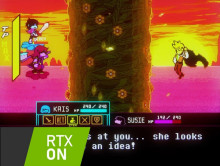
So, it's just a bunch of ReShade presets for Deltarune. It was just RTXRune before, but after a while I added NoirRune and CRTRune(It's supposed to be cringy named)

The flowers have voice blips now what else do I put here honestly