Начните вводить название — например, MoreHead, Sodium или PEAK

Downgrade Patches — иконка
Обложка DELTARUNEМод для DELTARUNE

Downgrade Patches

от techy804

My Deltarune updated?!? Ew, downgrade me pls.

  • Эпический
  • 6,3 тыс. скачиваний
  • Версия v1.09
  • Обновлён 8 августа 2026
  • Разное

О моде Downgrade Patches

Downgrade Patches — мод для DELTARUNE (Дельтарун) от автора techy804. My Deltarune updated?!? Ew, downgrade me pls.

Его скачали 6,3 тыс. раз: это 35-е место среди модов DELTARUNE в нашем каталоге, редкость — «эпический» (топ-20% по скачиваниям). Мод обновлялся в последние полгода, актуальная версия — v1.09.

Дополнительных модов для работы не требует.

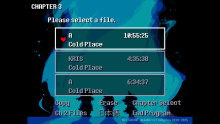
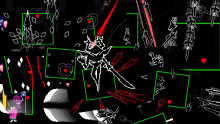
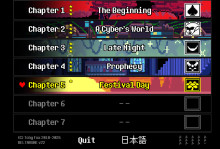
Скриншоты

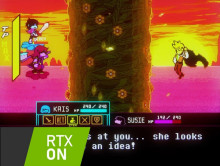
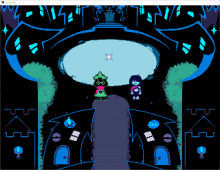
3 шт · нажмите, чтобы открыть

Полное описание Downgrade Patches

Текст автора на языке оригинала

Want to use a mod for a version you don't have? Look no further with these downgrade patches! Includes 1.01A to 1.04 patches for the Steam version. Doesn't contain patches for the Switch, PS4, or itch.io (and the Switch 2 hasn't been hacked yet so that's a no go as well).

I haven't tested these myself. I made these to test out a feature of GM3P I was working on.

"What Version Do I Need?"

Download the .zip referring to the version you have, and use the patch named after the patch you need.

For what Chapter version refers to what version of Deltarune, refer to this terribly screenshotted table I made in Excel 2007:

or go to this Google Sheet: https://docs.google.com/spreadsheets/d/18a66wox9sgiS_Fr5htSfMqkzoRZVMkxSM4KN0ZL-ND0/edit?usp=sharing

The Deltamod/G3M package will apply v1.04. For other versions of Deltarune or when using a version of Deltamod/G3M that doesn't support add-on mods, follow the text-based guide below.

Text-based guide:

For patching from v1.06 or v1.07D:

For G3M: 

  1. Download the .zip file that matches the version of DELTARUNE you have (for Ch3 v0.0.098, that would be v1.04)
  1. Extract the .zip folder containing the patches and have a Steam copy of DELTARUNE ready (these patches don't support Switch, itch.io, or PS4 copies)
  1. (optional, but recommended) copy the DELTARUNE folder to another place for backup.
  1. Launch G3M and click "Library" and then the wrench icon in the filter bar, this will bring up the GUI for G3MTool.
  1. Hit "Patch" and then change "Action" to "Apply"
  1. Select the data.win from your vanilla game as your "original file"
  1. Select the patch you need, which will be by Chapter Number (with 0 being the root) -> Version (of the overall Deltarune version, not the Chapter version) in the extracted folder as the "xdelta patch"
  1. Hit "Run"
  1. Repeat Steps 5-8 for all 4 or 6 data.wins, rotating what data.win you select in Step 4.

For GM3P or Deltapatcher:

  1. Download the .zip file that matches the version of DELTARUNE you have (for Ch3 v0.0.098, that would be v1.04)
  1. Extract the .zip folder containing the patches and have a Steam copy of DELTARUNE ready (these patches don't support Switch, itch.io, or PS4 copies)
  1. (optional, but recommended) copy the DELTARUNE folder to another place for backup.
  1. (7-zip required) Right-Click on the g3mpatch(es) you want to patch. If on Windows 11, select "Select more options". Click on "7-zip -> Open archive". Enter the XDelta folder in the archive and extract the file there.
  1. follow the guide for the Version (of the overall Deltarune version, not the Chapter version) in the extracted folder as the "xdelta patch"
  1. Hit "Patch"
  1. Repeat Steps 4-6 for all 5 data.wins, rotating what data.win you select in Step 4.

For GM3P:

  1. Drag and drop the DELTARUNE folder when it asks you for vanilla.
  1. When it asks you how many mods you would like to patch, enter 1.
  1. Drag and drop the patch you need, one chapter at a time, which will be by Chapter Number (with 0 being the root) -> Version (of the overall Deltarune version, not the Chapter version) in the extracted folder.
  1. When it asks for a modtool, enter "noCombine"
  1. When it asks to enter a modpack name, enter whatever you like.
  1. The resulting data.win would be in output/result/*modpack name*/*chapter number*/data.win under the GM3P folder. Replace the respective data.win in the DELTARUNE folder with it.

Как установить Downgrade Patches

Файл скачивается с официального сервера GameBanana, без перезаливов и сторонних установщиков

Подробная инструкция для DELTARUNE
  1. Скачайте «Downgrade Patches» кнопкой «Скачать» — файл придёт с официального сервера GameBanana.
  2. Откройте папку игры: в Steam — правой кнопкой по DELTARUNE → «Управление» → «Просмотреть локальные файлы». У каждой главы свой data.win — в папке главы (например, chapter1_windows); для какой главы мод, автор пишет на его странице.
  3. Сначала сделайте копию файла data.win (например, назовите её data_original.win) — по ней игра вернётся к оригиналу.
  4. Если в архиве лежит готовый data.win — замените им файл в папке игры. Если в архиве файл .xdelta — примените его к data.win программой Delta Patcher (или xdelta UI): выберите оригинальный data.win, патч и нажмите «Apply patch».
  5. Запустите игру как обычно. Чтобы вернуть оригинал, верните сохранённую копию data.win или проверьте целостность файлов в Steam.
Вы автор мода? Поставьте ссылку на русское описание

Вставьте значок в описание на GameBanana, в README или в Discord — русскоязычные игроки сразу попадут на страницу с переводом и инструкцией.

Описание на русском — Модка
Markdown[![Описание на русском — Модка](https://modka.app/badge.png)](https://modka.app/deltarune/downgrade-patches/)
HTML<a href="https://modka.app/deltarune/downgrade-patches/"><img src="https://modka.app/badge.png" alt="Описание на русском — Модка" height="44"></a>
Steam (BBCode)[url=https://modka.app/deltarune/downgrade-patches/]Описание на русском — Модка[/url]

Частые вопросы о Downgrade Patches

Как установить Downgrade Patches?

Скачайте «Downgrade Patches» кнопкой «Скачать» — файл придёт с официального сервера GameBanana. Откройте папку игры: в Steam — правой кнопкой по DELTARUNE → «Управление» → «Просмотреть локальные файлы». У каждой главы свой data.win — в папке главы (например, chapter1_windows); для какой главы мод, автор пишет на его странице. Сначала сделайте копию файла data.win (например, назовите её data_original.win) — по ней игра вернётся к оригиналу. Если в архиве лежит готовый data.win — замените им файл в папке игры. Если в архиве файл .xdelta — примените его к data.win программой Delta Patcher (или xdelta UI): выберите оригинальный data.win, патч и нажмите «Apply patch». Запустите игру как обычно. Чтобы вернуть оригинал, верните сохранённую копию data.win или проверьте целостность файлов в Steam.

Безопасен ли Downgrade Patches?

Файл скачивается с официального сервера GameBanana, куда его загрузил techy804. Мы не перезаливаем и не изменяем моды.

Когда Downgrade Patches обновлялся последний раз?

8 августа 2026, актуальная версия — v1.09. Дата берётся с официальной страницы мода при каждом обновлении каталога.

Похожие моды

Все моды на DELTARUNE