

WoovieModpack
Мои любимые моды

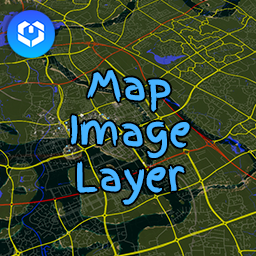
 Мод для Cities: Skylines II
от Cities2Modding
Предоставляет регулируемый слой изображения карты в игровом мире.
MapImageLayer — мод для Cities: Skylines II (Ситис Скайлайнс 2) от автора Cities2Modding. Предоставляет регулируемый слой изображения карты в игровом мире.
Его скачали 12,8 тыс. раз: это 42-е место среди модов Cities: Skylines II в нашем каталоге, редкость — «редкий» (топ-50% по скачиваниям). Мод давно не обновлялся — проверьте совместимость с текущей версией игры, актуальная версия — 0.0.2.
Для работы ему нужны: BepInExPack.
Текст автора на языке оригинала
Welcome to the GitHub repository for MapImageLayer, a mod designed for Cities Skylines 2. This innovative tool brings an exciting feature to the game, allowing players to overlay images directly onto their game map. It's particularly useful for road placement and urban planning, enhancing the overall gameplay experience.
MapImageLayer includes several key features to improve your city-building process:
To make your city planning more efficient, MapImageLayer offers these handy keyboard shortcuts:
For the best experience and compatibility, please ensure your overlay images adhere to the following specifications:
Your contributions are welcome! If you have ideas, suggestions, or improvements, feel free to open an issue or submit a pull request here.
For any issues or questions regarding MapImageLayer, please open an issue in this repository.
MapImageLayer is a fan-made mod and is not affiliated with the official Cities Skylines game or its creators.
MapImageLayer is released under the GNU General Public License v2.0. For more details, see the LICENSE file included in this repository.
A heartfelt thanks to the Cities Skylines community and modders who continue to inspire and push the boundaries of city-building games.
Enjoy a new level of precision and creativity in your city planning with MapImageLayer! 🏙️🛣️
В r2modman ставится автоматически
1 в каталоге
Мои любимые моды
Файл скачивается с официального сервера Thunderstore, без перезаливов и сторонних установщиков
Подробная инструкция для Cities: Skylines IIВставьте значок в описание на Thunderstore, в README или в Discord — русскоязычные игроки сразу попадут на страницу с переводом и инструкцией.

[](https://modka.app/cities-skylines-ii/cities2modding-mapimagelayer/)<a href="https://modka.app/cities-skylines-ii/cities2modding-mapimagelayer/"><img src="https://modka.app/badge.png" alt="Описание на русском — Модка" height="44"></a>[url=https://modka.app/cities-skylines-ii/cities2modding-mapimagelayer/]Описание на русском — Модка[/url]Скачайте менеджер модов r2modman (или Gale) и выберите в нём игру Cities: Skylines II. Создайте профиль — так моды не смешаются с чистой версией игры. Найдите «MapImageLayer» во вкладке Online и нажмите Download — BepInEx и все зависимости подтянутся сами. Нажмите «Start modded» — игра запустится с модами. Чтобы сыграть без модов, запустите игру как обычно из Steam — r2modman не трогает чистую версию игры.
Файл скачивается с официального сервера Thunderstore, куда его загрузил Cities2Modding. Мы не перезаливаем и не изменяем моды.
Установите вместе с ним: BepInExPack. В менеджере модов зависимости подтягиваются автоматически.
21 ноября 2023, актуальная версия — 0.0.2. Это больше года назад: перед установкой проверьте, работает ли мод на текущей версии игры.

Больше не поддерживается. Пожалуйста, найдите мод на модах PDX.

Слабый жизненный цикл цимса для более сбалансированного населения и образовательных потребностей.

Автомобили будут совершенствоваться с более естественным механизмом.

Повышение вместимости учащихся в некоторых учебных зданиях

Больше не поддерживается. Используйте версию PDX Mods.

Добавляет новые UI-экраны с дополнительной информацией.