

MusicCurator
Добавляет несколько новых функций для улучшения вашего игрового опыта прослушивания, включая приложение плейлиста, блок-лист трека и кнопку пропуска.


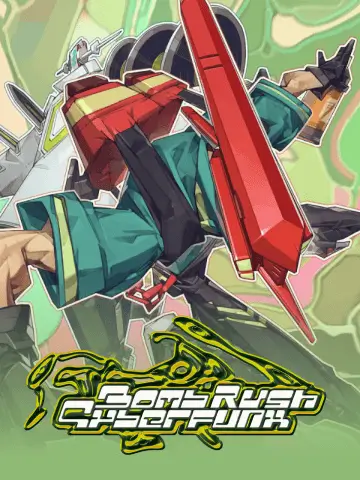 Мод для Bomb Rush Cyberfunk
от Kade
Мод Bomb Rush Cyberfunk, который позволяет добавлять музыку в игру!
BombRushRadio — мод для Bomb Rush Cyberfunk (Бомб Раш Киберфанк) от автора Kade. Мод Bomb Rush Cyberfunk, который позволяет добавлять музыку в игру!
Его скачали 97,4 тыс. раз: это 10-е место среди модов Bomb Rush Cyberfunk в нашем каталоге, редкость — «легендарный» (топ-5% по скачиваниям). Мод давно не обновлялся — проверьте совместимость с текущей версией игры, актуальная версия — 1.7.1.
Для работы ему нужны: BepInExPack.
2 шт · нажмите, чтобы открыть
Текст автора на языке оригинала
A Bomb Rush Cyberfunk mod that lets you add custom music into the game!
Launch the game, go to your game's local files, navigate to "Bomb Rush Cyberfunk_Data/StreamingAssets/Mods/BombRushRadio/Songs" (which would've been created by the mod), then drag your songs into that folder. Make sure it's a supported audio format.
Songs can be stored in the folder itself, or can be put into subfolders for organization. The mod will search through all folders stored in the Songs folder.
BombRushRadio will automatically detect the metadata from the song file. If metadata is not present, the file name will be displayed instead. You can still display the artist separately in the radio app by naming the file with the following format: Song Name-Artist Name.
Want to reload songs on the fly? Make some changes (additions, removals, and modifications) in the song folder and press F1 in-game.
The keybind can be configured in the mod's config.
## Settings file was created by plugin BombRushRadio v1.7
## Plugin GUID: BombRushRadio
[Settings]

## Whether to stream audio from disk or load at runtime (Streaming is faster but more CPU intensive)
# Setting type: Boolean
# Default value: true
Stream Audio = true

## Keybind used for reloading songs.
# Setting type: KeyCode
# Default value: F1
Reload Key = F1
You can install BombRushRadio via r2modman, GaleModManager, or any other mod manager that integrates Thunderstore.
Please follow this step in the SlopCrew building file (as we use the exact same method to find the Assembly-CSharp.dll) here, and then open the .csproj.
Make sure to add "https://nuget.bepinex.dev/v3/index.json" as a NuGet source. (in rider here's how it looks)
Then just build it.
В r2modman ставится автоматически
Файл скачивается с официального сервера Thunderstore, без перезаливов и сторонних установщиков
Подробная инструкция для Bomb Rush CyberfunkВставьте значок в описание на Thunderstore, в README или в Discord — русскоязычные игроки сразу попадут на страницу с переводом и инструкцией.

[](https://modka.app/bomb-rush-cyberfunk/kade-bombrushradio/)<a href="https://modka.app/bomb-rush-cyberfunk/kade-bombrushradio/"><img src="https://modka.app/badge.png" alt="Описание на русском — Модка" height="44"></a>[url=https://modka.app/bomb-rush-cyberfunk/kade-bombrushradio/]Описание на русском — Модка[/url]Скачайте менеджер модов r2modman (или Gale) и выберите в нём игру Bomb Rush Cyberfunk. Создайте профиль — так моды не смешаются с чистой версией игры. Найдите «BombRushRadio» во вкладке Online и нажмите Download — BepInEx и все зависимости подтянутся сами. Нажмите «Start modded» — игра запустится с модами. Чтобы сыграть без модов, запустите игру как обычно из Steam — r2modman не трогает чистую версию игры.
Файл скачивается с официального сервера Thunderstore, куда его загрузил Kade. Мы не перезаливаем и не изменяем моды.
Установите вместе с ним: BepInExPack. В менеджере модов зависимости подтягиваются автоматически.
9 июля 2025, актуальная версия — 1.7.1. Это больше года назад: перед установкой проверьте, работает ли мод на текущей версии игры.
Добавляет несколько новых функций для улучшения вашего игрового опыта прослушивания, включая приложение плейлиста, блок-лист трека и кнопку пропуска.

Настройка на интернет-радиостанции в игре!

Replaces the Confirm/Cancel SFX's with a Vine Boom.
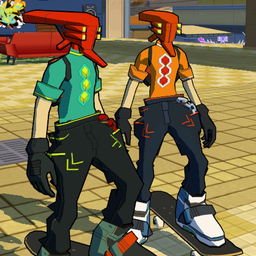
многопользовательский мод для скейтборда видеоигры

Восстанавливает и вводит несколько новых механик движения, чтобы обеспечить более быстрый и полезный игровой процесс.

Оригинальное название: Emerald Coast from Sonic Adventure.