



BombRushRadio
Мод Bomb Rush Cyberfunk, который позволяет добавлять музыку в игру!


 Мод для Bomb Rush Cyberfunk
от FunkyUncles
Настройка на интернет-радиостанции в игре!
NetRadio — мод для Bomb Rush Cyberfunk (Бомб Раш Киберфанк) от автора FunkyUncles. Настройка на интернет-радиостанции в игре!
Его скачали 29,2 тыс. раз: это 41-е место среди модов Bomb Rush Cyberfunk в нашем каталоге, редкость — «эпический» (топ-20% по скачиваниям). Мод обновлялся в последние полгода, актуальная версия — 2.3.0.
Для работы ему нужны: BepInExPack, CommonAPI, CSCore.
2 шт · нажмите, чтобы открыть
Текст автора на языке оригинала
Developed by goatgirl in association with the Funky Uncles, NetRadio is a custom app that allows you to seamlessly tune into internet radio stations live while in-game! The app features FunkyUncleFM as its default, included station, but you can also add custom stations from around the world and build a library of endless tunes.
FunkyUncleFM is the first (and only, so far) community radio for the Bomb Rush Cyberfunk community. Its focus is playing a variety of community-produced music 24/7 that matches the vibe of the game and the community.
FunkyUncleFM is directly integrated into NetRadio - simply open the NetRadio app and it'll be at the top of the list.
This mod wouldn't have been created if not for the Funky Uncles! Special thanks to:
Huge thanks to the many people that have contributed to FunkyUncleFM as well, including:
This mod can be configured with r2modman's config editor, configured in-game using the BepInEx Configuration Manager, or configured manually by editing \BepInEx\config\goatgirl.NetRadio.cfg. Instructions for configuring the different values can be found in each config option's description.
Open the Windows Control Panel and navigate to Clock and Region > Region > Administrative > Change System Locale. Tick the Beta: Use Unicode UTF-8 checkbox, apply, and restart your computer.
There's tons of online radios out there, and we highly recommend finding some on your own as this is only a fraction of what's out there. However, if you'd like some stations to start with, here are a handful of recommendations by the team:
(YumiCoRadio)https://yumicoradio.net/stream``(HouseMusicRadioUK)https://uk4-vn.mixstream.net:8128/listen.mp3``(FancyNoise)https://fancynoise.net:8443/radio``(RadioSEGA)http://content.radiosega.net:8006/rs-mpeg.mp3``Radio stations must be direct links to an endless audio livestream for NetRadio to connect (check for "stream links" on a station's website). Most audio formats are supported.
Windows: %localappdata%\Bomb Rush Cyberfunk Modding\NetRadio\saves
There are separate files for each save slot. Currently, the savedata only contains the set volume for each station, though more features will be added later on.
В r2modman ставится автоматически
Файл скачивается с официального сервера Thunderstore, без перезаливов и сторонних установщиков
Подробная инструкция для Bomb Rush CyberfunkВставьте значок в описание на Thunderstore, в README или в Discord — русскоязычные игроки сразу попадут на страницу с переводом и инструкцией.

[](https://modka.app/bomb-rush-cyberfunk/funkyuncles-netradio/)<a href="https://modka.app/bomb-rush-cyberfunk/funkyuncles-netradio/"><img src="https://modka.app/badge.png" alt="Описание на русском — Модка" height="44"></a>[url=https://modka.app/bomb-rush-cyberfunk/funkyuncles-netradio/]Описание на русском — Модка[/url]Скачайте менеджер модов r2modman (или Gale) и выберите в нём игру Bomb Rush Cyberfunk. Создайте профиль — так моды не смешаются с чистой версией игры. Найдите «NetRadio» во вкладке Online и нажмите Download — BepInEx и все зависимости подтянутся сами. Нажмите «Start modded» — игра запустится с модами. Чтобы сыграть без модов, запустите игру как обычно из Steam — r2modman не трогает чистую версию игры.
Файл скачивается с официального сервера Thunderstore, куда его загрузил FunkyUncles. Мы не перезаливаем и не изменяем моды.
Установите вместе с ним: BepInExPack, CommonAPI, CSCore. В менеджере модов зависимости подтягиваются автоматически.
9 июля 2026, актуальная версия — 2.3.0. Дата берётся с официальной страницы мода при каждом обновлении каталога.
Мод Bomb Rush Cyberfunk, который позволяет добавлять музыку в игру!

Добавляет несколько новых функций для улучшения вашего игрового опыта прослушивания, включая приложение плейлиста, блок-лист трека и кнопку пропуска.

Replaces the Confirm/Cancel SFX's with a Vine Boom.
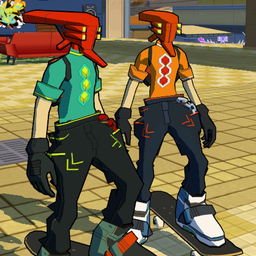
многопользовательский мод для скейтборда видеоигры

Восстанавливает и вводит несколько новых механик движения, чтобы обеспечить более быстрый и полезный игровой процесс.

Оригинальное название: Emerald Coast from Sonic Adventure.