

Calico
Calico; антилаговые улучшения и оптимизация клиентов.

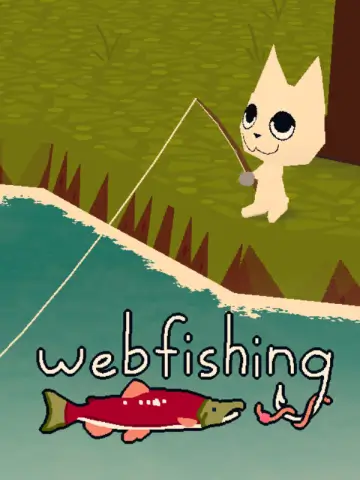 Мод для WEBFISHING
от PurplePuppy
Создайте марки с изображениями или видео и сохраните свое игровое искусство! F4 для меню. *Версия Windows*
Stamps — мод для WEBFISHING (Вебфишинг) от автора PurplePuppy. Создайте марки с изображениями или видео и сохраните свое игровое искусство! F4 для меню. *Версия Windows*
Его скачали 27,3 тыс. раз: это 54-е место среди модов WEBFISHING в нашем каталоге, редкость — «редкий» (топ-50% по скачиваниям). Мод давно не обновлялся — проверьте совместимость с текущей версией игры, актуальная версия — 3.0.4.
Для работы ему нужны: BlueberryWolfiAPIs, GDWeave, Calico, EaselAPI.
У мода стоят обе пометки — клиентская и серверная: он может работать и у одного игрока, и у хоста. Чтобы изменения были у всех, надёжнее поставить его всей компании.
2 шт · нажмите, чтобы открыть
Текст автора на языке оригинала
A stamp and art saving mod for for WEBFISHING using GDWeave
Keybinds are fully customizable using the game's built in controls settings, courtesy BlueberryWolfiAPIs
F4 KeyPLUS Key (+)SHIFT is held.CTRL is held.1, 2, 3, or 4, respectively.MINUS Key (-)SHIFT is held, toggles playback speed instead.CTRL is held, resets GIF/Video to play from frame one.CTRL + Z KeysBACKSPACE key.Toggle the stamp's movement lock.
Hold Shift to move it faster.
/home/user/.local/share/webfishing_stamps_mod on Linux or %localappdata%/webfishing_stamps_mod on WindowsHere’s a quick overview of how to process your images:
A simple, reliable option that maps each pixel to the closest chalk color. If you're unsure where to start, pick this for clean, predictable results.
Groups similar colors into clusters. Great for noise reduction and simplifying complex images. Adjust the number of clusters to control how stylized the result looks.
If your image has colors that don’t neatly match the available chalk palette, dithering can help fill those gaps. It creates patterns or “noise” to transition between colors smoothly. There are many dithering methods (Atkinson, Floyd, Jarvis, etc.)—each one handles color transitions differently. Generally:
Ultimately, you should experiment with different methods to find the style that best fits your image!
Choose what chalk colors to use by enabling or disabling them.
LAB is a color space that better reflects how humans perceive color, improving the accuracy of color matching compared to RGB.
Basically, if you aren't happy with a result, try turning it off! It's on by default but not always better :3
If you wish to know the location of a specific canvas, please refer to the below map.
Ensure to not accidentally download from Code
PurplePuppy-Stamps (PurplePuppy-Stamps_Linux for linux) and be careful to not rename it.BlueberryWolfi.APIsОписание длинное — здесь его начало. Читать целиком на странице автора
В r2modman ставится автоматически
Файл скачивается с официального сервера Thunderstore, без перезаливов и сторонних установщиков
Подробная инструкция для WEBFISHINGВставьте значок в описание на Thunderstore, в README или в Discord — русскоязычные игроки сразу попадут на страницу с переводом и инструкцией.

[](https://modka.app/webfishing/purplepuppy-stamps/)<a href="https://modka.app/webfishing/purplepuppy-stamps/"><img src="https://modka.app/badge.png" alt="Описание на русском — Модка" height="44"></a>[url=https://modka.app/webfishing/purplepuppy-stamps/]Описание на русском — Модка[/url]Скачайте менеджер модов r2modman (или Gale) и выберите в нём игру WEBFISHING. Создайте профиль — так моды не смешаются с чистой версией игры. Найдите «Stamps» во вкладке Online и нажмите Download — GDWeave и все зависимости подтянутся сами. Нажмите «Start modded» — игра запустится с модами. Для мультиплеера всем игрокам нужен одинаковый набор модов: в r2modman профиль можно экспортировать кодом и отправить друзьям.
Файл скачивается с официального сервера Thunderstore, куда его загрузил PurplePuppy. Мы не перезаливаем и не изменяем моды.
У мода стоят обе пометки — клиентская и серверная: он может работать и у одного игрока, и у хоста. Чтобы изменения были у всех, надёжнее поставить его всей компании.
Установите вместе с ним: BlueberryWolfiAPIs, GDWeave, Calico, EaselAPI. В менеджере модов зависимости подтягиваются автоматически.
22 февраля 2025, актуальная версия — 3.0.4. Это больше года назад: перед установкой проверьте, работает ли мод на текущей версии игры.
Calico; антилаговые улучшения и оптимизация клиентов.

нерестимые дожди, даже если вы не хозяева

Скользите, как пингвин, и бегите, как французы! :3

Разблокировать все в игре
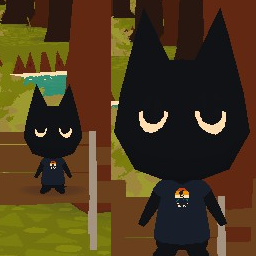
Изменение размера и Keybind Loader. Сократить запятую, увеличить время, уменьшить размер. Никогда больше не пейте газировку! SizeUnlocker должен выходить за пределы ванильной зависимости.

LucysTools: исправления и инструменты для WEBFISHING