
Speedometer
Adds a third HUD readout, in the same style as the O2 and Temperature widgets, showing your current speed in m/s.


 Мод для Void Crew
от Takahiru
Edit rank, XP and favor rank from the main or pause menu. Unlock cosmetic categories with Steam achievement protection.
Progress Editor — мод для Void Crew (Войд Крю) от автора Takahiru. Edit rank, XP and favor rank from the main or pause menu. Unlock cosmetic categories with Steam achievement protection.
Его скачали 111 раз: это 92-е место среди модов Void Crew в нашем каталоге, редкость — «обычный» (нижняя половина по скачиваниям). Мод обновлялся в последние полгода, актуальная версия — 1.0.0.
Для работы ему нужны: BepInExPack.
Автор пометил мод как клиентский: достаточно установить его себе, друзьям и хосту он не нужен.
Текст автора на языке оригинала
Need to catch up with your friends or bring yourself down to their level? This mod will let you edit your progress.
Open Edit Progress above Settings in the main menu, or below Settings in the pause menu.
Adjust rank, experience and favor rank using sliders or text fields, then select Apply. Undo restores the previous edit(s) up to 10 edits.
Check Unlock All Lootbox Cosmetics, Unlock All Seasonal Cosmetics, or Unlock All Achievement Cosmetics to unlock that category. Unchecking restores the items and achievement progress tracked by the plugin, preserving cosmetics you already owned.
Does not unlock DLC Cosmetics.
Achievement cosmetics do not unlock steam achievements. Do not uninstall the mod after unlocking achievement cosmetics if you want steam achievements, if this happens you would need to reset progress to earn more.
Install through Thunderstore Mod Manager or r2modman and launch the game from that manager. For local testing, import this ZIP as a local mod into your Void Crew profile; ensure the listed BepInEx dependency is installed.
For manual installation, install BepInEx 5 and copy BepInEx/plugins/ProgressEditor/ProgressEditor.dll into the matching folder in your game installation. The rank-card image is embedded in the DLL.
Do not install a second copy of this plugin alongside an existing manual installation.
В r2modman ставится автоматически
Файл скачивается с официального сервера Thunderstore, без перезаливов и сторонних установщиков
Подробная инструкция для Void CrewВставьте значок в описание на Thunderstore, в README или в Discord — русскоязычные игроки сразу попадут на страницу с переводом и инструкцией.

[](https://modka.app/void-crew/takahiru-progress-editor/)<a href="https://modka.app/void-crew/takahiru-progress-editor/"><img src="https://modka.app/badge.png" alt="Описание на русском — Модка" height="44"></a>[url=https://modka.app/void-crew/takahiru-progress-editor/]Описание на русском — Модка[/url]Скачайте менеджер модов r2modman (или Gale) и выберите в нём игру Void Crew. Создайте профиль — так моды не смешаются с чистой версией игры. Найдите «Progress Editor» во вкладке Online и нажмите Download — BepInEx и все зависимости подтянутся сами. Нажмите «Start modded» — игра запустится с модами. Чтобы сыграть без модов, запустите игру как обычно из Steam — r2modman не трогает чистую версию игры.
Файл скачивается с официального сервера Thunderstore, куда его загрузил Takahiru. Мы не перезаливаем и не изменяем моды.
Установите вместе с ним: BepInExPack. В менеджере модов зависимости подтягиваются автоматически.
7 октября 2026, актуальная версия — 1.0.0. Дата берётся с официальной страницы мода при каждом обновлении каталога.
Adds a third HUD readout, in the same style as the O2 and Temperature widgets, showing your current speed in m/s.

Adds minecraft Steve to Void Crew. Plans to add more later.

Blank/Empty Cosmetics for ultimate customizability.
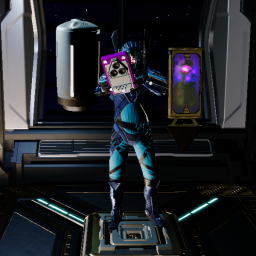
Allows the player to carry multiple items at the same time
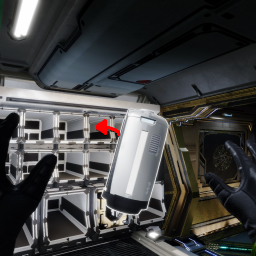
If a thrown item hits an empty slot, it will be put in that slot.
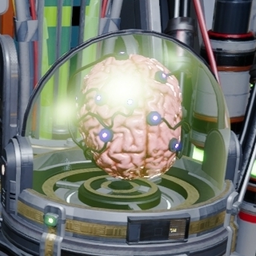
Collection of helpful features that are allowed in all sessions. F5 in-game to adjust.