AnySessionModPack
Collection of helpful features that are allowed in all sessions. F5 in-game to adjust.

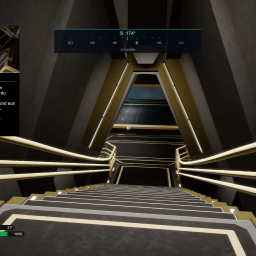
 Мод для Void Crew
от Mainsys
A configurable compass HUD for clearer crew callouts, with heading, elevation, and adjustable appearance. Requires MelonLoader. May require manual installation.
Void Crew Compass — мод для Void Crew (Войд Крю) от автора Mainsys. A configurable compass HUD for clearer crew callouts, with heading, elevation, and adjustable appearance. Requires MelonLoader. May require manual installation.
Его скачали 189 раз: это 80-е место среди модов Void Crew в нашем каталоге, редкость — «обычный» (нижняя половина по скачиваниям). Мод обновлялся в последние полгода, актуальная версия — 1.0.1.
Дополнительных модов для работы не требует.
Автор пометил мод как клиентский: достаточно установить его себе, друзьям и хосту он не нужен.
Текст автора на языке оригинала
A configurable compass HUD for clearer callouts and better crew coordination.
Hello, Thunderstore community!
I originally made this mod for myself and my friends, and I'm now sharing it with anyone who might find it useful. It gives you a common directional reference so you can quickly tell your crew where to look or focus their fire.
This is a MelonLoader mod. You need MelonLoader installed to use it. BepInEx alone will not load it.
I know BepInEx is more common in the Void Crew modding community. I may release a BepInEx version in the future, but I haven't used it myself yet, so I will not promise a port or a release date.
For example, call out "Focus east, 090 degrees!" to give your crew a clear direction.
Key — Action
F8 — Open or close the settings menu
F9 — Show or hide the compass HUD
Escape — Close the compass settings menu
Use Reset to restore the defaults or Save & close to save your settings and return to the game.
VoidCrew.Compass.dll in the Mods folder inside your Void Crew installation directory.Automatic installation through Thunderstore Mod Manager or r2modman has not been verified for this MelonLoader mod in Void Crew. This is my first upload to Thunderstore, and I'm not familiar with how its automatic installation works.
The compass uses fixed world directions rather than the ship's forward direction. When looking straight up or down, the horizontal heading is undefined, so the HUD displays VERTICAL instead.
Enjoy.
Файл скачивается с официального сервера Thunderstore, без перезаливов и сторонних установщиков
Подробная инструкция для Void CrewВставьте значок в описание на Thunderstore, в README или в Discord — русскоязычные игроки сразу попадут на страницу с переводом и инструкцией.

[](https://modka.app/void-crew/mainsys-void-crew-compass/)<a href="https://modka.app/void-crew/mainsys-void-crew-compass/"><img src="https://modka.app/badge.png" alt="Описание на русском — Модка" height="44"></a>[url=https://modka.app/void-crew/mainsys-void-crew-compass/]Описание на русском — Модка[/url]Скачайте менеджер модов r2modman (или Gale) и выберите в нём игру Void Crew. Создайте профиль — так моды не смешаются с чистой версией игры. Найдите «Void Crew Compass» во вкладке Online и нажмите Download — BepInEx и все зависимости подтянутся сами. Нажмите «Start modded» — игра запустится с модами. Чтобы сыграть без модов, запустите игру как обычно из Steam — r2modman не трогает чистую версию игры.
Файл скачивается с официального сервера Thunderstore, куда его загрузил Mainsys. Мы не перезаливаем и не изменяем моды.
6 сентября 2026, актуальная версия — 1.0.1. Дата берётся с официальной страницы мода при каждом обновлении каталога.
Collection of helpful features that are allowed in all sessions. F5 in-game to adjust.

Provides bug fixes, Log Error eliminations, and Optimizations. Client/Host-Side
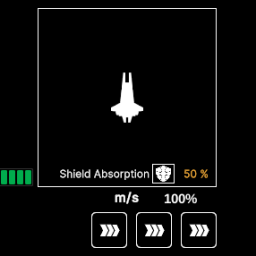
Displays the void charge state while in the pilot's seat.
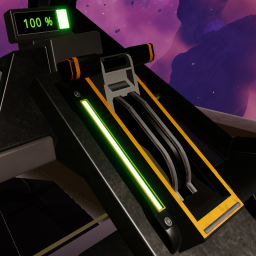
Adds a keybind for the pilot to activate the void jump lever
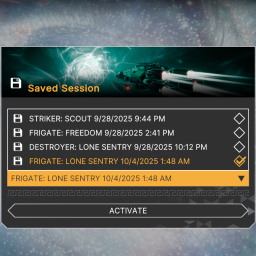
Provides multiple save slots and allows you to choose which one to restore.
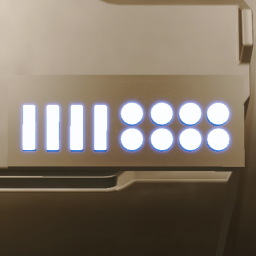
Makes the engine trim colors customizable