
NoUnrepairableDamage
Allows you to repair your ship to full health


 Мод для Void Crew
от ebkr
A simple and easy to use mod manager for many games using Thunderstore
r2modman — мод для Void Crew (Войд Крю) от автора ebkr. A simple and easy to use mod manager for many games using Thunderstore
Его скачали 10,8 млн раз: это 2-е место среди модов Void Crew в нашем каталоге, редкость — «легендарный» (топ-5% по скачиваниям). Мод обновлялся в последний месяц, актуальная версия — 3.2.21.
Это библиотека: сама по себе ничего не добавляет, но нужна другим модам.
5 шт · нажмите, чтобы открыть
Текст автора на языке оригинала
There has been a rise in third-party redistribution sites which are claiming to be official. There are only three legitimate places to download r2modman which are: - Thunderstore - GitHub - ebkr.dev (for hosted Flatpak builds)
Features — What is a mod manager? — Installing — Help — Feedback and suggestions — Changelog — Screenshots
It's quite simple really, a mod manager is an application to make it easier to control which mods you have installed.
You can choose to update, enable/disable or even uninstall mods with a simple click, all whilst keeping it available on another profile.
If you are on Linux, please do not install the .exe files of r2modman. Instead, use one of the following methods:
The Steam Deck relies on Flatpak installations if you'd like to use r2modman in game mode.
If you prefer to run the manager in desktop mode, you can use either the Flatpak (recommended) or the AppImage.
flatpak-setup.sh file. Run this script if you want to install r2modman via Flatpak. (Recommended).chmod +x .AppImage).The flatpak-setup.sh script consists of:
flatpak remote-add --if-not-exists r2builds https://r2builds.ebkr.dev/flatpak/r2modman.flatpakrepo
flatpak install -y r2builds io.github.ebkr.r2modman
You will need elevated privileges (sudo) to run the flatpak-setup.sh script or the commands as listed above.
If you'd prefer not to use sudo/elevated privileges to install the Flatpak, then you can run the following manually:
flatpak remote-add --user --if-not-exists r2builds http://r2builds.ebkr.dev/flatpak/r2modman.flatpakrepo
flatpak install --user io.github.ebkr.r2modmanIf you'd prefer to install platform specific builds then you can find them under the latest GitHub release on the ebkr/r2modmanPlus repository
Platform builds:
You can access the list of release files here: https://github.com/ebkr/r2modmanPlus/releases/latest
Problems with Linux builds should be reported in the r2modman discord.
.forceproton file in the game directory whilst a solution is in developmentr2modman will automatically download any available updates whilst you use it.
If an update has been downloaded, it will be installed once you have closed the application.
It's encouraged to provide as much feedback as you'd like, and fully open to criticism.
Suggestions are welcome and there are already some suggestions that have made it in to the manager! From small features such as always-expanded cards, all the way to larger features such as code-based profile exports.
The only thing you have to consider when suggesting a feature is the impact it will have on users who don't have a lot of experience with computers.
Game selection
Installed mod view
Online mods
Config editor
Profiles
Файл скачивается с официального сервера Thunderstore, без перезаливов и сторонних установщиков
Подробная инструкция для Void CrewВставьте значок в описание на Thunderstore, в README или в Discord — русскоязычные игроки сразу попадут на страницу с переводом и инструкцией.

[](https://modka.app/void-crew/ebkr-r2modman/)<a href="https://modka.app/void-crew/ebkr-r2modman/"><img src="https://modka.app/badge.png" alt="Описание на русском — Модка" height="44"></a>[url=https://modka.app/void-crew/ebkr-r2modman/]Описание на русском — Модка[/url]Скачайте менеджер модов r2modman (или Gale) и выберите в нём игру Void Crew. Создайте профиль — так моды не смешаются с чистой версией игры. Найдите «r2modman» во вкладке Online и нажмите Download — BepInEx и все зависимости подтянутся сами. Нажмите «Start modded» — игра запустится с модами. Чтобы сыграть без модов, запустите игру как обычно из Steam — r2modman не трогает чистую версию игры.
Файл скачивается с официального сервера Thunderstore, куда его загрузил ebkr. Мы не перезаливаем и не изменяем моды.
29 октября 2026, актуальная версия — 3.2.21. Дата берётся с официальной страницы мода при каждом обновлении каталога.
Allows you to repair your ship to full health

Allows saving of most of the ship data and reloading said data in order to continue runs through multiple sessions.

Allows you to repair your ship to full health. A Hull Breach is required in order to repair your ship to full health.
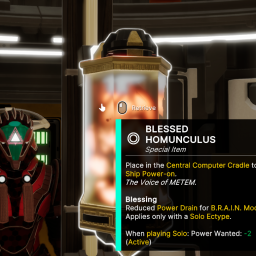
Allows the Lone Sentry loadout on the Destroyer to be used by two players without the power-usage penalty.

Increases Range, Radius, and Pull speed of gravity scoops. Ignores Mission Items. Inspired by Maverik's 'Better Scoop'.
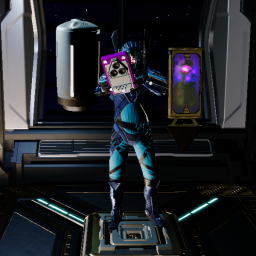
Allows the player to carry multiple items at the same time