
Midgard
World #1 Modpack возвращается! Call to arms compatible - Season ∞1 - Присоединяйтесь к официальному серверу Midgard Valheim, Discord и сообществу на официальном https://midgard.website

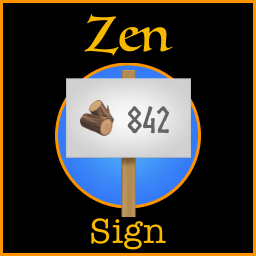
 Мод для Valheim
от ZenDragon
Организуйте свой клад! Знаки могут отображать количество предметов в близлежащих сундуках. Взаимодействуйте со знаком, чтобы выделить сундуки, содержащие этот элемент. Иммерсивная альтернатива крафту из контейнеров.
ZenSign — мод для Valheim (Вальхейм) от автора ZenDragon. Организуйте свой клад! Знаки могут отображать количество предметов в близлежащих сундуках. Взаимодействуйте со знаком, чтобы выделить сундуки, содержащие этот элемент. Иммерсивная альтернатива крафту из контейнеров.
Его скачали 90,1 тыс. раз: это 248-е место среди модов Valheim в нашем каталоге, редкость — «обычный» (нижняя половина по скачиваниям). Мод обновлялся в последние полгода, актуальная версия — 1.9.6.
Для работы ему нужны: Zen ModLib.
Автор пометил мод как клиентский: достаточно установить его себе, друзьям и хосту он не нужен.
Автор отметил совместимость с обновлениями игры: Deep North.
4 шт · нажмите, чтобы открыть
Текст автора на языке оригинала
Stay organized! Signs can display the quantity of an item in nearby chests. Locate the item by interacting with the sign. Works in multiplayer. Full gamepad support.
Example: Icon Mode
Example: Text Mode
Vanilla container sizes and manual item movement were well-thought-out intentional features created by the developers. However, there are a few shortcomings to this approach because by default it quickly runs into the problem of finding anything. In multiplayer the problem is compounded since a new player has no idea where their friends stashed the item they are looking for. Each player has their own logical organization that makes sense to them but may not make sense to anyone else.
Vanilla signs offer some help for improving organization via textual hints, but they quickly fall apart when looking for a very specific item in a hoard of hundreds of containers that someone else organized. Furthermore, if someone moved the item to a different container, then the signs would need to be manually updated to reflect the new supply status. As such, there is no automated way to quickly get a Warehouse Overview of your total supplies available in a specific location.
The common solutions to this problem have been to automate the process by using mods to teleport items into your hands via crafting directly from containers. However, this can shorten the gameplay loop since it bypasses the logistical needs of well-planned organization and warehouse construction. This is like having the dots in the Pac-Man maze automatically come to you. Easier, but less interactive.
Manually managing the hoard logistics is a key part of what makes Valheim great. When we bypass that mechanism by crafting directly from containers, we are speeding up the gameplay loop. Hoard size should be a function of logistical space. I.e., if you have a giant stash of gear, you should need to build a giant room to contain it. That's part of the progression.
Vanilla signs have been augmented to enable the player to assign an item to them. The item's icon and quantity available in all the containers in the area is displayed on the sign. The totals are updated in realtime. A player can glance at the wall to see how many bars of iron their friends have put into the hoard while they were away. They can tap the sign to highlight which chests contain the iron bars. The camera will swiftly pan towards the nearest chest, and all the chests in the area that contain iron will be highlighted for easy access.
Stay close to vanilla mechanics while also providing an immersive and enjoyable way for individuals to have an easy overview of all items in their hoard. Simultaneously emphasizing a collaborative multiplayer experience so that players can more easily work together.
Point at a sign and use the 1-8 hotkey to assign an item to a sign. (NOTE: pair with ZenUseItem to make assigning items even easier)
The total will be displayed next to the item icon on that sign. Interact with a sign that has an item assigned to it to highlight all containers nearby that have that item in them.
Switch the sign to track a different item by assigning a new item to it.
If you want to reset a sign back to text mode, then assign any item to it twice. The sign will reset to a vanilla text sign.
Tap any sign with an item on it to instantly locate that item in nearby containers.
If you don't have a sign setup for an item in your inventory, you can also search directly from your inventory. This makes it easier to find containers to stash existing items in case there is no sign nearby. Press the hotkey while pointing at the item in your inventory. The hotkey is defined in the config file. The default is the middle mouse button. This functionality can also be disabled in the config file if you don't want it.
When fueling a light source, if you do not have the fuel in your inventory, it will highlight the nearest container to show you where the fuel is. This is to simply make it easier to find fuel in the dark.
Carts and ships are not included in the totals. Unload cargo into your warehouse to see the totals reflected on the signs. Use ZenDistributor to quickly unload your carts.
Since crafting from containers can speed up the game loop this provides a way to approach the issue of hoard management that remains true to the vanilla gameplay mechanics. Coupled with enhanced organizational tools and an intuitive i
Описание длинное — здесь его начало. Читать целиком на странице автора
В r2modman ставится автоматически
2 в каталоге
World #1 Modpack возвращается! Call to arms compatible - Season ∞1 - Присоединяйтесь к официальному серверу Midgard Valheim, Discord и сообществу на официальном https://midgard.website

GERMAN SERVER
Файл скачивается с официального сервера Thunderstore, без перезаливов и сторонних установщиков
Подробная инструкция для ValheimВставьте значок в описание на Thunderstore, в README или в Discord — русскоязычные игроки сразу попадут на страницу с переводом и инструкцией.

[](https://modka.app/valheim/zendragon-zensign/)<a href="https://modka.app/valheim/zendragon-zensign/"><img src="https://modka.app/badge.png" alt="Описание на русском — Модка" height="44"></a>[url=https://modka.app/valheim/zendragon-zensign/]Описание на русском — Модка[/url]Скачайте менеджер модов r2modman (или Gale) и выберите в нём игру Valheim. Создайте профиль — так моды не смешаются с чистой версией игры. Найдите «ZenSign» во вкладке Online и нажмите Download — BepInEx и все зависимости подтянутся сами. Нажмите «Start modded» — игра запустится с модами. Для мультиплеера всем игрокам нужен одинаковый набор модов: в r2modman профиль можно экспортировать кодом и отправить друзьям.
Файл скачивается с официального сервера Thunderstore, куда его загрузил ZenDragon. Мы не перезаливаем и не изменяем моды.
Автор пометил мод как клиентский: достаточно установить его себе, друзьям и хосту он не нужен.
Установите вместе с ним: Zen ModLib. В менеджере модов зависимости подтягиваются автоматически.
13 октября 2026, актуальная версия — 1.9.6. Дата берётся с официальной страницы мода при каждом обновлении каталога.
Позволяет вашему культиватору сажать ягодные кусты, чертополох, одуванчики, грибы, ранее недоступные типы деревьев и другую декоративную флору. Включает множество других различных признаков (см. описание). Высоко настраиваемый с поддержкой локализации.
Дайте оборудованным предметам свои собственные выделенные слоты для инвентаря, а также до шести быстродействующих слотов с горячим ключом.

Valheim Mod добавит в игру каталог Adventuring Backpacks. Эти пакеты будут расти и становиться более полезными по мере развития игры.

Odin Architect - это мод, который позволит вам строить больше с большим количеством конструкций и в большем масштабе. Здесь вы найдете не только более крупные аналоги основных зданий, но и совершенно новые
Teleport Everything 3 с пользовательским интерфейсом является официальным модульным пакетом OdinPlus для телепортных существ, телепортных тележек, телепортных лодок и Quick Teleport. Совместимость с Valheim 1.0 (Deep North).
PlanBuild позволяет с легкостью планировать, копировать и делиться своими творениями в Вальхайме. Включает инструменты местности и предметы погружения.