
Midgard
World #1 Modpack возвращается! Call to arms compatible - Season ∞1 - Присоединяйтесь к официальному серверу Midgard Valheim, Discord и сообществу на официальном https://midgard.website


 Мод для Valheim
от ZenDragon
Ремесло с открытой грудью; Построить непосредственно из прикрепленной тележки; Повозки / Корабли / Стации автооткрытый контейнер; Оборудовать факел и молоток одновременно; Выделенная кнопка сборки; Быстрый выбор ремонта; Настройка правил конструкции и многое другое...
ZenConstruction — мод для Valheim (Вальхейм) от автора ZenDragon. Ремесло с открытой грудью; Построить непосредственно из прикрепленной тележки; Повозки / Корабли / Стации автооткрытый контейнер; Оборудовать факел и молоток одновременно; Выделенная кнопка сборки; Быстрый выбор ремонта; Настройка правил конструкции и многое другое...
Его скачали 53,2 тыс. раз: это 387-е место среди модов Valheim в нашем каталоге, редкость — «обычный» (нижняя половина по скачиваниям). Мод обновлялся в последние полгода, актуальная версия — 1.4.1.
Для работы ему нужны: Zen ModLib.
Автор пометил мод как клиентский: достаточно установить его себе, друзьям и хосту он не нужен.
Автор отметил совместимость с обновлениями игры: Deep North.
3 шт · нажмите, чтобы открыть
Текст автора на языке оригинала
Configurable enhancements to the construction system.
Change the number of segments in the piece rotation for smoother curves.
Automatically open the closest container within a short range while interacting with crafting stations. This allows for placing a chest next to a crafting station and having it be accessible while using the station. Directly craft from containers.
The full collection of all Zen MODS:
Enjoy!
## Settings file was created by plugin ZenConstruction v1.3.2
## Plugin GUID: ZenDragon.ZenConstruction

[Containers]

## [Admin] Rename open containers for vehicles in the inventory UI so that it matches the vehicle name, not "Storage"
## For example the opened Cart storage would be "Cart", the Karve storage would be Karve.
## This makes it easier to discern what you have opened when using automatic opening.
## This does NOT change the hovertext, it still says "Storage" on the hovertext.
## Only the inventory UI is changed to reflect the vehicle name of the accessed Storage.
# Setting type: Boolean
# Default value: true
Rename For Vechicles = true

## [Admin] Craft directly from open containers.
## [NOTE: Materials are consumed from the player's inventory before they are consumed from the container's inventory.]
## (Vanilla: false)
# Setting type: Boolean
# Default value: true
Craft From Open Containers = true

## [Admin] When opening the inventory UI automatically open attached vehicle containers such as carts or ships when captain.
# Setting type: Boolean
# Default value: true
Open Attached = true

## [Admin] Any attached containers beyond this distance will not auto-open.
## Examples:
## - Carts only, no ships: 3 (default)
## - Carts and Karve: 4
## - Carts, Karve, Longship: 12
## - Everything: 20
## You can dial in the distance as needed for any custom requirements.
# Setting type: Int32
# Default value: 3
# Acceptable value range: From 3 to 50
Open Attached - Max Distance = 3

## [Admin] Containers in this list are not auto-opened.
# Setting type: StringList
# Default value:
Ignored Containers =

[Crafting Stations]

## [Admin] When using a crafting station open the closest container.
# Setting type: Boolean
# Default value: true
Open Closest Container = true

## When "Open Closest Container" is true:
## Use the player's position to find the closest container.
## If none are found, then use the station's position to look for a nearby container.
## If this is false always uses the station's position, never the player's.
# Setting type: Boolean
# Default value: true
Open Closest To Player = true

## [Admin] Search distance when finding the closest container.
# Setting type: Single
# Default value: 2.5
# Acceptable value range: From 1 to 10
Station Container Range = 2.5

## Highlight the container when it is opened from the crafting station.
# Setting type: Boolean
# Default value: true
Station Container Highlight = true

## [Admin] List of crafting station prefab names that will not attempt to open nearby containers when used.
# Setting type: StringList
# Default value:
Stations Ignored =

## [Admin] Multiplier for max distance that workstation extensions can be spread out. (Vanilla: 1)
## Larger values allow extensions to be further away from the workstation. More elbow room.
# Setting type: Single
# Default value: 1
# Acceptable value range: From 1 to 3
Station Extension Distance Scale = 1

[Doors]

## [Admin] Synchronize mirrored double doors so they open and close together.
# Setting type: Boolean
# Default value: true
Double Door Synchronize = true

## Temporarily disable double door sync by holding down this key when you interact with the door.
# Setting type: KeyCode
# Default value: LeftAlt
# Acceptable values: None, Backspace, Tab, Clear, Return, Pause, Escape, Space, Exclaim, DoubleQuote, Hash, Dollar, Percent, Ampersand, Quote, LeftParen, RightParen, Asterisk, Plus, Comma, Minus, Period, Slash, Alpha0, Alpha1, Alpha2, Alpha3, Alpha4, Alpha5, Alpha6, Alpha7, Alpha8, Alpha9, Colon, Semicolon, Less, Equals, Greater, Question, At, LeftBracket, Backslash, RightBracket, Caret, Under
Описание длинное — здесь его начало. Читать целиком на странице автора
В r2modman ставится автоматически
2 в каталоге
World #1 Modpack возвращается! Call to arms compatible - Season ∞1 - Присоединяйтесь к официальному серверу Midgard Valheim, Discord и сообществу на официальном https://midgard.website

GERMAN SERVER
Файл скачивается с официального сервера Thunderstore, без перезаливов и сторонних установщиков
Подробная инструкция для ValheimВставьте значок в описание на Thunderstore, в README или в Discord — русскоязычные игроки сразу попадут на страницу с переводом и инструкцией.

[](https://modka.app/valheim/zendragon-zenconstruction/)<a href="https://modka.app/valheim/zendragon-zenconstruction/"><img src="https://modka.app/badge.png" alt="Описание на русском — Модка" height="44"></a>[url=https://modka.app/valheim/zendragon-zenconstruction/]Описание на русском — Модка[/url]Скачайте менеджер модов r2modman (или Gale) и выберите в нём игру Valheim. Создайте профиль — так моды не смешаются с чистой версией игры. Найдите «ZenConstruction» во вкладке Online и нажмите Download — BepInEx и все зависимости подтянутся сами. Нажмите «Start modded» — игра запустится с модами. Для мультиплеера всем игрокам нужен одинаковый набор модов: в r2modman профиль можно экспортировать кодом и отправить друзьям.
Файл скачивается с официального сервера Thunderstore, куда его загрузил ZenDragon. Мы не перезаливаем и не изменяем моды.
Автор пометил мод как клиентский: достаточно установить его себе, друзьям и хосту он не нужен.
Установите вместе с ним: Zen ModLib. В менеджере модов зависимости подтягиваются автоматически.
19 сентября 2026, актуальная версия — 1.4.1. Дата берётся с официальной страницы мода при каждом обновлении каталога.
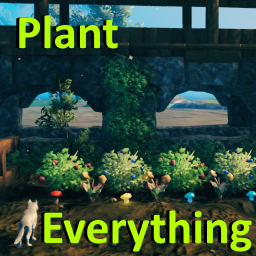
Позволяет вашему культиватору сажать ягодные кусты, чертополох, одуванчики, грибы, ранее недоступные типы деревьев и другую декоративную флору. Включает множество других различных признаков (см. описание). Высоко настраиваемый с поддержкой локализации.
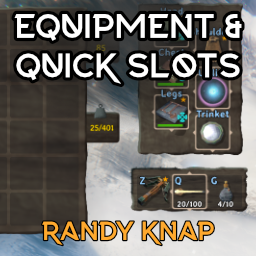
Дайте оборудованным предметам свои собственные выделенные слоты для инвентаря, а также до шести быстродействующих слотов с горячим ключом.

Valheim Mod добавит в игру каталог Adventuring Backpacks. Эти пакеты будут расти и становиться более полезными по мере развития игры.

Odin Architect - это мод, который позволит вам строить больше с большим количеством конструкций и в большем масштабе. Здесь вы найдете не только более крупные аналоги основных зданий, но и совершенно новые
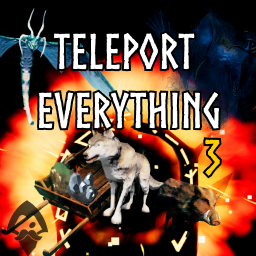
Teleport Everything 3 с пользовательским интерфейсом является официальным модульным пакетом OdinPlus для телепортных существ, телепортных тележек, телепортных лодок и Quick Teleport. Совместимость с Valheim 1.0 (Deep North).
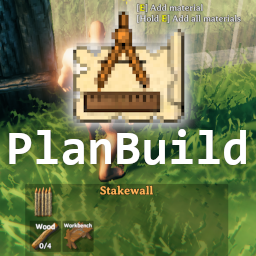
PlanBuild позволяет с легкостью планировать, копировать и делиться своими творениями в Вальхайме. Включает инструменты местности и предметы погружения.