

Midgard
World #1 Modpack возвращается! Call to arms compatible - Season ∞1 - Присоединяйтесь к официальному серверу Midgard Valheim, Discord и сообществу на официальном https://midgard.website

 Мод для Valheim
от ZenDragon
Кнопка уклонения от геймпада, автоматический экипированный щит, заряды блока щита башни, собственные копья, фиксация цели стрелы, установленная атака и прыжок, атака без парирования удара, частные номера повреждений, лимитный нокбэк, без невооруженной атакующей мебели
ZenCombat — мод для Valheim (Вальхейм) от автора ZenDragon. Кнопка уклонения от геймпада, автоматический экипированный щит, заряды блока щита башни, собственные копья, фиксация цели стрелы, установленная атака и прыжок, атака без парирования удара, частные номера повреждений, лимитный нокбэк, без невооруженной атакующей мебели
Его скачали 104,6 тыс. раз: это 212-е место среди модов Valheim в нашем каталоге, редкость — «обычный» (нижняя половина по скачиваниям). Мод обновлялся в последние полгода, актуальная версия — 1.0.2.
Для работы ему нужны: Zen ModLib.
Автор пометил мод как клиентский: достаточно установить его себе, друзьям и хосту он не нужен.
Автор отметил совместимость с обновлениями игры: Deep North.
1 шт · нажмите, чтобы открыть
Текст автора на языке оригинала
Adjustments to bring more fun and balance to the combat system.
NOTE: Pair with the ZenTargeting mod for target lock!
ZenPlayer for even more control over your mount's stamina and regen stats under the "Riding" section. Also an option to push your mounts beyond exhaustion to drive them farther and faster.NOTE: Technically it is not required on the server. However, if it is installed on the server then it will force all clients to have it installed as well. This is to enable two modes of usage:
This mod operates entirely client side. That means you can connect to any vanilla server with this mod installed. Other players do not need to have the mod installed.
NOTE: If you host a game session with this mod installed then it will be considered to be installed on the server since your session is the server. Therefor, all clients will be required to have it. If you don't want to require all players to have this mod then you will need to host your game in a dedicated server. You can easily download and run the Valheim Dedicated Server from Steam or host one in the cloud.
ZenTargeting: Target lock is awesome! :)ZenRedecorate: Move chests around without destroying them.ZenItemStand: Item Stands and Armor Stands behave like containers. Quickly swap your gear.The full collection of all Zen MODS:
Enjoy!
## Settings file was created by plugin ZenCombat v1.0.1
## Plugin GUID: ZenDragon.ZenCombat

[AutoShield]

## Automatically equip the recent shield when equipping main 1h weapon.
## Plus extra logic to make the torch behave nicely with auto shield.
## Intuitivly toggle weapons and shields and torches without needing to think about it to much.
# Setting type: Boolean
# Default value: true
Autoequip Recent Shield = true

## List of ignored item prefab names.
## When any of these items are equipped the shield will not be automatically equipped.
## NOTE: only makes sense for 1h weapons, all other items will naturally be ignored anyhow.
# Setting type: StringList
# Default value: KnifeButcher, Tankard, Tankard_dvergr, TankardAnniversary, TankardOdin
Ignore Items = KnifeButcher, Tankard, Tankard_dvergr, TankardAnniversary, TankardOdin

[Bows]

## [Admin] Allow wood arrows?  They are a bit OP because they are so cheap and lethal.
## When enabled it does not make firing an arrow a risky proposition and they
## undermine any reason to invest in more expensive ammunition.
## [restart required]
# Setting type: Boolean
# Default value: false
WoodArrow = false

## [Admin] How much damage should wood arrows do if they are enabled?
## They are very OP by default for being a basic crude arrow. (Vanilla: 22)
## [restart required]
# Setting type: Single
# Default value: 1
# Acceptable value range: From 0.1 to 22
WoodArrow Damage = 1

## [Admin] The station used to craft wooden arrows.
## [restart required]
# Setting type: String
# Default value: Workbench
# Acceptable values: None, Workbench, Forge, Stonecutter, Cauldron, ArtisanTable, BlackForge, GaldrTable, MeadKetill, FoodPreparationTable
WoodArrow Station = Workbench

## [Admin] The resource cost for wooden arrows if they are enabled. (Vanilla: Wood:8)
## Feathers added to the default to bring them in line with the other arrows.
## [restart required]
# Setting type: StringList
# Default value: Wood:8, Feathers:2
WoodArrow Resources = Wood:8, Feathers:2

## Angle that the projectile is launched at. (Vanilla: 0)
## To offset the default undershot in Vanilla set this to -2;
# Setting type: Single
# Default value: 0
# Acceptable value range: From -5 to 5
Projectile Launch Angle = 0

## [Admin] Percent of normal movement speed when bow is drawn, 0.5 = 50%, move half speed when drawing bow. (Vanilla: 1)
## NOTE: If CombatOverhaulRewrite is installed it is recommended to set this to 1 otherwise the two mods will compound this value.
# Setting type: Single
# Default value: 0.5
# Acceptable value range: From 0 to 1
Movement Speed = 0.5

## [Admin] Adjust bow draw speed to a percent of vanilla bow draw speed at high levels. 0.5 = half of vanilla speed. (Vanilla: 1)
Описание длинное — здесь его начало. Читать целиком на странице автора
В r2modman ставится автоматически
1 в каталоге
World #1 Modpack возвращается! Call to arms compatible - Season ∞1 - Присоединяйтесь к официальному серверу Midgard Valheim, Discord и сообществу на официальном https://midgard.website
Файл скачивается с официального сервера Thunderstore, без перезаливов и сторонних установщиков
Подробная инструкция для ValheimВставьте значок в описание на Thunderstore, в README или в Discord — русскоязычные игроки сразу попадут на страницу с переводом и инструкцией.

[](https://modka.app/valheim/zendragon-zencombat/)<a href="https://modka.app/valheim/zendragon-zencombat/"><img src="https://modka.app/badge.png" alt="Описание на русском — Модка" height="44"></a>[url=https://modka.app/valheim/zendragon-zencombat/]Описание на русском — Модка[/url]Скачайте менеджер модов r2modman (или Gale) и выберите в нём игру Valheim. Создайте профиль — так моды не смешаются с чистой версией игры. Найдите «ZenCombat» во вкладке Online и нажмите Download — BepInEx и все зависимости подтянутся сами. Нажмите «Start modded» — игра запустится с модами. Для мультиплеера всем игрокам нужен одинаковый набор модов: в r2modman профиль можно экспортировать кодом и отправить друзьям.
Файл скачивается с официального сервера Thunderstore, куда его загрузил ZenDragon. Мы не перезаливаем и не изменяем моды.
Автор пометил мод как клиентский: достаточно установить его себе, друзьям и хосту он не нужен.
Установите вместе с ним: Zen ModLib. В менеджере модов зависимости подтягиваются автоматически.
25 сентября 2026, актуальная версия — 1.0.2. Дата берётся с официальной страницы мода при каждом обновлении каталога.
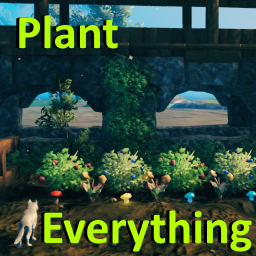
Позволяет вашему культиватору сажать ягодные кусты, чертополох, одуванчики, грибы, ранее недоступные типы деревьев и другую декоративную флору. Включает множество других различных признаков (см. описание). Высоко настраиваемый с поддержкой локализации.
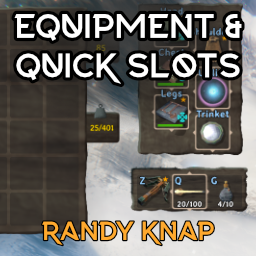
Дайте оборудованным предметам свои собственные выделенные слоты для инвентаря, а также до шести быстродействующих слотов с горячим ключом.

Valheim Mod добавит в игру каталог Adventuring Backpacks. Эти пакеты будут расти и становиться более полезными по мере развития игры.

Odin Architect - это мод, который позволит вам строить больше с большим количеством конструкций и в большем масштабе. Здесь вы найдете не только более крупные аналоги основных зданий, но и совершенно новые
Teleport Everything 3 с пользовательским интерфейсом является официальным модульным пакетом OdinPlus для телепортных существ, телепортных тележек, телепортных лодок и Quick Teleport. Совместимость с Valheim 1.0 (Deep North).
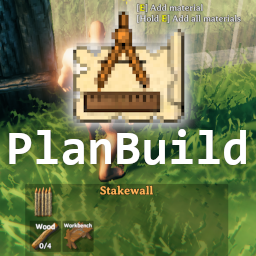
PlanBuild позволяет с легкостью планировать, копировать и делиться своими творениями в Вальхайме. Включает инструменты местности и предметы погружения.