

TeleportEverything
Teleport Everything 3 с пользовательским интерфейсом является официальным модульным пакетом OdinPlus для телепортных существ, телепортных тележек, телепортных лодок и Quick Teleport. Совместимость с Valheim 1.0 (Deep North).


 Мод для Valheim
от warpalicious
Добавляет 10 новых пользовательских мест в биом Мистлендса. Серия More World Locations
Mistlands Pack 1 — мод для Valheim (Вальхейм) от автора warpalicious. Добавляет 10 новых пользовательских мест в биом Мистлендса. Серия More World Locations
Его скачали 89,8 тыс. раз: это 250-е место среди модов Valheim в нашем каталоге, редкость — «обычный» (нижняя половина по скачиваниям). Мод давно не обновлялся — проверьте совместимость с текущей версией игры, актуальная версия — 1.1.5.
Для работы ему нужны: BepInExPack Valheim, Jotunn.
Автор отметил совместимость с обновлениями игры: Ashlands, Bog Witch.
1 шт · нажмите, чтобы открыть
Текст автора на языке оригинала
This mod adds a 10 new custom locations to the Mistlands biome. All locations were made using vanilla build pieces and designed to fit Valheim lore. Part of the More World Locations series, see below for more details.
Command: locations_add MWL_MistFort2, MWL_MistHut1, MWL_MistTower1, MWL_MistTower2, MWL_MistWall1, MWL_MistWorkshop1, MWL_SecretRoom1, MWL_DvergrEitrSingularity1, MWL_DvergrHouse1, MWL_DvergrKnowledgeExtractor1 start
The creatures and loot are all customizable. Modded creatures and items are supported. To customize, create a new YAML file in the BepinEx configuration folder. If using mod manager, then use the BepinEx config folder in your profile folder. All mods from the More World Locations series will share the same Yaml file so you only need to create it once.
For creatures, each instance of the location will randomly select from the list of creatures in the the file. First, it will pick a random index (an item in the list), then it will increment through the list, assigning creatures to available creature spawners until each creature spawner has a creature. For the best results, scatter higher tier creatures throughout the list. You must use the creature's prefab name and not it's in-game name. See here for a list of vanilla creature prefab names: Creatures List
Creature file name: warpalicious.More_World_Locations_CreatureLists.yml Creature file structure:
MistCreatures1:
  - Dverger
  - DvergerMage
  - DvergerMage
  - Dverger
  - DvergerMage
  - Dverger
  - DvergerMage
  - Dverger
  - Dverger
  - Dverger
MistCreatures2:
  - Seeker
  - Seeker
  - Seeker
  - SeekerBrute
  - Seeker
  - Seeker
  - Seeker
  - Seeker
  - Seeker
  - SeekerBrute
  - Seeker
MistCreatures3:
  - Gjall
  - Seeker
  - Seeker
  - Seeker
  - Seeker
  - Seeker
- SeekerFor loot, as of 12/19/24 the loot list format has changed. If you're using an old format it will still work but you can't access the new customization feature. To access new customization feature, please convert to the new format below and ensure you include the verision number at top of file.
The new format works as such: 1 - Random roll for total loot slots available. Roll number between 1 - 3. There will be between 1 - 3 loot slots. 2 - For each loot slot, weighted-random selection for item from loot list. Randomly select item from list based on weights. 3 - For each item, random roll between stackMin and stackMax for loot stack amount.
Example for MistLoot1 below: 1 - Random roll results in 2 loot slots 2 - Weighted-random selection for slot 1 = WolfMeatSkewer 3 - Weighted-random selection for slot 2 = ScaleHide 4 - Random roll for slot 1 stack size = 2 5 - Random roll for slot 2 stack size = 3 6 - Final loot in chest = 2 WolfMeatSkewer, 3 ScaleHide
Modded items are confirmed to work in the loot list.
Loot file name: warpalicious.More_World_Locations_LootLists.yml Loot file structure:
version: 2.0
MistLoot1:
  - item: WolfMeatSkewer
    stackMin: 2
    stackMax: 3
    weight: 1.0
  - item: ScaleHide
    stackMin: 2
    stackMax: 4
    weight: 1.0
  - item: Softtissue
    stackMin: 2
    stackMax: 4
    weight: 1.0
  - item: JuteBlue
    stackMin: 2
    stackMax: 3
    weight: 1.0
  - item: IronScrap
    stackMin: 3
    stackMax: 5
weight: 1.0The goal of the More World Locations series is to solve Valheims exploration problem. Valheim has a giant map but relatively few points of interest (POI) to find. Once a player learns that each biome is just a copy of what they've already seen, exploring the rest of the map feels unnecessary. The More World Locations series will fix this problem by adding dozens of handcrafted, unique, and interesting POIs to the Valheim world. I started developing the series in Febuary 2024 and have released the following mods in the series. See my mod author page for most up to date list.
I greatly appreciate all the other mod developers that helped me while buidling the More World Locations series! If
Описание длинное — здесь его начало. Читать целиком на странице автора
В r2modman ставится автоматически
Файл скачивается с официального сервера Thunderstore, без перезаливов и сторонних установщиков
Подробная инструкция для ValheimВставьте значок в описание на Thunderstore, в README или в Discord — русскоязычные игроки сразу попадут на страницу с переводом и инструкцией.

[](https://modka.app/valheim/warpalicious-mistlands-pack-1/)<a href="https://modka.app/valheim/warpalicious-mistlands-pack-1/"><img src="https://modka.app/badge.png" alt="Описание на русском — Модка" height="44"></a>[url=https://modka.app/valheim/warpalicious-mistlands-pack-1/]Описание на русском — Модка[/url]Скачайте менеджер модов r2modman (или Gale) и выберите в нём игру Valheim. Создайте профиль — так моды не смешаются с чистой версией игры. Найдите «Mistlands Pack 1» во вкладке Online и нажмите Download — BepInEx и все зависимости подтянутся сами. Нажмите «Start modded» — игра запустится с модами. Для мультиплеера всем игрокам нужен одинаковый набор модов: в r2modman профиль можно экспортировать кодом и отправить друзьям.
Файл скачивается с официального сервера Thunderstore, куда его загрузил warpalicious. Мы не перезаливаем и не изменяем моды.
Автор не указал, клиентский это мод или серверный. Безопаснее, чтобы одинаковый набор модов был у всех игроков в лобби: проще всего поделиться профилем r2modman.
Установите вместе с ним: BepInExPack Valheim, Jotunn. В менеджере модов зависимости подтягиваются автоматически.
19 марта 2025, актуальная версия — 1.1.5. Это больше года назад: перед установкой проверьте, работает ли мод на текущей версии игры.
Teleport Everything 3 с пользовательским интерфейсом является официальным модульным пакетом OdinPlus для телепортных существ, телепортных тележек, телепортных лодок и Quick Teleport. Совместимость с Valheim 1.0 (Deep North).
Улучшает биомы Вальхайма, вводя множество новых функций, включая Растительность, Мобы, Оружие, Босс Алтари и Мини-боссы, тщательно интегрированные в Мистленды, Дипнорт и Эшлендс. EVA, Epic Valheim Добавления, EpicValheim Добавления

Временная вилка Valheim Plus. Предоставляет множество настраиваемых игровых настроек.

Дайте жизнь океанам Вальхайма с опасными существами, морскими зверями и настоящим исследованием океана. Море больше не пустует.
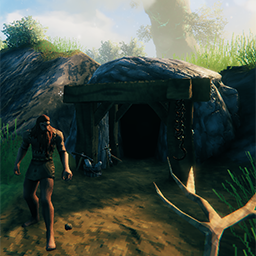
Добавляет 8 шахт/подземелий для руд (то есть медь, железо) по всем биомам (кроме последнего биома), которые автоматически сбрасываются (настраиваемый день сброса).

Добавляет в игру 10 видов птиц, 6 видов бабочек и 4 вида жуков.