

Midgard
World #1 Modpack возвращается! Call to arms compatible - Season ∞1 - Присоединяйтесь к официальному серверу Midgard Valheim, Discord и сообществу на официальном https://midgard.website

 Мод для Valheim
от VentureValheim
Обычно запрашиваемые настройки для серверов и режимов одиночного игрока. Переключите открытие Valkyrie, отследите учебники Hugin, настройте сообщения о прибытии, спрячьте контакты карты Trader / Temple, параметры PVP, отключите pings и многое другое!
Venture Multiplayer Tweaks — мод для Valheim (Вальхейм) от автора VentureValheim. Обычно запрашиваемые настройки для серверов и режимов одиночного игрока. Переключите открытие Valkyrie, отследите учебники Hugin, настройте сообщения о прибытии, спрячьте контакты карты Trader / Temple, параметры PVP, отключите pings и многое другое!
Его скачали 128,7 тыс. раз: это 175-е место среди модов Valheim в нашем каталоге, редкость — «редкий» (топ-50% по скачиваниям). Мод обновлялся в последние полгода, актуальная версия — 1.0.0.
Для работы ему нужны: BepInExPack Valheim, Jotunn.
У мода стоят обе пометки — клиентская и серверная: он может работать и у одного игрока, и у хоста. Чтобы изменения были у всех, надёжнее поставить его всей компании.
Автор отметил совместимость с обновлениями игры: Deep North.
1 шт · нажмите, чтобы открыть
Текст автора на языке оригинала
Created by OrianaVentureMod@gmail.com.
Commonly requested tweaks for servers and single player modes. Toggle the Valkyrie opening, track Hugin tutorials, customize arrival messages, hide the Trader/Temple map pins, PVP options, disable pings, and more!
Thank you to everyone who have used my mods during early access. All of your feedback and support has made the hundreds of hours sunk into these projects worth it. Even though modding has never really paid out in cash it has rewarded me with friends, community, and even more fun times! To all of you who have bought me coffees over the years, I am extremely grateful for your kindness!
If you would like to keep supporting the development and maintenance of my mods you can buy me a coffee through the image link below.
Looking for a Valhiem server? I have partnered with Survival Servers to get you 25% off with the code `VALHEIM25`! Order through the link by clicking on the image below and I will get a portion of the proceeds. You get a server to play with your friends and I can go buy some more of that sweet sweet coffee to keep the mods working!
Admins have the ability to bypass some of these settings when the AdminBypass config is enabled.
Set the PlayerDefaultSpawnPoint by entering an x,y,z pair (for example: 20.5, 10, -80.7), or leave this config blank to use the default start location. To get your player's current position in game you can use the vanilla "pos" command, which will return your position (double check what format this vanilla command returns, it has changed a few times). This is the location the game will use when spawning new players, or respawning dead players with no bed point.
The base game added a setting to toggle Hugin tutorials on or off under the misc category. This mod will now use the game setting rather than the old config setting. However, since it is not a feature in the base game, this mod will still add all discovered tutorials to the player's "seen" list when tutorials are disabled. If the tutorials at the beginning of the game annoy you, turn off tutorials until you need to see any new tutorials your character discovers. There will not be a flood of tutorials to shift through when you finally need them again!
This mod gives you the ability to customize the arrival message, or turn it off completely. Change the default vanilla "shout" to a normal message (UseArrivalShout = false) to get rid of the arrival shout and ping but still use the login message. Set your own message string with OverrideArrivalMessage to change the arrival message for all players. When disabling all shout pings (AllowShoutPings = false) it will also apply to this arrival message.
When a boss is summoned, alerted, and/or killed there is a server-wide message banner sent to alert players. This can get very annoying in multiplayer games. This mod changes these messages to only send to players within 100 meters of the boss (or other applicable creature) when the message is normally triggered.
This mod gives you the ability to block the temple and trader map pins from showing on the map. This feature is flexible and can be disabled or enabled at any time. If you disable the temple map pin you must also specify a default spawn point since the game usually uses this map pin to find a spawn point for players.
For example, when using `EnableHaldorMapPin = false` the pin will not show for all players when the Haldor trader is discovered. Useful for keeping the location of Haldor a secret unless the player finds these locations or until you choose to globally reveal it!
New smaller versions of the trader map pins will be added to a player's minimap when interacting with the traders so they do not have to add their own manual map pins upon discovery. These are sharable pins at the cartography table.
Admins are able to bypass these settings.
Force player map position icons always on or always off. To use set OverridePlayerMapPins to True. Disables the toggle in the minimap. Admins are able to bypass this setting.
There are two ways the player can ping the map: Shouting and Pinging. There are two configuration options to disable these pings respectively: AllowShoutPings, AllowMapPings. Admins are able to bypass these settings and will be able to send map pings to play
Описание длинное — здесь его начало. Читать целиком на странице автора
В r2modman ставится автоматически
1 в каталоге
World #1 Modpack возвращается! Call to arms compatible - Season ∞1 - Присоединяйтесь к официальному серверу Midgard Valheim, Discord и сообществу на официальном https://midgard.website
Файл скачивается с официального сервера Thunderstore, без перезаливов и сторонних установщиков
Подробная инструкция для ValheimВставьте значок в описание на Thunderstore, в README или в Discord — русскоязычные игроки сразу попадут на страницу с переводом и инструкцией.

[](https://modka.app/valheim/venturevalheim-venture-multiplayer-tweaks/)<a href="https://modka.app/valheim/venturevalheim-venture-multiplayer-tweaks/"><img src="https://modka.app/badge.png" alt="Описание на русском — Модка" height="44"></a>[url=https://modka.app/valheim/venturevalheim-venture-multiplayer-tweaks/]Описание на русском — Модка[/url]Скачайте менеджер модов r2modman (или Gale) и выберите в нём игру Valheim. Создайте профиль — так моды не смешаются с чистой версией игры. Найдите «Venture Multiplayer Tweaks» во вкладке Online и нажмите Download — BepInEx и все зависимости подтянутся сами. Нажмите «Start modded» — игра запустится с модами. Для мультиплеера всем игрокам нужен одинаковый набор модов: в r2modman профиль можно экспортировать кодом и отправить друзьям.
Файл скачивается с официального сервера Thunderstore, куда его загрузил VentureValheim. Мы не перезаливаем и не изменяем моды.
У мода стоят обе пометки — клиентская и серверная: он может работать и у одного игрока, и у хоста. Чтобы изменения были у всех, надёжнее поставить его всей компании.
Установите вместе с ним: BepInExPack Valheim, Jotunn. В менеджере модов зависимости подтягиваются автоматически.
10 сентября 2026, актуальная версия — 1.0.0. Дата берётся с официальной страницы мода при каждом обновлении каталога.

Valheim Mod добавит в игру каталог Adventuring Backpacks. Эти пакеты будут расти и становиться более полезными по мере развития игры.

Выберите пункт назначения портала из списка существующих порталов. Больше никаких тегов и никаких порталов! XPortal — это полное переписывание популярного мода AnyPortal.

Временная вилка Valheim Plus. Предоставляет множество настраиваемых игровых настроек.

Четыре настраиваемых сезона. Разный визуальный колорит на каждый сезон, сезонное влияние на игровой процесс. Замороженная вода и льдины зимой. Разная погода, рейды, освещение и товары трейдера. Новая специальная весенняя трава. Минимальное воздействие на fps.
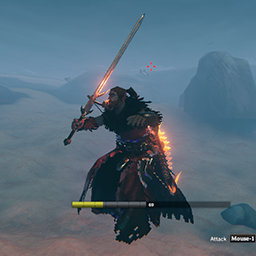
Простой мод, который позволяет вам использовать свое оборудование во время плавания / дайвинга или в воде (настраиваемый).
Мод для построения качества жизни, который улучшает работу манипуляций с мотыгой и культиватором и добавляет новые инструменты манипулирования ландшафтом.