

Deadheim
Дэдхейм Сервидор PvP - Бразилейро

 Мод для Valheim
от MSchmoecker
Вальхайма недостаточно. Отображает все элементы и рецепты внутри UI
VNEI — мод для Valheim (Вальхейм) от автора MSchmoecker. Вальхайма недостаточно. Отображает все элементы и рецепты внутри UI
Его скачали 403,5 тыс. раз: это 62-е место среди модов Valheim в нашем каталоге, редкость — «эпический» (топ-20% по скачиваниям). Мод обновлялся в последние полгода, актуальная версия — 0.17.6.
Для работы ему нужны: YamlDotNet, BepInExPack Valheim, Jotunn.
Автор пометил мод как клиентский: достаточно установить его себе, друзьям и хосту он не нужен.
Автор отметил совместимость с обновлениями игры: Deep North.
2 шт · нажмите, чтобы открыть
Текст автора на языке оригинала
VNEI shows all items and recipes from the vanilla game and other mods inside an ingame GUI for easy access.
This mod requires BepInEx, Jötunn and YamlDotNet.\ Extract the content of VNEI/plugins into the BepInEx/plugins folder
This is a client side mod and not everyone has to use it if you are playing in multiplayer. If items or recipes from other mods are missing, please contact me.
The config file is generated at BepInEx/config/com.maxsch.valheim.vnei.cfg after the first launch, see there for detailed information.
Some interesting configs
Press 'R' to view a recipe of an item while hovering over it. Works in the inventory, too.
Press LeftArrow/RightArrow to navigate through the history of last viewed items.
The search bar can be used to filter items by name. It is case insensitive and searches through the localized name, the internal ID and description of the item. The search is separated by spaces and each word must be contained somewhere in the item to be displayed.
Modifier:
@ModName filters by mod name. @Valheim shows vanilla items or mods that contain Valheim in their name#itemtype filters by item type. Substrings may be used. Available: None, Material, Consumable, OneHandedWeapon, Bow, Shield, Helmet, Chest, Ammo, Customization, Legs, Hands, Trophy, TwoHandedWeapon, Torch, Misc, Shoulder, Utility, Tool, Attach_Atgeir, Fish, TwoHandedWeaponLeft, AmmoNonEquipable^ingredient filters by item ingredient. The item must have an ingredient with the given name/description in any recipe-search excludes a specific keyExamples:
wood: shows all items where the name or description contains wood@Epic @Loot: shows all items that are added from Epic Loot or adjacent mods@Mod -@Name: shows all items where the mod name contains Mod but not Name@Mod wood: shows all items where the mod name contains Mod and the item name or description contains woodwood -iron shows all items that contain wood but not iron#weapon: shows all items that are weapons^carrot: shows all items that can be crafted with carrot (or any ingredient that contains carrot in its name/description)Items can be blacklisted at BepInEx/config/com.maxsch.valheim.vnei.blacklist.txt. The internal item name has to be used, one name on every line. If an item is blacklisted it will not show up in the search and recipes using it will be disabled. Requires a restart to take effect.
If devcommands or the no build cost world modifier are enabled, items can be right clicked to spawn them. Requires the config option Allow Cheating to be enabled as well. If the world modifier are not set, it's only possible at a local game or when the user is an admin at a server.\ Shift + RightClick spawns a whole stack.\ Ctrl + RightClick spawns the item ingredients instead of the item itself.
Export all indexed items as a file to the BepInEx root path:
Command — Description
vnei_export_csv [comma|semicolon|tab] — table format, can be read by Excel or similar programs. The separator is optional and comma by default
vnei_export_yaml [exclude_item1,...] [exclude_mod1,...] [include_mod1,...] — creates a CLLC ItemConfig.yml like file with the option to include certain items or exclude/include certain mods. Valheim are vanilla items, mod names can be partial. If include mods are specified, only items from those mods are exported
vnei_export_text — simple text
vnei_export_icons [mod1,mod2] — extracts all icons to the BepInEx root path as png files. Mod names are optional to limit the export, Valheim are vanilla icons
See contributing.
Other mods can use events to include custom recipes that can't be indexed. See more here.
Описание длинное — здесь его начало. Читать целиком на странице автора
В r2modman ставится автоматически
2 в каталоге
Дэдхейм Сервидор PvP - Бразилейро

Новые биомы, локации и квесты, сервер в Сеуле, Download from gale mod manager
Файл скачивается с официального сервера Thunderstore, без перезаливов и сторонних установщиков
Подробная инструкция для ValheimВставьте значок в описание на Thunderstore, в README или в Discord — русскоязычные игроки сразу попадут на страницу с переводом и инструкцией.

[](https://modka.app/valheim/mschmoecker-vnei/)<a href="https://modka.app/valheim/mschmoecker-vnei/"><img src="https://modka.app/badge.png" alt="Описание на русском — Модка" height="44"></a>[url=https://modka.app/valheim/mschmoecker-vnei/]Описание на русском — Модка[/url]Скачайте менеджер модов r2modman (или Gale) и выберите в нём игру Valheim. Создайте профиль — так моды не смешаются с чистой версией игры. Найдите «VNEI» во вкладке Online и нажмите Download — BepInEx и все зависимости подтянутся сами. Нажмите «Start modded» — игра запустится с модами. Для мультиплеера всем игрокам нужен одинаковый набор модов: в r2modman профиль можно экспортировать кодом и отправить друзьям.
Файл скачивается с официального сервера Thunderstore, куда его загрузил MSchmoecker. Мы не перезаливаем и не изменяем моды.
Автор пометил мод как клиентский: достаточно установить его себе, друзьям и хосту он не нужен.
Установите вместе с ним: YamlDotNet, BepInExPack Valheim, Jotunn. В менеджере модов зависимости подтягиваются автоматически.
10 сентября 2026, актуальная версия — 0.17.6. Дата берётся с официальной страницы мода при каждом обновлении каталога.
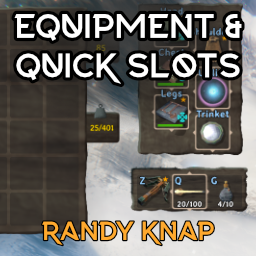
Дайте оборудованным предметам свои собственные выделенные слоты для инвентаря, а также до шести быстродействующих слотов с горячим ключом.

Valheim Mod добавит в игру каталог Adventuring Backpacks. Эти пакеты будут расти и становиться более полезными по мере развития игры.

Odin Architect - это мод, который позволит вам строить больше с большим количеством конструкций и в большем масштабе. Здесь вы найдете не только более крупные аналоги основных зданий, но и совершенно новые
Teleport Everything 3 с пользовательским интерфейсом является официальным модульным пакетом OdinPlus для телепортных существ, телепортных тележек, телепортных лодок и Quick Teleport. Совместимость с Valheim 1.0 (Deep North).

ModWish от OdinPlus Community - встроенные динамические контейнеры для хранения семян, фруктов и овощей!
Новые продовольственные и кулинарные станции!