

Midgard
World #1 Modpack возвращается! Call to arms compatible - Season ∞1 - Присоединяйтесь к официальному серверу Midgard Valheim, Discord и сообществу на официальном https://midgard.website


 Мод для Valheim
от ASharpPen
Небольшой мод для авторов модов для запуска файловых операций в папках bepinex.
This Goes Here — мод для Valheim (Вальхейм) от автора ASharpPen. Небольшой мод для авторов модов для запуска файловых операций в папках bepinex.
Его скачали 457,7 тыс. раз: это 51-е место среди модов Valheim в нашем каталоге, редкость — «эпический» (топ-20% по скачиваниям). Мод давно не обновлялся — проверьте совместимость с текущей версией игры, актуальная версия — 2.1.2.
Для работы ему нужны: BepInExPack Valheim.
Автор отметил совместимость с обновлениями игры: Mistlands, Deep North.
Текст автора на языке оригинала
Small over-engineered BepInEx mod to help move files around using yaml configs.
Intended to help mod authors, by letting them supply a config file with their desired file movements.
Note, only files and paths within the BepInEx folder are valid.
ThisGoesHere scans the BepInEx/configs folder for any and all files named Valheim.ThisGoesHere.yml or with a wildcard part to add your own personal touch Valheim.ThisGoesHere.*.yml.
All fields are optional.
PrintComment: #Text to print before running operations.
CopyFile:
- From: #Path to file that should be copied.
  To: #Path to file destination. If exists, target is overwritten.
MoveFile:
- From: #Path to file that should be moved
  To: #Path to file destination.
DeleteFile:
- #Path to file that should be deleted.
CopyFolder:
- From: #Path to folder that should be copied.
  To: #Path to folder destination. Existing files will be overwritten.
CopyFolderContent:
- From: #Path to folder that should have all its content copied.
  To: #Path to folder destination. Existing files will be overwritten.
MoveFolder:
- From: #Path to folder that should be moved.
  To: #Path to folder destination. Existing files will be overwritten.
DeleteFolder:
- #Path to folder that should be deleted.
Config files are run in whatever order they are found.
Operations in each config are run in the order:
PrintComment: This text is printed when config is executed.
CopyFile:
- From: config/copy_this_file.txt
  To: plugins/folder/to_this_file.txt
MoveFile:
- From: config/move_this_file.txt
  To: config/to_this_folder/move_this_file.txt
- From: config/move_this_too.txt
  To: config/to_this_folder/move_this_too.txt
DeleteFile:
- config\remove_this.txt
- plugins/and_this.txt
CopyFolder:
- From: config/copy_this_folder/
  To: plugins/into_this/
MoveFolder:
- From: config/move_this_folder/
  To: config/into_this/
- From: config/move_this_too/
  To: plugin/
DeleteFolder:
- config\remove_this\
- plugins/and_this
This example will result in logs like this when starting Valheim.
[Info   :   BepInEx] Loading [This Goes Here 1.0.0]
[Debug  :This Goes Here] Found 1 config files.
[Message:This Goes Here] This text is printed when config is executed.
[Message:This Goes Here] Copying 'config\copy_this_file.txt' to 'plugins\folder\to_this_file.txt'
[Info   :This Goes Here] Creating missing folders in path.
[Message:This Goes Here] Moving 'config\move_this_file.txt' to 'config\to_this_folder\move_this_file.txt'
[Info   :This Goes Here] Creating missing folders in path.
[Message:This Goes Here] Moving 'config\move_this_too.txt' to 'config\to_this_folder\move_this_too.txt'
[Message:This Goes Here] Deleting file 'config\remove_this.txt'
[Message:This Goes Here] Deleting file 'plugins\and_this.txt'
...If you feel like it
В r2modman ставится автоматически
4 в каталоге
World #1 Modpack возвращается! Call to arms compatible - Season ∞1 - Присоединяйтесь к официальному серверу Midgard Valheim, Discord и сообществу на официальном https://midgard.website

Сервер в настоящее время находится в разработке и в скором времени примет приложения из белого списка на нашем сервере Discord.

Русский перевод для EpicLoot

GERMAN SERVER
Файл скачивается с официального сервера Thunderstore, без перезаливов и сторонних установщиков
Подробная инструкция для ValheimВставьте значок в описание на Thunderstore, в README или в Discord — русскоязычные игроки сразу попадут на страницу с переводом и инструкцией.

[](https://modka.app/valheim/asharppen-this-goes-here/)<a href="https://modka.app/valheim/asharppen-this-goes-here/"><img src="https://modka.app/badge.png" alt="Описание на русском — Модка" height="44"></a>[url=https://modka.app/valheim/asharppen-this-goes-here/]Описание на русском — Модка[/url]Скачайте менеджер модов r2modman (или Gale) и выберите в нём игру Valheim. Создайте профиль — так моды не смешаются с чистой версией игры. Найдите «This Goes Here» во вкладке Online и нажмите Download — BepInEx и все зависимости подтянутся сами. Нажмите «Start modded» — игра запустится с модами. Для мультиплеера всем игрокам нужен одинаковый набор модов: в r2modman профиль можно экспортировать кодом и отправить друзьям.
Файл скачивается с официального сервера Thunderstore, куда его загрузил ASharpPen. Мы не перезаливаем и не изменяем моды.
Автор не указал, клиентский это мод или серверный. Безопаснее, чтобы одинаковый набор модов был у всех игроков в лобби: проще всего поделиться профилем r2modman.
Установите вместе с ним: BepInExPack Valheim. В менеджере модов зависимости подтягиваются автоматически.
10 марта 2025, актуальная версия — 2.1.2. Это больше года назад: перед установкой проверьте, работает ли мод на текущей версии игры.
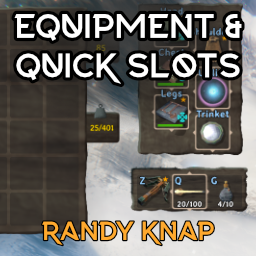
Дайте оборудованным предметам свои собственные выделенные слоты для инвентаря, а также до шести быстродействующих слотов с горячим ключом.

Odin Architect - это мод, который позволит вам строить больше с большим количеством конструкций и в большем масштабе. Здесь вы найдете не только более крупные аналоги основных зданий, но и совершенно новые
Быстрая укладка, сортировка, мусор и многое другое в одном сплоченном пакете
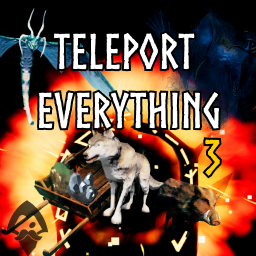
Teleport Everything 3 с пользовательским интерфейсом является официальным модульным пакетом OdinPlus для телепортных существ, телепортных тележек, телепортных лодок и Quick Teleport. Совместимость с Valheim 1.0 (Deep North).
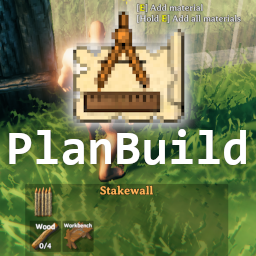
PlanBuild позволяет с легкостью планировать, копировать и делиться своими творениями в Вальхайме. Включает инструменты местности и предметы погружения.

ModWish от OdinPlus Community - встроенные динамические контейнеры для хранения семян, фруктов и овощей!