

ARVAHALL V RISING MODPACK
Modpack para Arvahall V-RISING

 Мод для V Rising
от Vapok
Инструмент управления конфигурацией в игре для настройки конфигураций плагинов.
BepInExConfigManager — мод для V Rising (Ви Райзинг) от автора Vapok. Инструмент управления конфигурацией в игре для настройки конфигураций плагинов.
Его скачали 6 тыс. раз: это 47-е место среди модов V Rising в нашем каталоге, редкость — «эпический» (топ-20% по скачиваниям). Мод давно не обновлялся — проверьте совместимость с текущей версией игры, актуальная версия — 1.0.0.
Для работы ему нужны: BepInExPack V Rising.
Автор отметил совместимость с обновлениями игры: Gloomrot.
Текст автора на языке оригинала
(DISCLOSURE: Credit to sinai-dev for the original build. I have updated for BepInEx 6.0.0 Bleeding Edge)
In-game UI for managing BepInEx Configurations, for IL2CPP and Mono Unity games.
Requires BepInEx 6 for IL2CPP, and BepInEx 5 for Mono.
✨ Powered by UniverseLib
plugins/BepInExConfigManager.{VERSION}.dll and the UniverseLib.{VERSION}.dll files in your BepInEx/plugins/ folder.patchers/BepInExConfigManager.{VERSION}.Patcher.dll file in your BepInEx/patchers/ folder.F5 to open the Menu.BepInExConfigManager category in the Menu, or by editing the file BepInEx/config/com.sinai.BepInExConfigManager.cfg.Although this tool should work out of the box for most Unity games, in some cases you may need to tweak the settings for it to work properly.
To adjust the settings, open the config file: BepInEx\config\com.sinai.bepinexconfigmanager.cfg
Try adjusting the following settings and see if it fixes your issues:
Startup_Delay_Time - increase to 5-10 seconds (or more as needed), can fix issues with the UI being destroyed or corrupted during startup.Disable_EventSystem_Override - if input is not working properly, try setting this to true.If these fixes do not work, please create an issue in this repo and I'll do my best to look into it.
This config manager supports advanced settings, defined either with the ConfigurationManagerAttributes tag or with a simple "Advanced" tag.
Simple method ("Advanced" string tag):
Config.Bind("Section", "Hidden setting", true, new ConfigDescription("my description", null, "Advanced"));Advanced method (official attributes class):
ConfigurationManagerAttributes class in your project as outlined hereConfig.Bind("Section", "Advanced setting", true, new ConfigDescription("my description", null,
new ConfigurationManagerAttributes() { IsAdvanced = true }));The UI supports the following types by default:
boolint, float etc (any primitive number type)stringUnityEngine.KeyCode or UnityEngine.InputSystem.Keyenum or any setting with AcceptableValueListenum with [Flags] attributeUnityEngine.ColorUnityEngine.Vector3, UnityEngine.Quaternion, etcBepInEx.Configuration.TomlTypeConverter.To make a slider, use a number type and provide an AcceptableValueRange when creating the entry. For example:
Config.Bind("Section", "Int slider", 32, new ConfigDescription("You can use sliders for any number type",
        new AcceptableValueRange(0, 100)));
Dropdowns are used for enum types, as well as any setting with an AcceptableValueList provided.
If you use an AcceptableValueList it will override any other UI handler and force it to be a dropdown.
Config.Bind(new ConfigDefinition("Section", "Some list"), "One", new ConfigDescription("An example of a string list",
new AcceptableValueList("One", "Two", "Three", "Four", "etc..."))); You can override the Toml input for a Type by registering your own InteractiveValue for it. Refer to existing classes for more concrete examples.
// Define an InteractiveValue class to handle 'Something'
public class InteractiveSomething : InteractiveValue
{
    // declaring this ctor is required
    public InteractiveSomething(object value, Type fallbackType) : base(value, fallbackType) { }

    // you could also check "if type == typeof(Something)" to be more strict
    public override bool SupportsType(Type type) => typeof(Something).IsAssignableFrom(type);

    // override other methods as necessary
}

// Register your class in your BasePlugin.Load method:
public class MyMod : BepInEx.IL2CPP.BasePlugin
{
    public override void Load()
    {
        InteractiveValue.RegisterIValueType();
    }
}В r2modman ставится автоматически
1 в каталоге
Modpack para Arvahall V-RISING
Файл скачивается с официального сервера Thunderstore, без перезаливов и сторонних установщиков
Подробная инструкция для V RisingВставьте значок в описание на Thunderstore, в README или в Discord — русскоязычные игроки сразу попадут на страницу с переводом и инструкцией.

[](https://modka.app/v-rising/vapok-bepinexconfigmanager/)<a href="https://modka.app/v-rising/vapok-bepinexconfigmanager/"><img src="https://modka.app/badge.png" alt="Описание на русском — Модка" height="44"></a>[url=https://modka.app/v-rising/vapok-bepinexconfigmanager/]Описание на русском — Модка[/url]Скачайте менеджер модов r2modman (или Gale) и выберите в нём игру V Rising. Создайте профиль — так моды не смешаются с чистой версией игры. Найдите «BepInExConfigManager» во вкладке Online и нажмите Download — BepInEx и все зависимости подтянутся сами. Нажмите «Start modded» — игра запустится с модами. Чтобы сыграть без модов, запустите игру как обычно из Steam — r2modman не трогает чистую версию игры.
Файл скачивается с официального сервера Thunderstore, куда его загрузил Vapok. Мы не перезаливаем и не изменяем моды.
Установите вместе с ним: BepInExPack V Rising. В менеджере модов зависимости подтягиваются автоматически.
11 июня 2023, актуальная версия — 1.0.0. Это больше года назад: перед установкой проверьте, работает ли мод на текущей версии игры.

Мод на стороне сервера для V Rising, который порождает случайный NPC рядом со случайным онлайн-игроком через случайные промежутки времени, и игрок выигрывает случайное вознаграждение за элемент, если NPC убит в течение заданного срока.

Автоматически пропускает готовый экран при загрузке
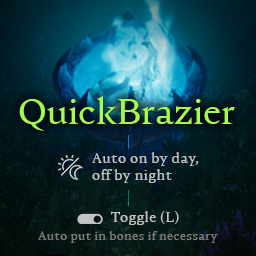
Включение/выключение авто в зависимости от времени суток. Hotkey (L), чтобы быстро переключать туманные застежки, также добавляет кости, если застежка пуста.

Мод клиента, который добавляет дополнительную функциональность в окно чата.

Добавляет возможность прикрепить несколько рецептов крафта

Removes Vignette