Начните вводить название — например, MoreHead, Sodium или PEAK

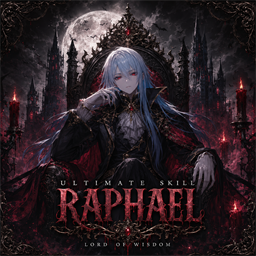
Raphael — иконка
Обложка V RisingМод для V Rising

Raphael

от TheShadowRealm

Унифицированный пользовательский интерфейс для V Rising серверных модов (Bloodcraft, Beelzebub, Uriel, Faust, Nyarlathotep, Kindred) плюс отдельное окно чата. Команды, статистика и отчеты как кнопки, формы и наложения. (перенаправлено с «BloodcraftHub»)

  • Редкий
  • 4,3 тыс. скачиваний
  • Версия 0.74.0
  • Обновлён 24 октября 2026

О моде Raphael

Raphael — мод для V Rising (Ви Райзинг) от автора TheShadowRealm. Унифицированный пользовательский интерфейс для V Rising серверных модов (Bloodcraft, Beelzebub, Uriel, Faust, Nyarlathotep, Kindred) плюс отдельное окно чата. Команды, статистика и отчеты как кнопки, формы и наложения. (перенаправлено с «BloodcraftHub»)

Его скачали 4,3 тыс. раз: это 64-е место среди модов V Rising в нашем каталоге, редкость — «редкий» (топ-50% по скачиваниям). Мод обновлялся в последний месяц, актуальная версия — 0.74.0.

Для работы ему нужны: BepInExPack V Rising.

Автор отметил совместимость с обновлениями игры: Oakveil.

Скриншоты

8 шт · нажмите, чтобы открыть

Полное описание Raphael

Текст автора на языке оригинала

Raphael, Lord of Wisdom

A client-side V Rising UI that turns the chat commands of popular server-side mods into buttons, forms, and on-screen overlays. Each mod's tabs appear only when that mod is detected on your server — so it works whether your server runs one, several, or none.

Works with: Bloodcraft · Beelzebub · Uriel · Faust · Nyarlathotep · KindredCommands · KindredLogistics — plus a standalone tabbed chat window that works on any server.

🟣 Formerly BloodCraftHub — same mod, renamed. Switching over? See Migrating from BloodCraftHub and don't run both at once. ⚠️ Pre-1.0 beta. It's daily-driven on a live server, but you may hit rough edges. The fastest way to get a fix is the Shadow Realm Discord.

What you get

  • One panel for your server's mods — left-rail tab groups for Bloodcraft, Kindred, Beelzebub, Uriel, Faust, and Nyarlathotep; each shows only when detected.
  • Commands as forms — player pickers, dropdowns, and number fields instead of typing .lvl set into chat.
  • Live HUD overlays — XP, familiar, weapon/blood, professions, quests, shift-spell cooldown, and more. Each is draggable, resizable, and individually toggleable.
  • Standalone chat window — tabbed per-channel chat (Global / Local / Clan / Whispers / System), whisper anyone online, custom colors, and per-channel history controls (keep conversation, drop noisy System floods). Needs no server mods.
  • Chat & Diagnostics in one place — choose what Raphael hides from chat and what it logs, for itself and every server mod. Presets: Quiet, Normal, Show everything. Replies to commands you send always show.
  • Complete in-game guides — one guide per mod (Bloodcraft, Beelzebub, Uriel, Faust, Nyarlathotep, Kindred) with a quick start, how it works, every player and admin command, every server setting with its default (marked In game or Server file only, with how to change it), and troubleshooting, so nobody needs GitHub or Thunderstore to play or run a server. Plus a "V Rising Basics" tab for the base game.
  • Units & Objects reference — every unit and world object in the game (about 7,000), searchable by name, prefab or GUID and filterable by faction or category. Open it under Settings and Help, or with Browse… beside any unit or object field in the Nyarlathotep, Beelzebub and Uriel forms to fill that field.
  • Admin tooling — surfaced wherever the backing mod provides it: Bloodcraft forms and a one-click Reset Bloodcraft progress, Kindred admin, Beelzebub ability shaping and lock groups, Faust server analytics, Uriel sharing/spawning, Castle Events units and server controls (feature switches, Restore vanilla), Nyarlathotep event control.

Full feature list

  • Floating Raphael + OV buttons (top-right) — open the panel; OV is a master overlay show/hide (with optional timed auto-reappear and launcher hiding).
  • Tab groups (each appears only when its server mod is detected):
  • Bloodcraft — Familiars, Boxes, V-Bloods, All Familiars, Class, Weapon Expertise, Blood Legacy, Unarmed + Shift, Prestige, Levels, Daily Quests, Admin.
  • Kindred — Logistics (+ admin), Commands, Admin: Players / Server / World.
  • Beelzebub — Bestiary, Loadout (universal + per-weapon + per-form ability sets), Hotkeys, Transforms, Settings, admin Config / Players.
  • Faust — Castle Info, Open/All Plots, Decay Watch, Castle Resources, Player Info, Clans, Player Positions, Server Stats, Boss Status, Leaderboards, World Map, admin Control / Oversight.
  • Uriel — Storage Sharing, Prisons, Stairs, Object Spawning, Object Catalog, Castle Events (alpha: drop mob and boss markers, bind doors, start and time runs with a live readout and on-screen notices), Event Library (squads, floor templates, templates), Settings, admin Sharing / Objects / Controls (which features are on, and Stop all events / Remove all units / Remove all objects / Restore vanilla) / Units. A feature the server switched off is greyed with the reason, never hidden.
  • Nyarlathotep — Live Events (regions, wave countdowns, on-screen notices), Settings, admin Events (with an inline form editor per event: per-wave units, bosses, unit pools and pursuit, destination waves, infestations and horde marches, and a searchable unit list) / Units (event units near you with positions) / Templates / Pillars / Announce / Kill Switch. Leaderboards, My Stats and Zones are ready for when Nyarlathotep adds them.
  • Settings & Help — Quick Start, one complete guide per mod, Reference: Units & Objects, V Rising Basics (in-built base-game guide), Game Guide (external links), Settings, Chat & Diagnostics, About.
  • Secondary overlays (toggle from the footer) — XP, Familiar, Familiar Browser, Daily Quest, Professions, Shift Spell, a Combined info overlay, Quick Actions, a Familiar Quick Spawn overlay, and a Faust Boss Tracker. Each is independently draggable/resizable with its own transparency; visibility persists across sessions.
  • Freeze actions while the UI is open (opt-in) — stop moving/attacking/casting and block menu hotkeys while you click around the panel.
  • "Last server response" panel — replies to read-data commands (.wep get, .class l, …) show in-UI, not just in chat.
  • Live data via Bloodcraft's signed broadcast protocol, with chat-regex fallback for replies it doesn't cover.
  • Fast opening — the panel opens right away; tabs fill in without freezing the game.
  • Refresh button (panel footer, bottom-right; also Settings → Connection) — clears chat history and stale UI caches without touching settings. Use it if the game feels slower after a long session.
  • Quality of life — hover tooltips on every control, auto-resizing panel, scrolla

Описание длинное — здесь его начало. Читать целиком на странице автора

Нужно для работы

В r2modman ставится автоматически

Как установить Raphael

Файл скачивается с официального сервера Thunderstore, без перезаливов и сторонних установщиков

Подробная инструкция для V Rising
  1. Скачайте менеджер модов r2modman (или Gale) и выберите в нём игру V Rising.
  2. Создайте профиль — так моды не смешаются с чистой версией игры.
  3. Найдите «Raphael» во вкладке Online и нажмите Download — BepInEx и все зависимости подтянутся сами.
  4. Нажмите «Start modded» — игра запустится с модами.
  5. Чтобы сыграть без модов, запустите игру как обычно из Steam — r2modman не трогает чистую версию игры.
Вы автор мода? Поставьте ссылку на русское описание

Вставьте значок в описание на Thunderstore, в README или в Discord — русскоязычные игроки сразу попадут на страницу с переводом и инструкцией.

Описание на русском — Модка
Markdown[![Описание на русском — Модка](https://modka.app/badge.png)](https://modka.app/v-rising/theshadowrealm-raphael/)
HTML<a href="https://modka.app/v-rising/theshadowrealm-raphael/"><img src="https://modka.app/badge.png" alt="Описание на русском — Модка" height="44"></a>
Steam (BBCode)[url=https://modka.app/v-rising/theshadowrealm-raphael/]Описание на русском — Модка[/url]

Частые вопросы о Raphael

Как установить Raphael?

Скачайте менеджер модов r2modman (или Gale) и выберите в нём игру V Rising. Создайте профиль — так моды не смешаются с чистой версией игры. Найдите «Raphael» во вкладке Online и нажмите Download — BepInEx и все зависимости подтянутся сами. Нажмите «Start modded» — игра запустится с модами. Чтобы сыграть без модов, запустите игру как обычно из Steam — r2modman не трогает чистую версию игры.

Безопасен ли Raphael?

Файл скачивается с официального сервера Thunderstore, куда его загрузил TheShadowRealm. Мы не перезаливаем и не изменяем моды.

Что нужно для работы Raphael?

Установите вместе с ним: BepInExPack V Rising. В менеджере модов зависимости подтягиваются автоматически.

Когда Raphael обновлялся последний раз?

24 октября 2026, актуальная версия — 0.74.0. Дата берётся с официальной страницы мода при каждом обновлении каталога.

Похожие моды

Все моды на V Rising
RetroCamera — иконка

RetroCamera

Оптимизированные улучшения камеры и дополнительные функции!

Легендарный29,7 тыс.

PopupTotals — иконка

PopupTotals

Показывает общее количество товара в вашем инвентаре при сборе ресурсов

Эпический26,1 тыс.

BloodCraftUI OnlyFams — иконка

BloodCraftUI OnlyFams

Пользовательский интерфейс для управления BloodCraft familiars

Эпический7,4 тыс.

BloodCraftEZLife — иконка

BloodCraftEZLife

Упростите игру на сервере Pve Bloodcraft

Редкий5 тыс.

Crossveil — иконка

Crossveil

Полностью замените стандартные курсоры / кроссшеры своими!

Редкий3,7 тыс.

Intro Skip — иконка

Intro Skip

Пропустите интро видео прямо в главное меню

Редкий3,1 тыс.Серверный