

RetroCamera
Оптимизированные улучшения камеры и дополнительные функции!


 Мод для V Rising
от KebunCrom
Пользовательский интерфейс Bloodcraft. Полные возможности на сервере Kebun Crom; базовый режим (синхронизация с затмением) на любом другом сервере Bloodcraft.
KebunUI — мод для V Rising (Ви Райзинг) от автора KebunCrom. Пользовательский интерфейс Bloodcraft. Полные возможности на сервере Kebun Crom; базовый режим (синхронизация с затмением) на любом другом сервере Bloodcraft.
Его скачали 300 раз: это 233-е место среди модов V Rising в нашем каталоге, редкость — «обычный» (нижняя половина по скачиваниям). Мод обновлялся в последние полгода, актуальная версия — 1.0.0.
Для работы ему нужны: BepInExPack V Rising.
Текст автора на языке оригинала
A client UI for Bloodcraft V Rising servers. It puts your class, weapon and blood progress, familiars, quests, professions and prestige into one window, with a top bar and small HUD frames you can place anywhere. It replaces BloodCraftUI / OnlyFams and ZUI; you do not need those as well.
Made for the Kebun Crom server. The full feature set (live sync, Stats, Leaderboards, the Echoes shop and more) works only there. On any other Bloodcraft server with Eclipse sync on, KebunUI still works in basic mode: the same window and HUDs, fed by Eclipse. See Kebun Crom and other servers.
With a mod manager (r2modman or the Thunderstore app): install KebunUI. It pulls in BepInExPack V Rising for you.
By hand: install BepInExPack V Rising (1.733.2) first. Then unzip this package into BepInEx/plugins/KebunUI/, so the folder holds KebunUI.dll with its Sprites folder beside it. The sprites must stay next to the DLL.
Either way:
KebunUI.dll, plus BloodCraftUI / OnlyFams and ZUI ifyou have them. Two UIs at once means two top bars.
Settings live in the in-game Settings page, and in BepInEx/config/KebunCrom.KebunUI.cfg.
your professions.
weapon and blood stat slots, professions.
resetting frame positions.
line above the hotbar). Drag them anywhere; they remember where.
Anything permanent or costly (prestige, stat picks, deleting a familiar, buying) asks for a second click.
While the pointer is over KebunUI, your clicks and keys stay in the UI. Over a KebunUI panel, the first Esc lets go of the UI and the second opens the game menu.
On Kebun Crom KebunUI opens a direct, encrypted link to the server (the top bar chip reads LIVE SYNC). Changes arrive live, buttons act directly, and these need the link, so they exist only there:
On any other Bloodcraft server KebunUI runs in basic mode (the chip reads BASIC MODE). It reads the progress feed Bloodcraft sends its Eclipse client, so the server needs Eclipse sync on. Buttons send the matching chat command and the feed shows the result; in Settings you can switch buttons off instead ("Read only"). Anything the feed does not carry says so rather than guess, and the Kebun Crom tabs above stay hidden.
Switching between them is automatic. When you join, KebunUI asks the server once, privately, whether it speaks the Kebun link. Other servers say no, KebunUI switches to basic mode within seconds, and nothing shows in chat. It never connects to Kebun Crom while you play somewhere else.
If you never play on Kebun Crom, you can turn the link off: Settings → Connection & fallback → untick Use KebunUI connection (or set UseKebunLink = false in BepInEx/config/KebunCrom.KebunUI.cfg). KebunUI then skips the check and starts in basic mode. Turn it back on before you join Kebun Crom.
The full features are not available for other servers today: they need Kebun Crom's own server side, which is not published.
KebunUI is made by Nyx for the Kebun Crom V Rising server, and it stands on other people's work:
Eclipse (both CC BY-NC 4.0). KebunUI speaks Bloodcraft's commands and its Eclipse sync protocol, carries Bloodcraft's public Eclipse key, and mirrors a server's Bloodcraft recipe changes when the server says it has them.
whose write-up showed how to stop typing and clicking in a panel from moving or attacking with your character.
built on BloodCraftUI by Panthernet and UniverseLib by Sinai. Since 0.33.0 none of their code remains: the UI kit and the rest were rewritten from scratch. Thank you all three.
for KebunUI with AI image generation (Codex), to our brief. None of the game's own icon art is copied.
thanks to Jess, who asked for Bloodcraft back on our vanilla server and kick-started all of this; Dark, who helped get it going and runs a lot of the Discord, came up with the claim-token reward, helped shape
Описание длинное — здесь его начало. Читать целиком на странице автора
В r2modman ставится автоматически
Файл скачивается с официального сервера Thunderstore, без перезаливов и сторонних установщиков
Подробная инструкция для V RisingВставьте значок в описание на Thunderstore, в README или в Discord — русскоязычные игроки сразу попадут на страницу с переводом и инструкцией.

[](https://modka.app/v-rising/kebuncrom-kebunui/)<a href="https://modka.app/v-rising/kebuncrom-kebunui/"><img src="https://modka.app/badge.png" alt="Описание на русском — Модка" height="44"></a>[url=https://modka.app/v-rising/kebuncrom-kebunui/]Описание на русском — Модка[/url]Скачайте менеджер модов r2modman (или Gale) и выберите в нём игру V Rising. Создайте профиль — так моды не смешаются с чистой версией игры. Найдите «KebunUI» во вкладке Online и нажмите Download — BepInEx и все зависимости подтянутся сами. Нажмите «Start modded» — игра запустится с модами. Чтобы сыграть без модов, запустите игру как обычно из Steam — r2modman не трогает чистую версию игры.
Файл скачивается с официального сервера Thunderstore, куда его загрузил KebunCrom. Мы не перезаливаем и не изменяем моды.
Установите вместе с ним: BepInExPack V Rising. В менеджере модов зависимости подтягиваются автоматически.
8 октября 2026, актуальная версия — 1.0.0. Дата берётся с официальной страницы мода при каждом обновлении каталога.
Оптимизированные улучшения камеры и дополнительные функции!

Позволяет использовать Compulsively Count на всех близлежащих тайниках с 1 кликом

Показывает общее количество товара в вашем инвентаре при сборе ресурсов
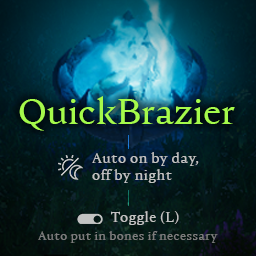
Включение/выключение авто в зависимости от времени суток. Hotkey (L), чтобы быстро переключать туманные застежки, также добавляет кости, если застежка пуста.

Мод, который позволяет игрокам извлекать предметы для рецепта непосредственно из своего тайника.

Мод на стороне сервера для V Rising, который порождает случайный NPC рядом со случайным онлайн-игроком через случайные промежутки времени, и игрок выигрывает случайное вознаграждение за элемент, если NPC убит в течение заданного срока.