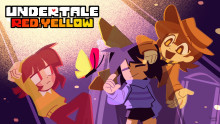
Undertale Red & Yellow
A mod to satiate all your Clover shaped needs!
 Мод для UNDERTALE
от houkou_onchi
The current version is 1.0.0.
Undertale Anniversary Patch Recreation (JA&EN) — мод для UNDERTALE (Андертейл) от автора houkou_onchi. The current version is 1.0.0.
Его скачали 3,4 тыс. раз: это 44-е место среди модов UNDERTALE в нашем каталоге, редкость — «эпический» (топ-20% по скачиваниям). Мод обновлялся в последние полгода, актуальная версия — 1.0.0.
Дополнительных модов для работы не требует.
8 шт · нажмите, чтобы открыть
Текст автора на языке оригинала
The current version is 1.0.0.
This MOD translates FroststormFrenzy's work into Japanese and was created so Japanese players can enjoy it too.We also support English, so we've designed it to be enjoyable for international visitors as well.
Not only did I translate it, but I also made numerous revisions down to the smallest details.
Not only that, but I also added several features that weren't in the original MOD.
This has slightly improved the reproduction quality.
I hope you enjoyed it even a little.
Next is about the encounter with the Sans.
Since this is a special encounter method, I'll explain it.
Encounters with Sans vary depending on your progress in the story.
On the first date with Papyrus, you'll encounter Sans when you enter the dog shrine.
On the second attempt, you'll encounter it after entering Hotland.
In the third playthrough, it changes after the Mettaton battle.
In the fourth playthrough, it changes after the battle with Asriel.
That's pretty much the gist of the explanation...?
By the way, about Doghole...
In the previous explanation, there were no enemies just by entering...
What a surprise—we've managed to implement a formidable foe!
So, please enjoy this update!
Next is the installation method.Method 1 (recommended): Undertale Mod Manager
Method 2: DeltaPatcher
Also, I've included the original MOD below, so please take a look if you'd like
Undertale Anniversary Patch Recreation Mod for UNDERTALE | UNDERTALE ModsThat's all for the explanation...?
Enjoy the MOD!
Update
Updated. The current version is “1.0.0”.
I was able to recreate it almost perfectly!
What’s more, I successfully fixed the bugs in Sans, so battles are now much smoother!
However, I made some minor adjustments, so the bullet patterns are slightly different in places compared to before.
So it might be worth giving it another try.
It’s genuinely tough, so please give it a shot.
And I don’t think I’ll fix any more bugs from here on out.
Version 1.0.0 is the final version, and even if I were to add rooms with original elements, I’d probably release that as version 2.0.0.
But I don’t think I’ll do that. Honestly, I’m tired…
As for the bullet patterns for Wintercoat and Vitamoid, I might create them if there’s enough demand.
It’d be nice if I could make them… but if anyone wants to, feel free to modify and create them on your own.
Anyway, this is finally the end! It took about half a year…
I’d be really happy if you shared it with others and had fun playing it!
So, please enjoy 1.0.0!
Thank you for reading!
Файл скачивается с официального сервера GameBanana, без перезаливов и сторонних установщиков
Подробная инструкция для UNDERTALEВставьте значок в описание на GameBanana, в README или в Discord — русскоязычные игроки сразу попадут на страницу с переводом и инструкцией.

[](https://modka.app/undertale/undertale-anniversary-patch-recreation-ja-en/)<a href="https://modka.app/undertale/undertale-anniversary-patch-recreation-ja-en/"><img src="https://modka.app/badge.png" alt="Описание на русском — Модка" height="44"></a>[url=https://modka.app/undertale/undertale-anniversary-patch-recreation-ja-en/]Описание на русском — Модка[/url]Скачайте «Undertale Anniversary Patch Recreation (JA&EN)» кнопкой «Скачать» — файл придёт с официального сервера GameBanana. Откройте папку игры: в Steam — правой кнопкой по UNDERTALE → «Управление» → «Просмотреть локальные файлы». Файл data.win лежит прямо в этой папке. Сначала сделайте копию файла data.win (например, назовите её data_original.win) — по ней игра вернётся к оригиналу. Если в архиве лежит готовый data.win — замените им файл в папке игры. Если в архиве файл .xdelta — примените его к data.win программой Delta Patcher (или xdelta UI): выберите оригинальный data.win, патч и нажмите «Apply patch». Запустите игру как обычно. Чтобы вернуть оригинал, верните сохранённую копию data.win или проверьте целостность файлов в Steam.
Файл скачивается с официального сервера GameBanana, куда его загрузил houkou_onchi. Мы не перезаливаем и не изменяем моды.
10 июня 2026, актуальная версия — 1.0.0. Дата берётся с официальной страницы мода при каждом обновлении каталога.
A mod to satiate all your Clover shaped needs!
A remaster mod focused on gameplay!
RANDOM ENEMIES
UNDERTALE but you play as Niko from Oneshot!
What would happen if Kris fell into the Underground?
Undertale but You have 100 LV by the end enjoy!