
e.v.e HUD
interface modification

 Мод для Team Fortress 2
от Mr. Mister TF2
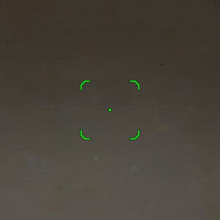
A pack of crosshairs that show accurately the spread of some weapons.
Improved Crosshairs — мод для Team Fortress 2 (ТФ2) от автора Mr. Mister TF2. A pack of crosshairs that show accurately the spread of some weapons.
Его скачали 37,7 тыс. раз: это 137-е место среди модов Team Fortress 2 в нашем каталоге, редкость — «редкий» (топ-50% по скачиваниям). Мод обновлялся в течение года, актуальная версия — 2.1.
Дополнительных модов для работы не требует.
8 шт · нажмите, чтобы открыть
Текст автора на языке оригинала
Steam\steamapps\common\Team Fortress 2\tf\custom
cl_crosshair_file "" (WITH the quotations) cl_crosshair_scale 21 (If your screen resolution is NOT 1080p: the number that you have to use is the result of dividing your height resolution by 51. e.g. 720/51=14)
Copy the alternates you want to use to another folder.
(You can identify them by the name inside the []'s)
(e.g "mini [circle]" --> "mini")
crosshairs\materials\vgui\replay\thumbnails so that it asks you to replace the file, and you accept.
You can ask me for help with issues, preferably adding this information:
I also don't read game banana comments very often so if you want to get help quickly comment it on YouTube or send me a DM through reddit u/MrMist3rrr
Файл скачивается с официального сервера GameBanana, без перезаливов и сторонних установщиков
Подробная инструкция для Team Fortress 2Вставьте значок в описание на GameBanana, в README или в Discord — русскоязычные игроки сразу попадут на страницу с переводом и инструкцией.

[](https://modka.app/team-fortress-2/improved-crosshairs/)<a href="https://modka.app/team-fortress-2/improved-crosshairs/"><img src="https://modka.app/badge.png" alt="Описание на русском — Модка" height="44"></a>[url=https://modka.app/team-fortress-2/improved-crosshairs/]Описание на русском — Модка[/url]Скачайте «Improved Crosshairs» кнопкой «Скачать» — файл придёт с официального сервера GameBanana. Откройте папку игры: в Steam — правой кнопкой по Team Fortress 2 → «Управление» → «Просмотреть локальные файлы», затем tf\custom. Если в архиве лежит файл .vpk — просто положите его в tf\custom. Если в архиве папка мода (внутри неё materials, models, sound или resource) — положите эту папку в tf\custom целиком. HUD ставится так же: его папка кладётся в tf\custom. Карты .bsp кладутся в tf\maps. Запустите игру — мод уже работает.
Файл скачивается с официального сервера GameBanana, куда его загрузил Mr. Mister TF2. Мы не перезаливаем и не изменяем моды.
6 марта 2026, актуальная версия — 2.1. Дата берётся с официальной страницы мода при каждом обновлении каталога.
interface modification
TF2 HUD

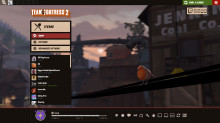
A cleaner, more stylish TF2 hud.

Originally based off an old yA version. Hope you guys like it. Updates are typically delayed because I'm a full-time student, but I love TF2 and can't live without this HUD anymore, so you can always

A more modern take of the default hud
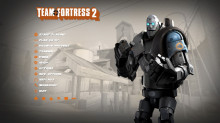
Star's old HUD, updated for the Vaccinator, Steampipe and some other things