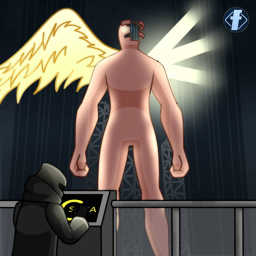

Zombiemod
Zombiemod


 Мод для Totally Accurate Battle Simulator
от newtest
Сформируйте армию, наберитесь сил и покорите этот шпиль!
Conquest Mode beta — мод для Totally Accurate Battle Simulator (ТАБС) от автора newtest. Сформируйте армию, наберитесь сил и покорите этот шпиль!
Его скачали 14,4 тыс. раз: это 101-е место среди модов Totally Accurate Battle Simulator в нашем каталоге, редкость — «редкий» (топ-50% по скачиваниям). Мод обновлялся в последние полгода, актуальная версия — 0.0.21.
Для работы ему нужны: BepInExPack TABS, SLMACore.
Текст автора на языке оригинала
This is a brand-new game mode for TABS, inspired by the card-based strategy game Slay the Spire. You need to use every possible method to achieve victory in the battle while also taking into account the losses of your army, and fight a tough and prolonged battle.
A brand new button appears in the game main menu: Conquest Mode. Click this button to enter the new gameplay mode. In this mode, you need to continuously obtain units from the base, through one after another battles and various events, and eventually reach the top of the spire.
You can purchase units and other items at the camp nodes. Note that units that die during the campaign will be lost. However, you can resurrect your dead units at the recovery station nodes.
During the campaign, if you lose a battle, you will lose a little health. If your health reaches 0, the game will end. But this doesn't mean you should try every possible way to preserve your health. What you really should focus on is the units you have, because they are your true source of strength.
During the battle, you can press the Tab key to voluntarily lose a little health and then restart the battle. When your organization is in a crisis situation, you can actively utilize this ability to minimize the losses. Additionally, the blue team's units that died in the first battle will disappear in the second battle. Therefore, there is a price for every reward. Skillfully employing detours is also the key to victory.
1.Pressing the Y key will open the relics menu, where you can see the relics you possess and view their effects; 2.Pressing the B key will open the buff menu, where you can see the buffs you have. Buffs often carry negative effects, but these negative effects can be removed at the recovery station; 3.Pressing the L key will open the consumables menu, in which there are often items that can change the battle situation. Consumables can usually be obtained during battles or purchased at the camp store; 4.Pressing the J key will open the equipment menu, where you can see the equipment and units you possess. Dragging the equipment onto the unit will equip some powerful weapons for the unit, which is likely to greatly enhance their combat ability. However, adding equipment to it will increase the cost of the unit. 5.Pressing the M key will enable you to open the real-time mini-map preview.
I have strengthened the ice attack system, and also enhanced the "SAFE_THROWER" unit which has no clear purpose.
This mod has conflicts with the following mods. Do not install them together: Chinese myth;MinecraftHurtVisuals;
Additionally, this mod will prevent you from controlling the units. If you don't plan to play this mode, then don't install this mod.
For the majority of my English translations, I mostly relied on mechanical translation, which may result in translation errors or even no translation at all. If you have any other questions, please feel free to post them in the "bug_report" section of the TABS MOD CENTER.
В r2modman ставится автоматически
Файл скачивается с официального сервера Thunderstore, без перезаливов и сторонних установщиков
Подробная инструкция для Totally Accurate Battle SimulatorВставьте значок в описание на Thunderstore, в README или в Discord — русскоязычные игроки сразу попадут на страницу с переводом и инструкцией.

[](https://modka.app/tabs/newtest-conquest-mode-beta/)<a href="https://modka.app/tabs/newtest-conquest-mode-beta/"><img src="https://modka.app/badge.png" alt="Описание на русском — Модка" height="44"></a>[url=https://modka.app/tabs/newtest-conquest-mode-beta/]Описание на русском — Модка[/url]Скачайте менеджер модов r2modman (или Gale) и выберите в нём игру Totally Accurate Battle Simulator. Создайте профиль — так моды не смешаются с чистой версией игры. Найдите «Conquest Mode beta» во вкладке Online и нажмите Download — BepInEx и все зависимости подтянутся сами. Нажмите «Start modded» — игра запустится с модами. Чтобы сыграть без модов, запустите игру как обычно из Steam — r2modman не трогает чистую версию игры.
Файл скачивается с официального сервера Thunderstore, куда его загрузил newtest. Мы не перезаливаем и не изменяем моды.
Установите вместе с ним: BepInExPack TABS, SLMACore. В менеджере модов зависимости подтягиваются автоматически.
6 октября 2026, актуальная версия — 0.0.21. Дата берётся с официальной страницы мода при каждом обновлении каталога.
Zombiemod

JOJOMod
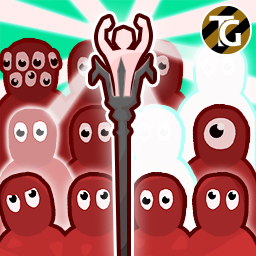
Summoner - это подразделение, которое сражается за вас, вызывая всевозможные случайные подразделения! В довершение всего, он полностью настраивается! Сделано Ферном!
Разблокировать все подразделения и оружие

Nah I'd Win

some content for these shining years and days一些内容致以那些光辉的岁月