

Double Market Price
Sets the price on the price gun to double the market price.
 Мод для Supermarket Together
от plawo
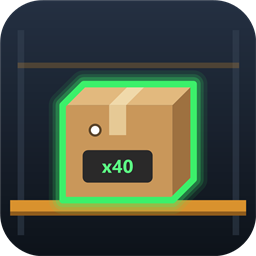
Readable storage info under the crosshair, a green outline on the storage box you look at (or the box your online order needs), and order info + payout value on packing tables.
StorageVision — мод для Supermarket Together (Супермаркет Тугезер) от автора plawo. Readable storage info under the crosshair, a green outline on the storage box you look at (or the box your online order needs), and order info + payout value on packing tables.
Его скачали 300 раз: это 36-е место среди модов Supermarket Together в нашем каталоге, редкость — «обычный» (нижняя половина по скачиваниям). Мод обновлялся в последний месяц, актуальная версия — 1.0.0.
Для работы ему нужны: BepInExPack.
6 шт · нажмите, чтобы открыть
Текст автора на языке оригинала
Makes storage and online-order packing easier to read in Supermarket Together.
Disclaimer: I am not familiar til C# development and are using Claude Code to help develop this mod. All features are tested before release.
Look at an online-order packing table to see:
Start the game once with the mod installed. This creates the config file BepInEx/config/no.hakon.storagevision.cfg.
Gale works the same way: open the profile, go to the Config tab and pick no.hakon.storagevision.
Press F8 in-game to open the Storage Vision settings window. Close it with F8 or Esc.
MenuKey in the General section of the config file.Section — Setting — Default — Description
General — MenuKey — F8 — Opens the in-game settings menu
Center HUD — Enabled — true — Show the center info (moved panel, background, info text)
Center HUD — OriginalPanel — MoveToCenter — The game's top-right product panel: MoveToCenter, Hide or Keep
Center HUD — OriginalPanelScale — 1 — Size of the moved product panel
Center HUD — ProductTextScale — 1 — Size of the product name and brand in that panel
Center HUD — FontSize — 22 — Size of the mod's own info text
Center HUD — TextColor — white — Color of the mod's own info text
Center HUD — BackgroundOpacity — 0.6 — Darkness of the background box (0 = off)
Center HUD — BackgroundPadding — 6 — Space between the content and the edge of the background box
Center HUD — OffsetX / OffsetY — 0 / -40 — Position relative to the screen center (negative Y = below)
Storage — Enabled — false — Extra line with the box amount ("Box: 20 / 20"). The outline works without it
Storage — ShowPrices — true — Add your price and the market price to that line
Highlight — Enabled — true — Outline boxes
Highlight — Mode — LookedAt — LookedAt, OrderTarget or Both (order target while picking, otherwise the looked-at box)
Highlight — Color — green — Outline color
Highlight — Width — 0.8 — Outline width
Highlight — AlwaysOnTop — false — Draw the outline through other objects
Highlight — HideOrderArrows — false — Hide the game's arrows above shelves while picking orders
Work table — Enabled — true — Packing table info
Work table — ValueMode — Payout — Payout, Market, ShelfPrice or All
Work table — MaxItemLines — 8 — Max product lines listed (0 = none)
Описание длинное — здесь его начало. Читать целиком на странице автора
В r2modman ставится автоматически
Файл скачивается с официального сервера Thunderstore, без перезаливов и сторонних установщиков
Подробная инструкция для Supermarket TogetherВставьте значок в описание на Thunderstore, в README или в Discord — русскоязычные игроки сразу попадут на страницу с переводом и инструкцией.

[](https://modka.app/supermarket-together/plawo-storagevision/)<a href="https://modka.app/supermarket-together/plawo-storagevision/"><img src="https://modka.app/badge.png" alt="Описание на русском — Модка" height="44"></a>[url=https://modka.app/supermarket-together/plawo-storagevision/]Описание на русском — Модка[/url]Скачайте менеджер модов r2modman (или Gale) и выберите в нём игру Supermarket Together. Создайте профиль — так моды не смешаются с чистой версией игры. Найдите «StorageVision» во вкладке Online и нажмите Download — BepInEx и все зависимости подтянутся сами. Нажмите «Start modded» — игра запустится с модами. Чтобы сыграть без модов, запустите игру как обычно из Steam — r2modman не трогает чистую версию игры.
Файл скачивается с официального сервера Thunderstore, куда его загрузил plawo. Мы не перезаливаем и не изменяем моды.
Установите вместе с ним: BepInExPack. В менеджере модов зависимости подтягиваются автоматически.
20 октября 2026, актуальная версия — 1.0.0. Дата берётся с официальной страницы мода при каждом обновлении каталога.
Sets the price on the price gun to double the market price.
Increase gamespeed 2x 4x 6x 8x.

Restocks your supermarket for you! Boxes will be ordered automatically.
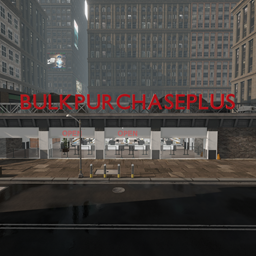
Allows the bulk purchase of products with several modes

AI, performance, and QoL changes for Supermarket Together

Enhanced transporter, more slots, better handling etc.