

Toasts Comp Pack
Комплексный пакет, чтобы сделать STRAFTAT более конкурентоспособным и простым в игре!
 Мод для STRAFTAT
от kestrel
Добавляет систему команд консоли и различные полезные команды администратора / утилиты
Chat Commands — мод для STRAFTAT (Страфтат) от автора kestrel. Добавляет систему команд консоли и различные полезные команды администратора / утилиты
Его скачали 4,3 тыс. раз: это 18-е место среди модов STRAFTAT в нашем каталоге, редкость — «эпический» (топ-20% по скачиваниям). Мод обновлялся в течение года, актуальная версия — 1.2.8.
Для работы ему нужны: BepInExPack, MyceliumNetworking.
Текст автора на языке оригинала
This mod adds a command system to the chat, with syntax similar to that of the console in source games.
This mod is mostly intended to be a library mod for other mod developers to add their own commands as an easy to implement way to run code in their mods. However, I have included a few builtin commands! Some features of them you might find helpful include:
values instead of using a slider
/weapon or /w to spawn in a weapon in exploration mode/prop or /p to spawn in a prop (barrels, etc.) in exploration mode/fov to set your fov/sensitivity to set your sensitivity/ignore to hide a player's chat messages from youTo begin a command, enter a slash (/) into chat. you can also hit the slash key and the chat box will open with a slash already in it. After the slash, enter the command name, then the command's parameters seperated by spaces.
To view a list of all commands currently registered, run the command help (or its alias h). if you want to see help text for a particular command, or a particular category of commands, enter the command name or category name as a parameter after the command name.
If you want to enter something with spaces in it as a parameter, e.g. a sentence, surround the parameter with quotation marks (" or ') to create a string (a sequence of characters). If you want to enter another string inside a string, you can either use the type of quotation mark you did not use for the outer string, or enter a backslash (\\) before quotation marks you use inside the string.
Some commands may have optional parameters. These parameters have a default value that will be chosen if you do not enter a value for them. Optional parameters will always appear at the end of a command's parameter list.
You can run multiple commands in one go by separating them with a semicolon (;). You can also take the output of a command and directly append it to the parameters of the following command by putting a pipe (|) after the first command. This allows for many complicated and advanced setups, for example gamma | add 0.5 | gamma | concat 'gamma: ' | echo. This command will get the current brightness setting (gamma with no parameters), send it to add as the second parameter, adding 0.5 to the value, send the value back to gamma as a parameter, setting the brightness to the value, then send the new brightness value to concat as the second parameter, joining it to the string 'gamma: ', and finally send the output of that to echo, printing the result. Altogether, this results in the brightness setting being incremented by 0.5 and some handy feedback being sent in the chat to show the new value. I personally have this command bound to a key, as well as one that reduces the brightness by 0.5 (i'll leave that one to you to figure out :3), as a handy way to quickly change brightness while in a game.
For any further help, you can find me @sneaky_kestrel in the #modding channel in the official straftat discord!
ChatCommands.dll, put it somewhere safe and then adda reference to it in your project.
[BepInDependency(ChatCommands.PluginInfo.PLUGIN_GUID)] attribute to your main plugin classon the Thunderstore page, to your manifest.json.
CommandRegistry.RegisterCommandsFromAssembly() in your plugin's startup logic.To create a command, add the [Command] attribute to any static method. The attribute has a few parameters:
name: Self explanatory. The name of your command.description: A short description of your command and what it does~ this will be shown in the output of help.flags: Flags that define requirements or additional behaviours for your command. Not required, anddefaults to CommandFlags.None. This is a flags enum, so multiple flags can be applied with a btiwise or.
The return value of a command will be output to chat by default~ if you'd like to return a value but wouldn't like it to be printed you can add CommandFlags.Silent to your command.
By default, the following types are supported as parameters for commands. See the custom parsers section for a guide on how to add support for custom types.
IConvertibleKeyCode ~ also supports the standard source engine key namesbool ~ also parses numbers (i.e. 1 -> true, 0 -> false)Vector2 & Vector3Flags apply additional conditions or behaviours to your command.
Requirement Flags:
HostOnly - Must be hostExplorationOnly - Must be in exploration modeIngameOnly- Must be in a mapBehaviour Flags:
Silent - The command's return value will not be sent in chatTryRunOnHost - The command will be run on the host's machine if possible(the host must have the mod adding the command installed for this)
Developers should note that the TryRunOnHost command flag will output the command's return value back to the user, but will not send it for piping to other commands. As such, it's best to
Описание длинное — здесь его начало. Читать целиком на странице автора
В r2modman ставится автоматически
1 в каталоге
Комплексный пакет, чтобы сделать STRAFTAT более конкурентоспособным и простым в игре!
Файл скачивается с официального сервера Thunderstore, без перезаливов и сторонних установщиков
Подробная инструкция для STRAFTATВставьте значок в описание на Thunderstore, в README или в Discord — русскоязычные игроки сразу попадут на страницу с переводом и инструкцией.

[](https://modka.app/straftat/kestrel-chat-commands/)<a href="https://modka.app/straftat/kestrel-chat-commands/"><img src="https://modka.app/badge.png" alt="Описание на русском — Модка" height="44"></a>[url=https://modka.app/straftat/kestrel-chat-commands/]Описание на русском — Модка[/url]Скачайте менеджер модов r2modman (или Gale) и выберите в нём игру STRAFTAT. Создайте профиль — так моды не смешаются с чистой версией игры. Найдите «Chat Commands» во вкладке Online и нажмите Download — BepInEx и все зависимости подтянутся сами. Нажмите «Start modded» — игра запустится с модами. Чтобы сыграть без модов, запустите игру как обычно из Steam — r2modman не трогает чистую версию игры.
Файл скачивается с официального сервера Thunderstore, куда его загрузил kestrel. Мы не перезаливаем и не изменяем моды.
Установите вместе с ним: BepInExPack, MyceliumNetworking. В менеджере модов зависимости подтягиваются автоматически.
25 апреля 2026, актуальная версия — 1.2.8. Дата берётся с официальной страницы мода при каждом обновлении каталога.
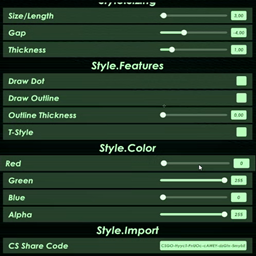
Добавить Counter-Strike пользовательский кроссхейр с настройками
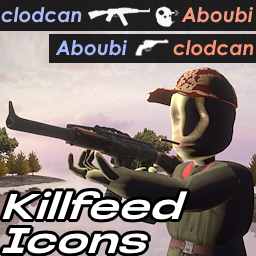
Замена текста в killfeeds иконками
Не смей насмехаться!
Tweaks
Треки убивают каждое оружие и сохраняют его в файле JSON.

Отменяет название игры независимо от Steam.