

Portraited Changing Skies - Beta
Меняет фон портрета в соответствии с текущей погодой и временем без изменения рамы портрета ванили. Это альтернативная версия Changing Skies, изначально сделанная Дорагуном.


 Мод для Stardew Valley
от avaallonn
Позволяет легко создавать картины NPC, включая фермера с пользовательскими фонами и кадрами. Добавьте в картину один или несколько NPC и создайте милые семейные или партнерские фотографии!
Custom NPC Paintings — мод для Stardew Valley (Стардью Валли) от автора avaallonn. Позволяет легко создавать картины NPC, включая фермера с пользовательскими фонами и кадрами. Добавьте в картину один или несколько NPC и создайте милые семейные или партнерские фотографии!
Его скачали 207,7 тыс. раз: это 70-е место среди модов Stardew Valley в нашем каталоге, редкость — «редкий» (топ-50% по скачиваниям). Мод обновлялся в последние полгода, актуальная версия — Custom NPC Paintings 26228 1.4.0 2026-07-26T19-03Z NuyTYgfuI.zip.
Дополнительных модов для работы не требует.
8 шт · нажмите, чтобы открыть
Текст автора на языке оригинала
This mod allows you to easily create highly customisable paintings of NPCs. Select the frame, background and NPC of your choice. Additionally, feel free to adjust the position and frame of the NPC such as the offset of the background. For even more customisation, you can add your own frames and backgrounds !
Q: Is this mod compatible with mod … ?
A: The mod should be compatible with most mods. It doesn't patch any line of code means there should be very little to zero conflicts with other mods.
Q: Does this work with modded NPCs?
A: Yes! You can create a painting of any modded NPC that is able to socialize. The mod automatically fetches the NPCs so there will be no work for custom NPC authors.
Q: Can I add custom backgrounds and frames?
A: Absolutely! There are two different ways on how to add them. It's explained here.
Q: Will you add the player as well?
A: This is a difficult question. Stardew Valley doesn't offer the ability to directly access the current player texture. It renders every component of the player on the screen. There might be a way to work arounds this though.
Q: I want to use the winter outfit for my NPC. How can I do it?
A: The mod fetches the current sprite of each NPC. If you want to use the winter sprite, you have to wait until its winter. This applies for any other case (Beach, Seasonal Outifts during the corresponding season, …)
Файл скачивается с официального сервера CurseForge, без перезаливов и сторонних установщиков
Подробная инструкция для Stardew ValleyВставьте значок в описание на CurseForge, в README или в Discord — русскоязычные игроки сразу попадут на страницу с переводом и инструкцией.

[](https://modka.app/stardew-valley/custom-npc-paintings/)<a href="https://modka.app/stardew-valley/custom-npc-paintings/"><img src="https://modka.app/badge.png" alt="Описание на русском — Модка" height="44"></a>[url=https://modka.app/stardew-valley/custom-npc-paintings/]Описание на русском — Модка[/url]Скачайте SMAPI с официального сайта smapi.io, распакуйте и запустите install on Windows — он сам найдёт игру. Если игра в Steam: установщик покажет строку для параметров запуска — вставьте её в Steam (свойства игры → «Параметры запуска»). Скачайте «Custom NPC Paintings» кнопкой «Скачать» и распакуйте архив в папку Mods внутри папки игры (Steam: правой кнопкой по игре → «Управление» → «Просмотреть локальные файлы»). Запустите игру. Открывается консоль SMAPI — в ней видно, какие моды загрузились и каких библиотек не хватает.
Файл скачивается с официального сервера CurseForge, куда его загрузил avaallonn. Мы не перезаливаем и не изменяем моды.
15 августа 2026, актуальная версия — Custom NPC Paintings 26228 1.4.0 2026-07-26T19-03Z NuyTYgfuI.zip. Дата берётся с официальной страницы мода при каждом обновлении каталога.
Меняет фон портрета в соответствии с текущей погодой и временем без изменения рамы портрета ванили. Это альтернативная версия Changing Skies, изначально сделанная Дорагуном.

Этот мод добавляет картины из модпакетов Kehaans как в долине Stardew, так и в Minecraft с использованием мода Alternative Textures
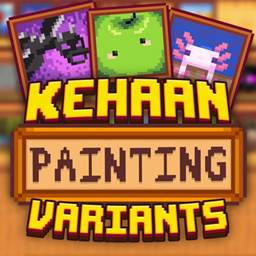
Этот мод добавляет картины на тему Minecraft и Stardew Valley, используя альтернативные текстуры.
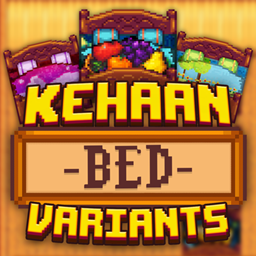
Добавлены дизайны на тему Kehaan Modpacks для кроватей и двойных кроватей с использованием альтернативных текстур. Используйте ведро для краски, чтобы вырезать дизайн.

Поменяйте Старого Моряка на статических или сезонных Русалок (настраиваемые имена, i18n). Кулон русалки меняется по сезонам. Добавить новые картины в Робин. Факультативный рецепт подвески через годичную почту.
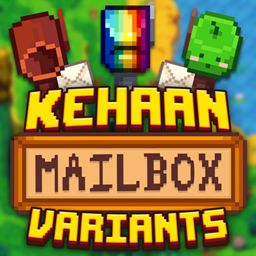
Этот мод добавляет почтовые ящики, тематические вокруг Stardew Valley, с использованием альтернативных текстур мод.