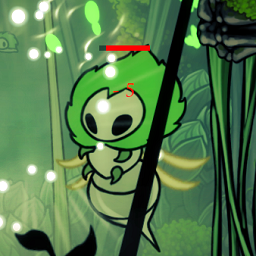
ShowDamage HealthBar
Отображает вражеские бары здоровья и фактические номера повреждений игроков, с барами босса и настраиваемыми пользовательскими текстурами.
 Мод для Hollow Knight: Silksong
от Mhz
A simple teleportation mod. 简单传送,随时掌控。
Teleport — мод для Hollow Knight: Silksong (Силксонг) от автора Mhz. A simple teleportation mod. 简单传送,随时掌控。
Его скачали 39,2 тыс. раз: это 33-е место среди модов Hollow Knight: Silksong в нашем каталоге, редкость — «редкий» (топ-50% по скачиваниям). Мод давно не обновлялся — проверьте совместимость с текущей версией игры, актуальная версия — 1.2.2.
Для работы ему нужны: BepInExPack Silksong.
Текст автора на языке оригинала
English | 中文
A simple teleportation mod for Hollow Knight: Silksong.
📋 Known Issues & Solutions
If you find the character is off-screen after teleporting, or the camera doesn't follow character movement (character walks directly out of screen boundaries), this is usually caused by skipping the game's camera transition mechanism during teleportation. For solutions, please refer to the Safe Respawn function in the Troubleshooting Guide.
Both teleportation and Safe Respawn functions may sometimes teleport the character to unlocked entry points. Due to potential obstacles at unlocked entrances, the character might be "pushed into" unexpected closed areas. If you find yourself trapped in a scene that you cannot normally exit, please:
📍 Special Note: The "MEMORIUM" scene (requires double jump to reach) is prone to this issue. If teleported there before unlocking double jump, you will be trapped in the scene, please be extra careful.
During cross-scene teleportation, if the teleport key combination includes the map key (gamepad default LB), holding the map key may cause teleportation only to the scene entrance rather than the target coordinates. When this occurs:
💡 Tip: While this operation method is uncommon, both keyboard and gamepad can trigger this issue.
Ctrl + 1~5: Quick save position 🔊 Sound effectAlt + 1~5: Quick load position (no save data: auto teleport to bench)Alt + 6: Safe respawn (cycle entry points)Alt + 7: Teleport to bench (last respawn point)Alt + 0: Reset all coordinatesAlt + - [minus key]: Emergency teleport (to preset safe location)Ctrl + [tilde key]``: Open Teleport Interface - Unlimited save slots with UI support for save, load, delete, overwrite, bench teleport, reset coordinates, safe respawn, and moreCtrl + F9: Emergency return to main menu (character out of control/stuck)💡 Note: Default uses main keyboard number keys, NOT numpad keys. All key combinations are fully customizable in the config file, including modifier keys and function keys!LB + RB + Direction/A: Teleport to slotLB + Start + Direction/A: Save to slot 🔊 Sound effectLB + RB + Y: Safe respawnLB + RB + B: Teleport to bench (last respawn point)LB + Select + Start: Reset all coordinatesLB + RB + X: Emergency teleport (to preset safe location)💡 Note: All gamepad controls are fully customizable to match your personal preferences.Direction Keys:
DPadUp = D-Pad UpDPadDown = D-Pad DownDPadLeft = D-Pad LeftDPadRight = D-Pad RightFace Buttons:
JoystickButton0 = A ButtonJoystickButton1 = B ButtonJoystickButton2 = X ButtonJoystickButton3 = Y ButtonShoulders & Triggers:
LeftBumper = Left Bumper (LB)RightBumper = Right Bumper (RB)LeftTrigger = Left Trigger (LT)RightTrigger = Right Trigger (RT)System Buttons:
JoystickButton6 = Select/Back ButtonJoystickButton7 = Start ButtonJoystickButton8 = Home/Guide ButtonDefault Gamepad Configuration:
DPadUp (D-Pad Up)DPadDown (D-Pad Down)DPadLeft (D-Pad Left)DPadRight (D-Pad Right)JoystickButton0 (A Button)LeftBumper + RightBumper (LB + RB)LeftBumper + JoystickButton7 (LB + Start)JoystickButton3 (Y Button) [in teleport mode]JoystickButton2 (X Button) [in teleport mode]JoystickButton1 (B Button) [in teleport mode]LeftBumper + JoystickButton6 + JoystickButton7 (LB + Select + Start)⚙️ All gamepad controls can be customized in the game's config file.
💡 If older version config entries are too numerous and affect viewing, you can delete the .cfg config file and restart the game to automatically generate the latest configuration.⚠️ Important: Please follow these safety guidelines to avoid game bugs and data corruption!
✅ Only save or teleport when your character is fully controllable ✅ In normal game scenes, when not in combat
❌ During boss battles ❌ Inside closed combat areas ❌ During cutscenes or animations ❌ When character is controlled or immobilized ❌ During any special states or triggered events
⚠️ Avoid multiple teleportations in short time (like teleporting multiple times within 1 second) ⚠️ Do not teleport immediately after death
Alt+6, Gamepad: LB+RB+Y)If teleported to entry point, then use load position as needed 💡 Example: If character is off-screen after loading save, or camera doesn't follow character movement, use Alt+6 safe respawn, then reload the same save slot coordinates to fix camera/view issues
Описание длинное — здесь его начало. Читать целиком на странице автора
В r2modman ставится автоматически
Файл скачивается с официального сервера Thunderstore, без перезаливов и сторонних установщиков
Подробная инструкция для Hollow Knight: SilksongВставьте значок в описание на Thunderstore, в README или в Discord — русскоязычные игроки сразу попадут на страницу с переводом и инструкцией.

[](https://modka.app/silksong/mhz-teleport/)<a href="https://modka.app/silksong/mhz-teleport/"><img src="https://modka.app/badge.png" alt="Описание на русском — Модка" height="44"></a>[url=https://modka.app/silksong/mhz-teleport/]Описание на русском — Модка[/url]Скачайте менеджер модов r2modman (или Gale) и выберите в нём игру Hollow Knight: Silksong. Создайте профиль — так моды не смешаются с чистой версией игры. Найдите «Teleport» во вкладке Online и нажмите Download — BepInEx и все зависимости подтянутся сами. Нажмите «Start modded» — игра запустится с модами. Чтобы сыграть без модов, запустите игру как обычно из Steam — r2modman не трогает чистую версию игры.
Файл скачивается с официального сервера Thunderstore, куда его загрузил Mhz. Мы не перезаливаем и не изменяем моды.
Установите вместе с ним: BepInExPack Silksong. В менеджере модов зависимости подтягиваются автоматически.
22 сентября 2025, актуальная версия — 1.2.2. Это больше года назад: перед установкой проверьте, работает ли мод на текущей версии игры.
Отображает вражеские бары здоровья и фактические номера повреждений игроков, с барами босса и настраиваемыми пользовательскими текстурами.
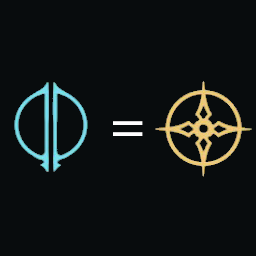
Allows blue and yellow tools to be equipped in each other's slots. 允许蓝色和黄色工具互相装备到对方的槽位。

Boss Scene Loader for Silksong

Делает вас непобедимыми, исцеляя вас за 1 кадр. Я уверен, что это очень эффектно.

Очень простой мод нажатия клавиши b для переключения затвора, совместимый с контроллером.

Мод позволяет разблокировать любую карту без ее покупки.